
- WordPress.com’s staging site synchronization feature fosters a risk-free environment for creative experimentation, so users can boldly explore new designs and functionalities without jeopardizing their live site’s stability.
- The latest update brings staging site synchronization, simplifying the process of updating live websites with changes made in staging environments.
For website creators and managers, the fear of disrupting a live site while implementing changes is all too familiar. The WordPress website builder addressed this concern head-on with the introduction of its staging site so users could make changes without anything going live. Following that launch in May, this new synchronization feature now allows users to effortlessly transfer changes from a staging environment to their live website and be up and running with a new website look and feel in no time.
The Power of Staging Sites
Suppose you have a functional site that would benefit from various enhancements over time. This is where WordPress staging sites can prove useful. It allows you to experiment with different themes, designs, plugins such as WooCommerce Bookings, and more without impacting the live production site. These staging sites offer immense value as a safe sandbox to test and iterate website elements until perfected.
The key benefit is refining changes away from public view, before eventually launching the upgraded website to visitors and customers. In this way, staging sites empowers you to level up your online presence with minimal risk or disruption to ongoing operations.
New Feature: Seamless Transition to Live Sites
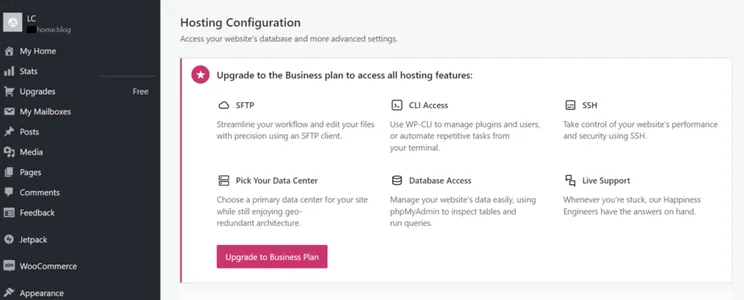
Once you’ve perfected your website’s new look or functionality in the staging environment, the challenge has been to replicate these changes on your live site accurately. WordPress.com’s staging site synchronization feature simplifies this process. With a few clicks in the Hosting Configuration settings, your staged improvements go live, ensuring a seamless and stress-free update.
User-Friendly Synchronization Process
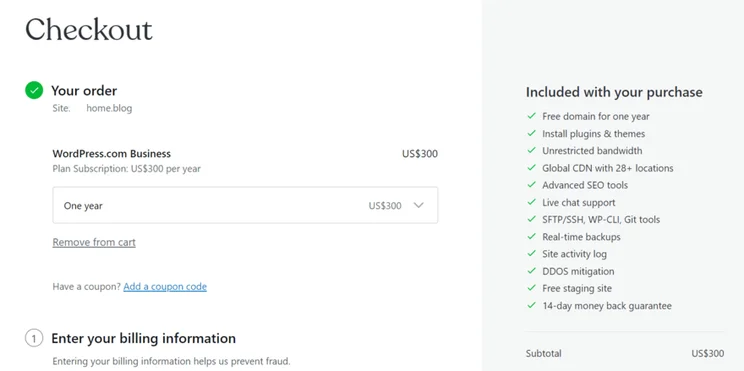
To use WordPress’s staging site sync, you’ll need to be on either the Business or Commerce plan with the Hosting Features option enabled. The Business plan costs $300 for a full year (equivalent to $25 per month for 12 months). The Commerce plan costs $540 for the full year, equivalent to $45 per month billed annually.
Initiating the process simply requires navigating to the hosting dashboard, choosing synchronization preferences, and verifying the changes to go live.
With this user-friendly approach, publishers ranging from first-time beginners to experienced developers can achieve peace of mind when managing their web presence. Instead of relying on complex migrations or risky manual updates, you’ll have greater control through this automated functionality connecting staging refinements directly to production sites.
By streamlining the transition in a few clicks, WordPress grants users at all skill levels the power to actively enhance their websites with reduced stress.
Broadening Website Management Capabilities
The introduction of staging site synchronization is part of WordPress’ broader commitment to enhancing the website management experience.
Over the past year, WordPress has introduced features like SSH and WP-CLI access, site preview links, and global edge caching. Each of these developments is designed to provide users with more control and flexibility in managing their websites.Find Out More
- If you want to find out more about the WordPress website builder, read our full WordPress.com Review
- Or, if you’d like to read up on the traditional WordPress CMS platform, our WordPress.org Review covers features, design, pros, cons, and more
In Summary: A Step Forward in Web Development
With staging site synchronization, WordPress has added a significant tool to its users’ web development arsenal. This feature not only streamlines the process of updating live websites but also aligns with the platform’s mission to make website management as effortless as possible.
It’s a clear indication that WordPress is keenly attuned to the needs of its user base, continually innovating to improve the overall web creation and management experience.


0 comments