






Based on our 2026 testing, Hostinger is the best overall web hosting provider, offering an intuitive interface, affordable plans, and a lot of built-in AI features. For these reasons, Hostinger is perfect for hosting beginners looking for a provider to grow with them.
The right web host for you depends on your needs and budget. Hostinger suits small startups thanks to its affordable prices, WordPress sites do well with Bluehost due to its specially tailored plans, and DreamHost’s high-performing US servers are great for running fast-loading pages for local customers. Below, I’ve compared the key benefits, drawbacks, and pricing of our top five hosts to help you decide.
- Hostinger has the cheapest rates for a long-term subscription, starting at $1.99 per month (for a 48-month plan)
- Bluehost is officially recommended by WordPress, making it great for WordPress sites and migration
- For fast site speeds in the US, DreamHost performs the best, whereas GoDaddy’s server response time is the slowest
- 24/7 phone support is available with Bluehost, IONOS, and GoDaddy
Web Hosting Comparison Table
You can compare our top web hosts for 2026 in the side-by-side table below:
|
Best for
|
Starting from
|
Storage space
|
Uptime guarantee
|
|||
|---|---|---|---|---|---|---|
 |
 |
 |
 |
 |
||
|
Hostinger |
Bluehost |
DreamHost |
IONOS |
GoDaddy |
||
|
Best for long-term value |
Best for WordPress sites |
Best for local businesses |
Best for growing businesses |
Best for all-in-one convenience |
||
|
$2.99 |
$3.99 |
$1.99 |
$1 |
$5.99 |
||
|
20GB SSD – 400GB NVMe |
10 – 3,000GB NVMe SSD |
25 – 1,920GB NVMe |
10GB – Unlimited |
10 GB – 1.5 TB NVMe |
||
|
99.9% |
99.99% |
100% |
99.99% |
99.9% |
||
| Visit Hostinger | Visit Bluehost | Visit DreamHost | Visit IONOS | Visit GoDaddy |
As of January 2026, we’ve tested eight hosting providers across five core pillars, with performance, market analysis, and pricing being our main focus. Given the different types of web hosting available, we’ve ensured our research methodology encompasses them all in order to fairly compare different plans and product tiers.
1. Hostinger: Best for Long-Term Value
Starting price: from $1.99 per month
Renewal price: from $10.99 per month
Hosting types: shared hosting, managed hosting for WordPress, managed hosting for WooCommerce, VPS hosting, cloud hosting, agency hosting
US server response time: 0.33s (330ms)
Uptime guarantee: 99.9%
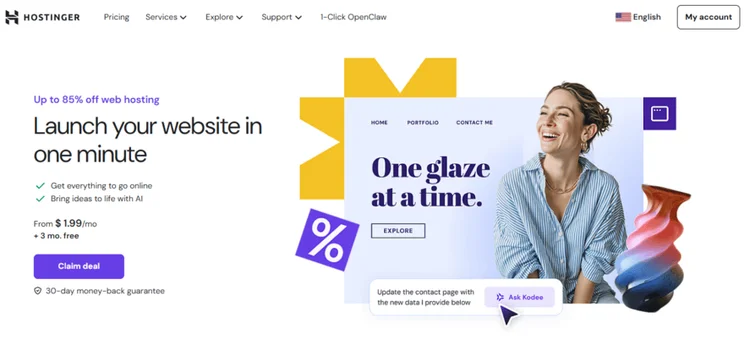
Hostinger is our top-rated web host for its low entry-level prices, fast performance, and intuitive hPanel. Its built-in AI tools and scalable plans make Hostinger a great option for beginners and growing businesses. Plus, you can choose from a variety of hosting types, too, including WordPress hosting and VPS hosting.
Hostinger is a popular website builder as well, so you can build and host your website all from a single platform. Because of this, I highly recommend Hostinger for long-term projects or professional business sites seeking a budget-friendly host that can accommodate multiple websites.
- The beginner-friendly interface helps you get your site live quickly – and you can use the AI website builder to create your site from scratch
- High-speed performance, with servers around the world
- 24/7 live chat support and an AI assistant, Kodee
- No phone support, which can be risky when facing an urgent problem
- Not ideal for short-term projects, since you’ll need to pay more – the best deals are attached to a four-year contract
- No dedicated hosting plans
- Storage: 20-400 GB NVMe SSD storage
- Number of websites allowed: 3-Unlimited
- Inode limits: 2-4M
- RAM: 4-32 GB
- CPU Cores: 1-8
- Control Panel type: hPanel (custom)
How Much Does Hostinger Cost?
Hostinger’s pricing starts at $1.99 per month for a shared hosting plan, so you won’t need to worry about eating into your profits with high technology costs. Of all the web hosts we’ve tested, Hostinger is the best value for money because of these affordable plans.
While you’ll need to commit to a 48-month subscription to get the best introductory deal, the long-term value is great for small businesses with small budgets. You won’t have to worry about renewal prices for a few years.
2. Bluehost: Best for WordPress Sites
Starting price: from $3.99 per month
Renewal price: from $9.99 per month
Hosting types: shared hosting, WordPress hosting, WooCommerce hosting, VPS hosting, dedicated hosting
US server response time: 0.58s (580ms)
Uptime guarantee: 99.99%
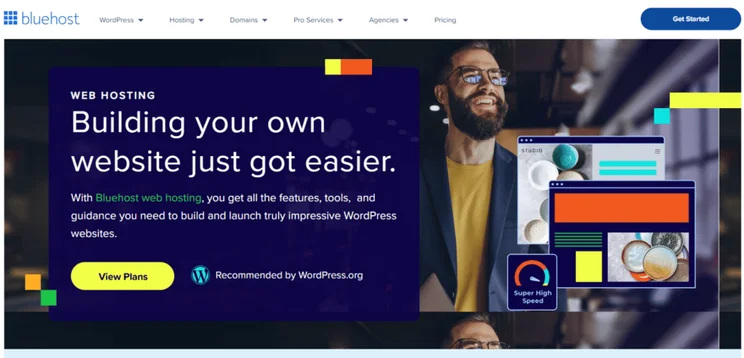
Bluehost is officially endorsed by WordPress, making it the best option if you’re building a website or online store with the CMS. While its prices can be higher in the long run, Bluehost’s built-in features, such as staging tools and free WordPress migration, make it a worthwhile investment for beginners and small businesses. And, when your site needs more power, you can easily upgrade from shared to VPS to dedicated hosting.
Along with its quality range of features and tools, I was most impressed with Bluehost’s support options – Bluehost has the best support out of all the web hosts we tested. You can expect specialized WordPress support and 24/7 phone support (on select plans), helping you troubleshoot issues no matter the day or time.
- Bluehost’s plans are optimized for WordPress sites, making it easy to set up, manage, and update
- US-based 24/7 phone support is available from the Business shared hosting plan
- Built-in security measures keep your site safe, including a free SSL certificate, malware scanning, and weekly backups
- The renewal fees can increase as much as 200-500%, which could hurt your business financially once the initial term ends
- Shared hosting plans limit your site to 200k visitors per month
- You’ll need to pay for key features, such as domain privacy and professional email
- Storage: 10-3,000 GB NVMe SSD storage
- Number of websites allowed: 10-Unlimited
- Inode limit: 50,000 per cPanel account (soft limit)
- RAM: 2-128 GB
- CPU Cores: 1-32
- Control Panel type: cPanel (customized)
How Much Does Bluehost Cost?
For shared hosting, Bluehost’s pricing ranges from $3.99 to $14.99 per month (for a 36-month term). Of course, if you opt for a different hosting type, such as dedicated hosting, plans can reach up to $315.19 per month. Most plans are available for a 12-month or 36-month term, but the longer the term, the cheaper the monthly cost.
And, since Bluehost’s shared plans are optimized for WordPress hosting, you don’t need to pay extra for features, like managed WordPress updates or auto-install.
Like Hostinger, Bluehost offers affordable starting prices, but its renewal fees can be steep. For example, the $3.99 per month Starter plan will increase to $9.99 per month after the initial subscription ends.
3. DreamHost: Best for Local Businesses
Starting price: from $1.99 per month
Renewal price: from $7.99 per month
Hosting types: shared hosting, WordPress hosting, VPS hosting, dedicated hosting
US server response time: 0.12s (120ms)
Uptime guarantee: 100%
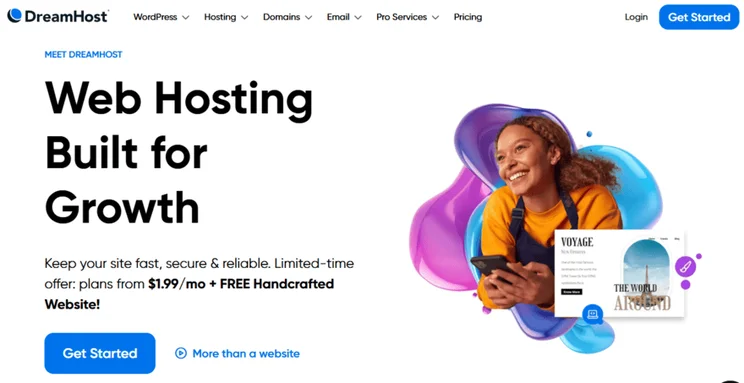
DreamHost offers plenty of flexibility for small businesses, with affordable monthly and yearly prices. This is great if you’re looking to explore a lot of projects or test business ideas, since you won’t be locked into a long-term contract. Even if you opt for a short term, your DreamHost plan will include great features, including unlimited bandwidth, daily automated backups, and the quickest US server response times we’ve tested.
While IONOS has more US-based servers than DreamHost, DreamHost’s servers are faster and more responsive for local businesses.
DreamHost also boasts an 100% uptime guarantee. While no web host can actually make this promise, it basically means DreamHost will compensate you if your website experiences any downtime at all. This provides a high level of financial security, especially since mid-sized businesses lose an average of $3,000 to $12,000 per hour of downtime.
- A custom control panel allows users to take a hands-off approach, which is great for beginners
- 24/7 live chat and email support are provided, as well as a callback system
- Extremely fast response times, with two US-based data centers
- Like Hostinger, DreamHost also lacks any immediate phone support
- Not ideal for international audiences, with only one server in Europe (Amsterdam) and one in Asia (Singapore)
- There are a few paid add-ons to consider when you reach checkout, such as email, security, and domain names
- Storage: 25-1,920 GB NVMe SSD storage
- Number of websites allowed: 1-unlimited
- Inode limits: No set limit
- RAM: 2-128 GB
- CPU Cores: 2-12
- Control Panel type: Custom
How Much Does DreamHost Cost?
DreamHost’s starting prices range from $2.89 to $165 per month (billed annually) across different hosting types. However, you can opt for a four-year term with shared hosting and pay just $1.99 per month, saving you 83% compared to a monthly rate.
DreamHost is great value for money, with competitive introductory prices and a 30-day money-back guarantee (though this used to be 97 days!). You can subscribe to a long-term plan to get the best starting rate, but the refund window makes the commitment relatively risk-free.
4. IONOS: Best for Growing Businesses
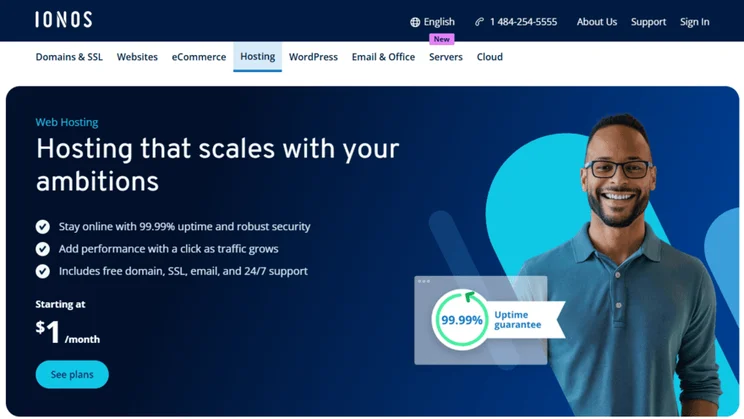
Starting price: from $1 per month
Renewal price: from $8 per month
Hosting types: Shared hosting, WordPress hosting, WooCommerce hosting, VPS hosting
US server response time: 0.29s (290ms)
Uptime guarantee: 99.99%
IONOS impressed us the most with its server response times and speed, beating out the competition for global response times. With three US-based servers (in Kansas, Nevada, and New Jersey), IONOS provides website owners with robust and reliable performance across the US. Plus, there’s room for scalability, meaning you can start with shared hosting and upgrade to VPS or dedicated hosting plans as your site grows.
53% of mobile users will abandon your website if it takes longer than three seconds to load, so choosing a fast web host like IONOS can really help to reduce bounce rates and improve the overall customer experience.
- IONOS has the cheapest deals for new websites, which lowers the risk for entrepreneurs and new businesses
- One of the best for server response times and uptime
- Get a support advisor with every plan, guaranteeing responsive and personalized help
- Not ideal for long-term value since prices increase dramatically after the first year, catching many users off guard
- IONOS’ interface isn’t as user-friendly as Hostinger
- Storage: 10 GB-unlimited
- Number of websites allowed: 1-unlimited
- Inode limits: 262,144
- RAM: 512 MB-24 GB
- CPU Cores: 1-12
- Control Panel type: My IONOS (custom)
How Much Does IONOS Cost?
IONOS’ starting prices range from $1 to $22 per month across the different hosting types. Its pricing structure can be a little confusing, with different terms and deals displayed, so be sure to double-check your selection and renewal fees before checkout. For example, the $1/month Plus plan increases to $14/month after the first year.
That said, IONOS has the cheapest introductory rates of any web host, helping cost-conscious businesses get online immediately without risking a lot of cash early on.
The $1-per-month deal is a welcome sight for the 73% of SMBs who report that technology costs are eating into their profits. The total cost for a one-year contract is much lower than other providers, like Hostinger, which lock you in for longer subscriptions, but you’ll miss out on long-term value.
For example, the $1 IONOS plan will cost $12 in total for year one, whereas Hostinger’s cheapest hosting plan will cost roughly $50 for an annual subscription, making IONOS more affordable initially. After the first year (when the introductory deal is over), an annual subscription for IONOS will cost $168 ($14 per month), while Hostinger’s annual renewal price only goes up to $10.99 per month.
5. GoDaddy: Best for All-in-One Convenience
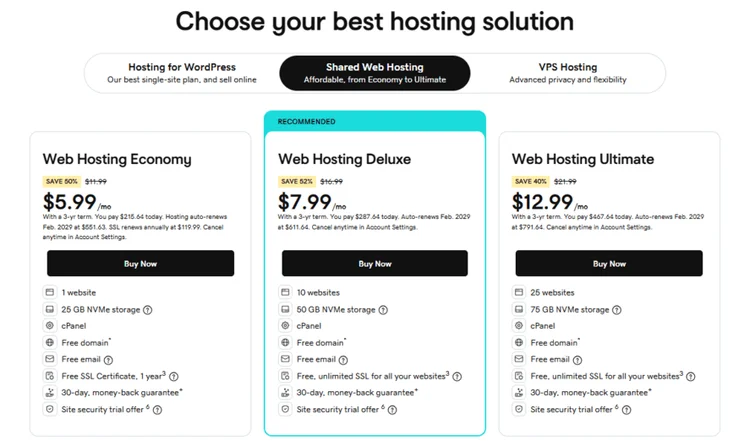
Starting price: from $5.99 per month
Renewal price: from $11.99 per month
Hosting types: shared hosting, WordPress hosting, VPS hosting
US server response time: 1.11s (1110ms)
Uptime guarantee: 99.9%
GoDaddy bundles its AI website builder, professional email service, marketing, domain names, and hosting into one unified system. You won’t need to manage multiple accounts across platforms to run your site smoothly! This is incredibly convenient for beginners and SMBs looking to build, grow, and promote their brand online. However, it isn’t an ideal solution if you don’t need these extras and just want web hosting.
GoDaddy is also one of the best web hosts for customer support, offering 24/7 phone support with human experts – something Hostinger, our top-rated web host, lacks. That said, some Reddit communities have addressed GoDaddy’s inability to solve complex technical problems. Because of this, I don’t recommend choosing GoDaddy for advanced projects.
- 24/7 phone and SMS support available, as well as specialized WordPress support
- Affordable introductory prices make GoDaddy very accessible, no matter your budget
- GoDaddy Airo (GoDaddy’s AI-powered suite of tools) saves you time and money from hiring professionals, since you can handle tasks like social media scheduling and SEO in-house
- Slower response times aren’t ideal for high-traffic businesses – you risk losing sales during any downtime
- Steep renewal fees – plans can double in price
- Paid extras can add up quickly, such as an SSL certificate on the cheapest plan (while free to start, you’ll eventually need to pay $119.99 per year)
- Storage: 10 GB-1.5 TB NVMe storage
- Number of websites allowed: 1-Unlimited
- Inode limits: 250,000 (Linux) or 500,000 (Windows)
- RAM: 2-128 GB
- CPU Cores: 1-32
- Control Panel type: Custom
How Much Does GoDaddy Cost?
GoDaddy’s hosting plans range from $5.99 to $219.99 per month, with the cheapest rates attached to 36-month shared hosting subscriptions. This makes GoDaddy initially a more expensive option than the other web hosts we’ve discussed.
Like most web hosts, GoDaddy’s introductory deals can be deceiving, with most plans seeing substantial increases when it’s time to renew. For example, the cheapest $5.99 per month Web Hosting Economy plan jumps up to $11.99 per month after your three-year term ends. You also need to keep an eye out for paid extras, such as website security and email.
How To Choose the Right Web Hosting Provider
When researching and choosing your web host, you need to consider a few key factors, such as the hosting types available, performance, features, and support. What elements are essential to your website? How much are you willing to spend? Can your web host support your growing online business?
To help you decide, assess and compare providers using this checklist:
- Hosting type – Does the web host offer the hosting type you need, such as dedicated hosting?
- Scalability – Can you upgrade your hosting plan if you need more power and storage? How many websites are you allowed to create and host on a single plan?
- Data center locations – Does the web host offer a US-based server? (All of our top-rated web hosts do!) Is the web host equipped to support you internationally?
- Performance – What’s the uptime guarantee? Does the web host provide fast server response times?
- Budget – Do you want to get your site live quickly and cheaply, or are you looking for long-term value? Most web hosts offer the best deals with longer subscriptions
- Features – Does the web host include built-in security measures, email, AI tools, or ecommerce support? Do you need to pay extra for any of these features?
- Customer support – Is 24/7 phone support or live chat help available? Look for responsive support teams to ensure you’re not left to handle urgent problems alone
While both web hosts and website builders serve the same goal of getting your website live, they differ in approach.Web hosts provide the infrastructure for your website to exist online, but you get full ownership of data and it’s easier to switch providers down the line. Website builders, such as Wix, operate in an all-in-one, closed ecosystem – hosting is included, along with other key features, but your site’s code is unique to that platform. This makes it less flexible than web hosting, but arguably more beginner-friendly.
How We Test and Rank Web Hosts
For our comprehensive rankings, we’ve rated each web host against a set of core categories with unique weightings:
- Performance: 30% – We look at server response times, Core Web Vitals, and hardware, such as Cores and RAM
- Market Analysis: 30% – How does the web host compare to others in the market and are existing customers satisfied? Can the provider be trusted?
- Price: 20% – We compare introductory deals with renewal prices, and assess the flexibility and volume of plans against today’s financial concerns
- Features: 10% – What functionality is included, such as migration capabilities, control panel intuitiveness, and security measures?
- Help & Support: 10% – What channels are available for support and how responsive is the provider?
Final Verdict: Which Web Host Do We Recommend?
Hostinger is our top web host for 2026. The web host and website builder offers great built-in AI tools, high-performance NVMe storage, quick response times, and a user-friendly interface. Plus, its plans are incredibly affordable, starting at just $1.99 per month.
While Hostinger performed well across our tests, your chosen web host will depend on your website needs, budget, and long-term plan. Before you commit to a lengthy subscription, consider our checklist of steps, from hosting type to customer support, to make sure you find the right fit.
FAQs
For US small businesses, DreamHost has fast response times (with two US-based servers), ensuring your site runs smoothly for local audiences. DreamHost also boasts an 100% uptime guarantee, something our other top-rated web hosts lack. While there’s always a risk of some downtime due to unforeseen circumstances, DreamHost will compensate your business if the 100% promise isn’t met.
Hostinger is our top choice for small businesses, given that it offers premium features on its cheapest hosting plans, such as LiteSpeed servers and AI business tools. Plus, its affordable entry prices (starting at $1.99 per month) make it incredibly appealing to SMBs who don’t want to spend too much on technology when they’re just starting out.


1 reply
1 reply