
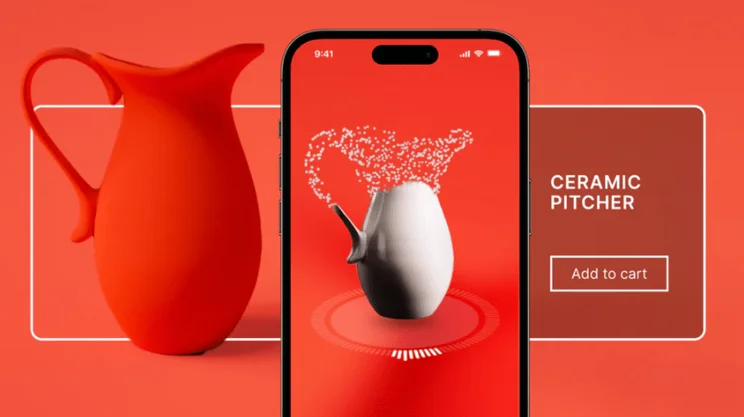
- Capture 3D images of your products using Shopify’s 3D scanner
- Available on iPhone Pro or iPad Pro models using iOS 17 or later
Shopify, our top-rated ecommerce website builder, has recently rolled out a new product feature for online stores: Shopify’s 3D scanner. The tool introduces cutting-edge technology to Shopify’s suite of impressive sales tools.
To access the 3D scanner, you’ll need to download or launch the Shopify mobile app. However, the feature itself is only available on iPhone Pro or iPad Pro models running the latest iOS software.
The good news is that the exciting new feature from Shopify is free to use, so you can capture dynamic and interactive content of your products at no extra cost.
How To Use Shopify’s 3D Scanner
While a 3D scanner sounds futuristic and high-end, Shopify makes it incredibly accessible and user-friendly with its step-by-step guide through the process.
The first stage will cover preparing your products for the scanner. You’ll want to:
- Find the right environment – With product photography, you want to avoid shadows where possible, set your product on a flat surface, and ensure the lighting is bright enough
- Assess your product – Will your product’s characteristics translate well into a 3D model or is it too reflective to capture accurately? Does it meet Shopify’s requirements?
When it’s time to scan your product, the app will offer suggestions on how to complete the three separate scans required to build a full 3D product model. Shopify says this process will take roughly 10-15 minutes in total.
Thankfully, using the 3D scanner is very straightforward. You’ll first need to launch the Shopify mobile app and then click “Products”. From there, select “3D scanner” to start from scratch or select an existing product from your store and go to its media section to add a new scan. Simply follow the instructions to scan and build your model – finally, check out the result for yourself!
If you’re happy with the 3D model, you can then save it for later use or add it directly to your product’s media library.
The Benefits of Shopify’s 3D Scanner
Shopify’s addition of a 3D scanner brings industry-leading technology to the masses – it’s quick, easy to use, and free for Shopify merchants.
Not only does it benefit the business owner with the creation of dynamic product models to freshen up product pages, but Shopify’s 3D scanner will also boost your chances of conversion and improve the overall customer experience.
With a 3D product model, customers can imagine the product in their hands or their home. They can see every angle of a product as if they were shopping in person, but with the added benefit of viewing it in their own space – this minimizes the risk of needing to return an item down the line.
Do you think you’ll use Shopify’s 3D scanner for your own store? We’d love to hear about your experience with the new feature in our comments!


0 comments