
Maybe you’ve just decided you want to build an online store, or need to integrate payments to a site you already have. Whatever brought you here, one thing’s for certain – you want to know how to accept payments online.
But with so many payment options to choose from and numerous factors to consider – like cost, convenience, and payment speed – it’s tricky identifying the right electronic fund transfer (EFT) methods for your store. And it’s a decision worth the deliberation; according to PPRO, 42% of shoppers say they’d abandon their cart if their preferred payment method wasn’t available.
To help you choose, I’ll walk you through each method of taking payments online.
- You need a merchant account first to accept online payments on your store.
- Payment gateways like Stripe and PayPal connect your site to a checkout system, though they charge transaction fees per sale.
- Ecommerce builders like Shopify and Wix offer built-in payment solutions that often removes the need for third-party setup.
- Convenient payment methods, including Digital wallets and ‘Buy Now, Pay Later’ options, can improve customer satisfaction and increase orders.
- Your store’s chosen payment methods should reflect your target audience’s shopping habits.
Before You Start: Create a Merchant Account
🚨 You need a merchant account before you start accepting electronic payments online. 🚨
Also known as credit card processing, a merchant account is a type of bank account that enables you to accept online payments.
Once a customer has tried to purchase something from your website, the merchant account holds the funds temporarily while certain monetary checks are made. The process usually goes like this:
- Customer makes a purchase
- Merchant account checks whether funds are available
- Transaction verified by card association (Visa, Mastercard, etc.)
- Money enters your business bank account
Usually, the money is held within the merchant account for a couple of working days while the payment is verified, authorized, and deemed secure.
As I’ve outlined, a merchant account is a type of bank account, so you would connect your merchant account to your website as you would with any other type of bank account.
If you’re taking payments on your website, it’s important to understand “PCI DSS compliance,” which is the global security standard for storing, processing, and transmitting customer credit card information.
According to the PCI Security Standards Council, there are 12 requirements you must follow to ensure that your business is compliant, which includes keeping your anti-virus software updated and restricting access to card holder data.
You should read the full PCI Security Standards guide first to stay informed.
6 Ways To Set Up Payments on Your Website
When you’ve set up your merchant account, you’re ready to accept payments online.
But before you choose a method and integrate it with your store, know that you shouldn’t store payment card data unless it’s absolutely necessary. This includes the information on the customer’s payment card, as well data embedded in the electronic stripe on the back. If your website is hacked, this information could be exploited and you’ll lose trust with your customers.
Now, let’s get into six common methods!
1. Payment Gateway
Best for businesses needing a tailored solution with lots of support.
An effective way to accept payments online is through a combination of a merchant account and a payment gateway.
A payment gateway connects your website to a checkout system, such as Visa, Mastercard, and American Express. You either embed a checkout page on your website or redirect your customers to the payment gateway’s own website to complete the purchase.Here are a few of our favorite payment gateway recommendations that are easy to set up and charge zero setup fees or hidden payments:
Stripe
Best for subscription-based businesses.
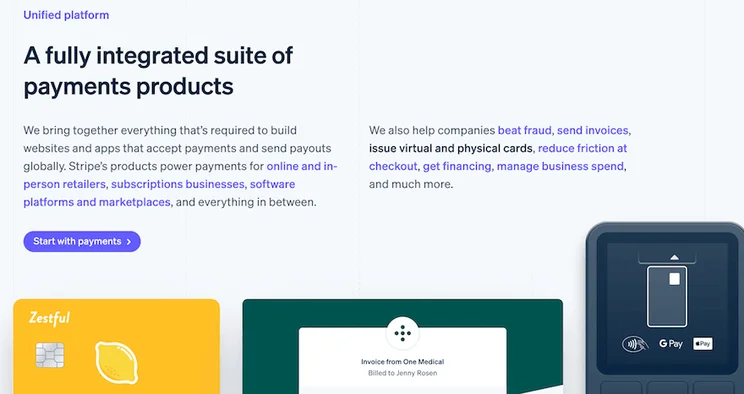
Stripe is one of the most customizable payment gateways out there, offering fully customizable, sleek website checkouts. Most alternatives either require you to use their own checkout template, or force your customers to leave your page and use the payment gateway’s website in order to checkout.
Stripe’s top features include:
- Stripe Billing: Lets you set up recurring bills or one-off invoices quickly and easily
- Stripe Identity: Verifies the identity of global users to prevent fraud
Stripe fees:
- Monthly fee: $0
- Setup fee: $0
- Online transaction fee: 2.9% plus 30 cents per transaction
- Stripe Billing costs: 0.5-0.8%, depending on plan
PayPal
Best for adding a checkout for free.
As a household name, PayPal’s checkouts fill your customers with confidence, letting them know their money is in safe hands. While PayPal’s checkouts are quite basic, they can be easily added to your payment process at no cost.
PayPal’s top feature is its One-Touch checkout, which creates a sleek experience for your customers.
PayPal fees: PayPal’s fees differ based on the type of transactions you’re accepting, and the countries they’re coming from. For the full rundown, check out PayPal’s merchant fees.
While we’ve mentioned two strong options for payment gateways, there are hundreds out there, with lots of different transaction fees and credit card processing features to consider.
Fees:
Using the combination of a merchant account and a payment gateway to accept online payments means you’ll be paying a fee for both. Payment gateway fees vary, but for each transaction, you’ll usually be charged a flat fee (around $0.30) plus a percentage of that transaction (1.4% to 3.5%).
✔️ Payment Gateway Pros:
- Payment gateways offer lots of control over security when set up correctly.
- Easy to set up and to use
- Strong customer service options
- Accepts all major credit cards like American Express, Visa, and Mastercard
✖️ Payment Gateway Cons:
- Potentially an expensive way to accept online payments due to multiple fees.
2. All-in-One Ecommerce Platform
Best for new businesses that want everything in one place with minimal management.
If you either haven’t set up your website yet, or you’ve built a website with an ecommerce builder such as Shopify or Wix Ecommerce, I’d recommend taking advantage of their “all-in-one” solutions, the fastest way to connect your website with leading payment gateway integrations.
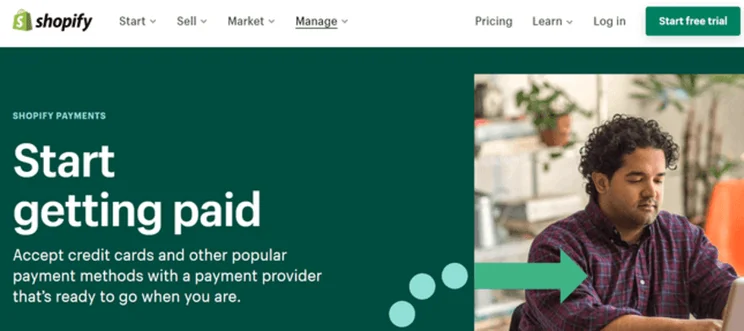
Shopify and Wix offer their own payment gateways, Shopify Payments and Wix Payments, which both come with zero transaction fees for customers using their respective builders! They also integrate with different payment gateways including PayPal, Square, and Stripe – so you can keep your options open.
Fees:
You’ll be paying a monthly subscription fee to use the website builder’s ecommerce features, as well as transaction fees, if the gateway you use charges them.
✔️ Ecommerce Platform Pros:
- Most ecommerce platforms have their native payment gateways already set up with everything you need when you open an account, so you won’t have to apply for a merchant account or third party payment providers
- Saves money with zero transaction fees
- All-in-one dashboards are convenient, making your sales easy to track
✖️ Ecommerce Platform Cons:
- Pay extra for transaction fees if using third party gateways
- Will need to pay for the builders’ monthly plans, which can become expensive
3. Digital Wallet Payments
Best for businesses looking to grow their international customer base.
Also known as mobile wallets, these apps store your customers’ bank card details on their smartphones. They enable users to make quick payments online (if the online store accepts mobile app payments, that is.)
Data predicts that by 2026, over 60% of the population will use this payment method, so adapting your store to accept online payments from digital wallets will positively impact a lot of your existing and new customers.
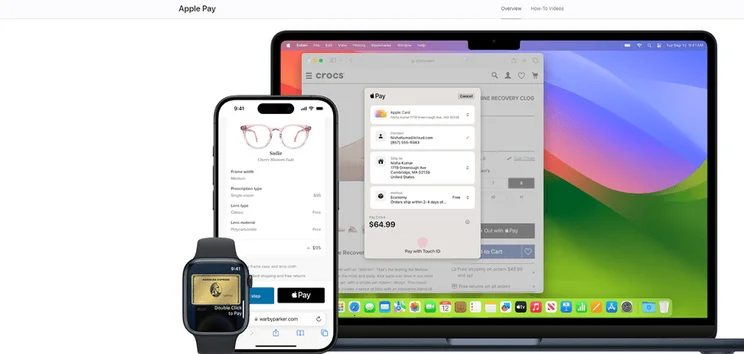
Some examples of digital payment wallets are Apple Pay, Google Pay, and Samsung Pay. These allow users with either Apple, Google, or Samsung devices like phones, watches, tablets, and laptops to use fast online and in-store checkouts. All users have to do is register their card details in their Apple Wallet, and from there they can pay online using either their face or fingerprint ID to verify.
There are also popular alternatives in China, like WeChat Pay and AliPay. If you’re looking to branch out to the Chinese market, offering these will be advantageous.
How To Accept Digital Payment Wallets
So, how can you accept digital wallet payments? Well, one route is to use Application Programming Interface (API). With this method, you’d use code to interact with the digital wallet providers API, which will give you a lot of freedom and customization. Unfortunately, it requires considerable development knowledge, so if you’re a tech beginner, you may find using an ecommerce platform easier.
The majority of ecommerce platforms – including Squarespace Ecommerce and BigCommerce – will provide your website with the ability to accept digital wallet payments within their most basic price plans.
Fees:
Fees vary with different payment processors and digital wallet companies.
✔️ Digital Wallet Pros:
- Very secure due to various inbuilt features like tokenization, encryption, and passwords
- Compatible with a range of devices, so will increase your sales opportunities
✖️ Digital Wallet Cons:
- Each digital wallet is isolated to devices from that one brand, so you have to accept online payments from multiple digital wallet brands to see the full benefits
4. Buy Now, Pay Later
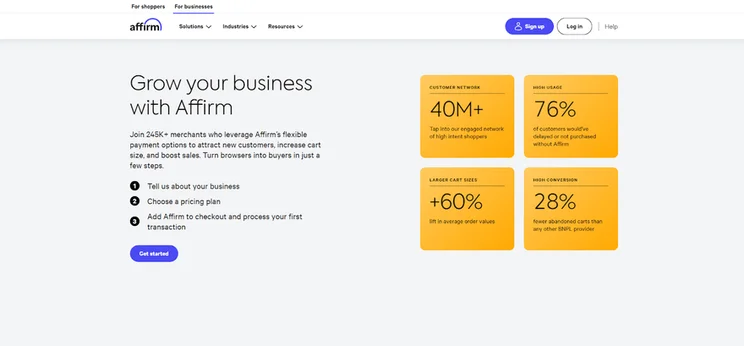
Best for businesses selling luxury and high value stock, to help encourage customers to pay the high price point. It’s also effective for businesses selling lower value items and wanting to encourage customer cart growth.
As the name suggests, the ever growing buy now, pay later (BNPL) method is a form of short-term, instant financing, which means your customer can receive their item before paying all of their bill. Buyers are usually offered the option of a deferred bulk payment, usually 30 days later, or to pay in installments over a few weeks or months.
As the merchant, you’ll receive the payment from the BNPL provider instantly, and it’s then down to them to collect the customer’s payments and chase up any delays.
Fees:
Fees vary depending on the provider, and can range anywhere between 1.5% to 7% of each payment.
This range is obviously very large, so check out our guide to buy now, pay later to delve into the fees, pros, and cons of each provider in more detail.
✔️ Buy Now, Pay Later Pros:
- Easy to integrate with your store
- Improves the user experience of your site by offering customers alternative payment options tailored to their individual needs
- You’ll attract new customers that may not have felt it possible to shop with you in the past due to your product prices
- The average order value raises considerably for buyers using BNPL, by 18%, according to Adobe
- Lower cart abandonment
✖️ Buy Now, Pay Later Cons:
- Fees are considerably higher than when using a payment gateway, so you should calculate whether the increase in customers and cart value will outweigh this
- This payment method doesn’t usually cover recurring bills or subscriptions, so it won’t be viable for business in this realm
- While the provider will take care of any issues with customer payments, there’s potential for bad press and the lowering of your company reputation if customers get in financial trouble over a payment on your platform
5. Cryptocurrency
Best for businesses that sell in technology or financial sectors.
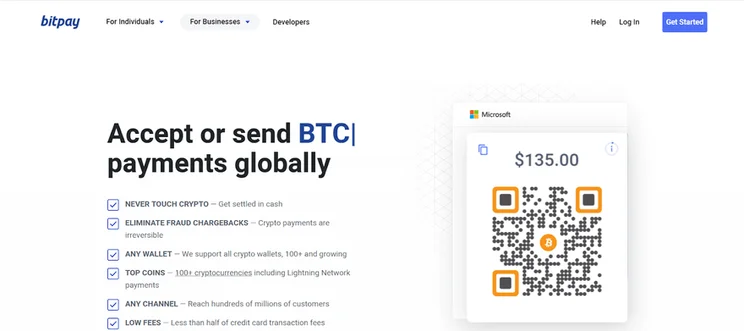
The 2020s have seen cryptocurrencies – like Bitcoin, Ethereum, and Litecoin – move from the realm of the unknown (and the vaguely dangerous) to the status of a more widely used and accepted payment method. Some countries, such as El Salvador and the Central African Republic, have even begun to accept it as a form of legal tender!
To accept online payments via cryptocurrency, you’ll need to set up a payment processor, a digital wallet, and a payment gateway that all support cryptocurrency. These will differ from the likes of Stripe and Shopify, so if you’re not familiar with the providers, do your research and consider areas such as fees, processing times, user experience, and customer support.
Fees:
Crypto payment gateways will charge a transaction processing fee of up to 1%.
✔️ Cryptocurrency Pros:
- Reach customers all over the world without having to work within the constraints of traditional banking systems
- Pay lower fees than with traditional methods, especially when it comes to international customers
- Advanced cryptographic security features that defend you against fraud and chargebacks
✖️ Cryptocurrency Cons:
- Known for their price volatility – which poses a challenge if your business requires stable pricing
- Adding crypto payment to your ecommerce store can take time and patience
6. eChecks
Best for US-only businesses that take recurring and/or large payments, due to this method’s low fees and automated transactions.
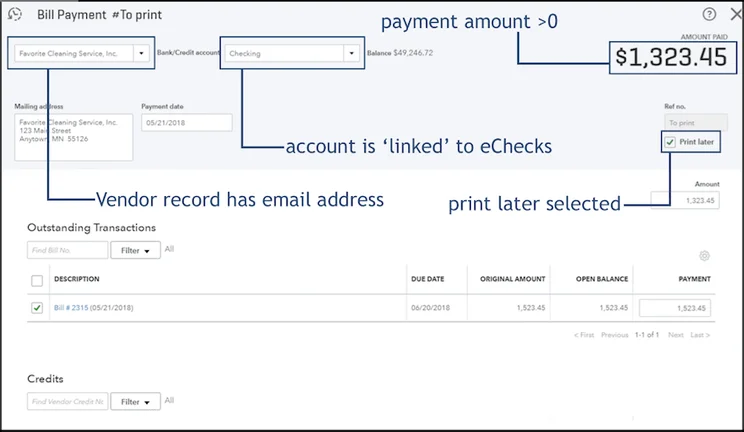
If you’re wondering how to accept payments online without dealing with cards or cash, eChecks may be the solution you’re looking for. A type of EFT (electronic funds transfer), eChecks works just like a paper check, but online!
Much like their paper counterparts, eChecks will deposit money from the customer’s bank account to your business’ bank account via an ACH (Automated Clearing House) software. All the customer needs to do is add some banking details into the online payment form, which is then processed by the ACH after you authorize it.
Fees:
You’ll be charged a flat rate of anywhere between $0.10 and $1.50 depending on your provider.
✔️ eChecks Pros:
- Low flat rate fees of eChecks make it a cost effective payment solution, especially in comparison to credit cards, whose processing fees can be as high as 4.5%
- Highly secure payment method due to transaction validation through micro deposits and data encryption
- Very reliable payment method that’s governed by multiple bodies with strict compliance guidelines
✖️ eChecks Cons:
- While the payments are faster than traditional checks, the ACH process means that you’ll be waiting around three to five days for the money to arrive in your account
- This type of EFT is only accepted in the US, so it limits how widespread your sales can be. If you’re looking to sell internationally,you shouldn’t rely on eChecks as your sole payment method.
All in all, eChecks are a faster, more secure payment method than paper checks, but because they aren’t as widely accepted, they might stunt your financial gain. That said, they’re definitely worth considering if you take high value and recurring payments, as the rates will save you a lot of money in the long run!
How To Choose an Online Payment Method
Now you know the different ways to accept online payments, but this information won’t be of much use unless you know how to apply it to your store. It’s not a case of adding as many as you can afford, but rather finding a unique mixture that will be relevant to your buyers.
Here are some areas to consider when adding payment methods to your store:
- Your target audience: What online payment method would they be most likely to appreciate? For example, If your audience is younger, digital payment wallets will be appreciated, whereas eChecks could be appreciated if you’re selling to shoppers over 60 who prefer traditional payment methods.
- Setup: If you need your payments to be set up instantly, a quick solution like an all-in-one builder would be better than cryptocurrency, for which you need to register for multiple accounts.
- Fees: you’ll need to think about the type of payment you take and whether you would benefit from flat rates or variable fees.
- Customer service: if you run into any bumps, especially if you’re only just starting to accept payments, you need to choose payment methods provided by companies that can help you.
Summary
Remember, in order to accept credit and debit card payments, you’ll need to set up a merchant account via your chosen bank – but that’s really easy to do. Once you’ve done that, you can start to accept payments online in multiple ways! The options are endless.
Using a merchant account and payment gateway combination, digital wallets, cryptocurrency, and buy now, pay later are all great ways to diversify your checkout for a global market. And for a method that doesn’t require card details, you could consider accepting eChecks (provided you sell in the US).
When thinking about which payment types to choose, always base your decision on both yours and your customers’ needs, and think about what will be the most convenient for them and the most beneficial for you.


1 reply
1 reply
1 reply
1 reply
1 reply
1 reply