
- BigCommerce vs WooCommerce: Pros & Cons
- What’s the Difference Between BigCommerce and WooCommerce?
- Ease of Use
- Design Flexibility
- Build Time
- Ecommerce Tools & Features
- Plugins and Integrations
- Marketing Tools
- Payment Options and Fees
- SEO
- Help and Support
- Pricing
- BigCommerce or WooCommerce: Conclusion
BigCommerce vs WooCommerce is a battle of two heavyweight ecommerce platforms.
Finding your online store builder doesn’t sound easy, but in reality, it can be a really simple process. There are plenty of platforms out there designed to help you create and build an ecommerce website. BigCommerce and WooCommerce are two of those products, but both are very different.
BigCommerce is an ecommerce website builder that’s helped almost 100,000 people build their own online store.
WooCommerce is an open-source WordPress plugin that’s been downloaded over 82 million times, and gives existing websites the ability to sell online.
But which one’s better? And how do you know which is right for you?
At Website Builder Expert, it’s our job to answer these sorts of questions. We research and test ecommerce platforms to provide you with accurate, detailed information. Read on as we discuss what BigCommerce and WooCommerce are all about, and which one will suit your needs best.
BigCommerce vs WooCommerce: Pros & Cons
BigCommerce Pros and Cons
- More built-in features than any competitor
- Lets you sell across multiple channels like Facebook, Amazon, and Instagram
- Revenue-led billing may disadvantage stores with very tight margins
- Editing interface is hard to navigate
WooCommerce Pros and Cons
- Limitless customization
- Easy to use
- It doesn’t come with many built-in features, so you’re reliant on extensions
- Takes longer to build and set up than BigCommerce
Find out more
- If you’re interested in building your own WordPress website and using WooCommerce, read our comprehensive review of WordPress.
- Learn more about BigCommerce in our detailed BigCommerce Review, where we reveal all its pros, cons, features, and more.
What’s the Difference Between BigCommerce and WooCommerce?
BigCommerce is an ecommerce website builder. Not sure what that means? Allow us to explain:
An ecommerce website builder is a program that helps you create your own online store. Not only that, it also provides you with support on how to manage your site, boost your sales, and be successful online.
Think of it like putting a set of shelves up. BigCommerce provides you with all the tools you need, plus a handy instruction manual.
WooCommerce is different. It’s designed for WordPress websites as a plugin. This means it’s an add-on that you integrate into your normal site to transform it into an online store.
WooCommerce was built by Automattic – the web development company that also founded WordPress. It’s described as the “most popular and customizable ecommerce platform on the web”.
If you’re a budding business that needs an online store, BigCommerce is a smart choice. It’s got tons of built-in features, and a whole host of tools to help you scale. In fact, BigCommerce say they help their merchants grow 28% year-on-year.
WooCommerce is best for those who want to build their store using WordPress. It’s totally customizable and integrates seamlessly. It’s ideal for large stores expecting tons of traffic, and works best when paired with a powerful web host like Bluehost. Just bear in mind it’ll take longer to set up than BigCommerce.
BigCommerce vs Shopify – See how BigCommerce stacks up against another top ecommerce website builder.
Ease of Use
On the whole, website builders like BigCommerce are far easier to use than plugins like WooCommerce. They provide you with a base to build on, and are always on-hand to offer support. However, is this true for BigCommerce and WooCommerce? Our research threw up a surprising result…
In order to test how easy BigCommerce is to use, we got a selection of everyday folk to build their own online store. They were then asked to score how easy (or difficult) they found certain tasks.
BigCommerce’s results were a bit of a mixed bag. People thought the onboarding process was clear and insightful, and liked how a lot of features were already built into the themes. Some struggled with the terminology, though. Here are some of their thoughts:
The onboarding was great – it took you on a little tour of where to find certain features and where you could customize things. It even made it clear that we shouldn’t be afraid to ask questions in the help section, which I really liked.
The terminology wasn’t great. If you were new to this whole area, it would be very daunting.
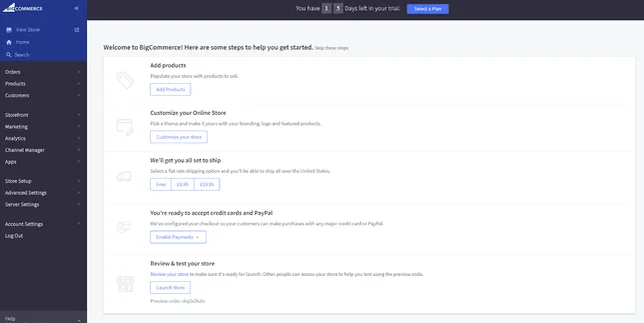
In short, BigCommerce sets you up to succeed. There’s a bit of a learning curve involved, but once you’re familiar with the terms they use, you’ll have all the power you need to build a top-of-the-range ecommerce store. And, best of all, you don’t need any coding knowledge!
BigCommerce Named a “Strong Performer” in the Ecommerce Space
BigCommerce has been named a Strong Performer by one on B2B commerce suites and one on B2C commerce suites. These reports evaluate and score the most significant software providers, in order to guide digital businesses in selecting the right technology for their needs.
Both reports cite feedback from BigCommerce customers regarding their experience using the platform. The B2B report found that BigCommerce customers “like the culture and responsiveness of the support experience,” while the B2C report explains that “customers appreciate how BigCommerce integrates partner-provided services to unify them within the business user interface.”
WooCommerce surprised us with how easy it was to set up. If you choose a web host like Bluehost that installs WooCommerce for you, it’s pretty easy to get started with.
Once installed, WooCommerce walks you through the onboarding process with its setup wizard. This makes it easy to set up payments, set your shipping and tax options, choose your currency, create pages, and so on.
Compared to BigCommerce, WooCommerce is actually more beginner-friendly to get started with. Although it’s a more powerful platform, its onboarding is less clunky, and any confusion should be cleared up by its helpful setup wizard.
That said, we won’t pretend that WooCommerce is the easiest platform to use – we scored it 3.5 stars out of 5 for ease of use. It can sometimes be technically challenging, and it takes a fair amount of legwork to get your store up and running. But next to BigCommerce, it’s the easier option.
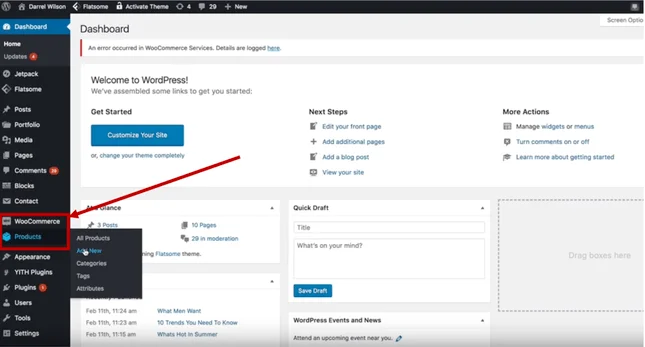
Where BigCommerce provides you with a domain, hosting, and security certificates, WooCommerce’s offerings are limited to pure ecommerce functionality. You’ll need to set up all the technical aspects of your store, such as hosting, yourself.
Good to know…
We’d recommend powering your WooCommerce store with Bluehost. It’s our top-rated web hosting provider and it’s been endorsed by WooCommerce itself. What’s even better, prices for new customers start at just $12.95 per month (usually $24.95). By using Bluehost, you get access to:
- WooCommerce auto-install
- Free online store set up call
- Free domain name and SSL certificate
- Storefront theme pre-installed
- 24/7 support from in-house WordPress experts
Ease of Use: The Verdict
WooCommerce is easier to use than BigCommerce. Yes, you need to find hosting and sort out your settings yourself, but it combats this with its beginner-friendly setup wizard. BigCommerce comes with everything built-in, but it’s still confusing to get to grips with.
Wondering why we recommend Bluehost to host WooCommerce stores?Read our Bluehost Review to discover what makes Bluehost the favorite for WordPress hosting, plus more details on its pricing, features, uptime, and more.
Design Flexibility
First impressions count. It’s important that when customers land on your website, they’re greeted with a good-looking, well-designed storefront that’s easy to navigate.
BigCommerce offers 12 free themes, with over 50 more coming at a one-off cost between $150 and $300. Expensive as this sounds, what you’re doing is showing your customers who you are as a brand.
Studies show that repeat customers spend up to 300% more than new ones. You only get one chance to make that first impression, so make it count.
WooCommerce has 20 themes in total, with 14 storefront themes. There are three free themes, while the rest cost between $39 and $129 each. You’ll also need to add storefront extensions to pad out your site, which range from free to $59.
You can save a bit of money on your store’s design by using a hosting provider, like Bluehost, who include WooCommerce’s storefront theme pre-installed free of charge when you sign up to one of their WooCommerce hosting plans.
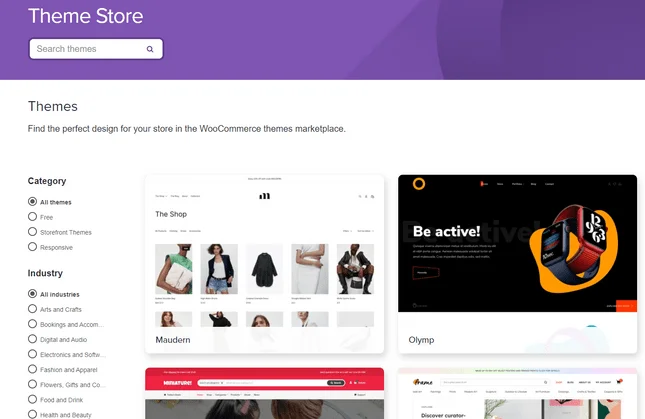
Not only are WooCommerce storefronts cheaper than BigCommerce premium themes, they’re also more customizable. It’s important to add, however, that this is where you’ll need technical expertise.
You don’t have to be a computer scientist to customize WooCommerce themes, but as with WordPress itself, the more you know, the more you can edit.
BigCommerce’s themes, on the other hand, are more rigid – but customization is far more straightforward. BigCommerce has an editing interface which lets you adjust things like text size and font, page layouts and navigation placement, and promotional banners.
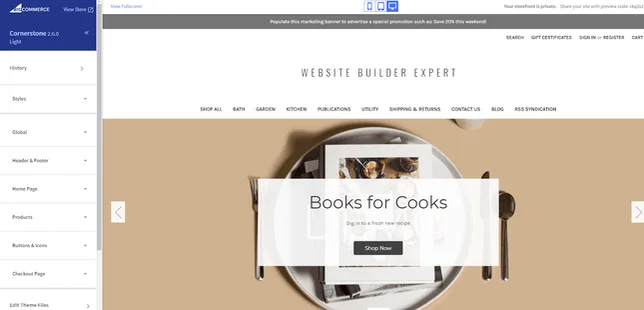
Both BigCommerce and WooCommerce themes are mobile responsive. With BigCommerce, you can even preview what your site will look like on mobile and tablet screen sizes at the top of the editor.
Design Flexibility: The Verdict
This is a close one. Both have their strengths and weaknesses, but overall, WooCommerce has the edge. Although editing BigCommerce themes is more straightforward, WooCommerce’s themes are totally customizable, and cheaper than any BigCommerce premium theme.
Build Time
When it comes to BigCommerce vs WooCommerce, the time it takes to build an online store can vary massively.
First, it depends on whether you already have a WordPress website. Since WooCommerce is a WordPress plugin, adding it to an existing site can be a relatively quick process.
Your time is invested in WooCommerce’s customization, however. Editing it to your liking can be very time consuming, and if you don’t already have a WordPress website, your building time will skyrocket.
By contrast, BigCommerce is a one-stop shop. Everything you need to build an online store is already built-in, and because everything’s in one place, it’s a lot quicker to get to grips with. If you put your mind to it, you could get your store online in a day or two.
To start building with BigCommerce, all you need to do is sign up, choose your theme, and start customizing – meaning you start seeing results almost instantly.
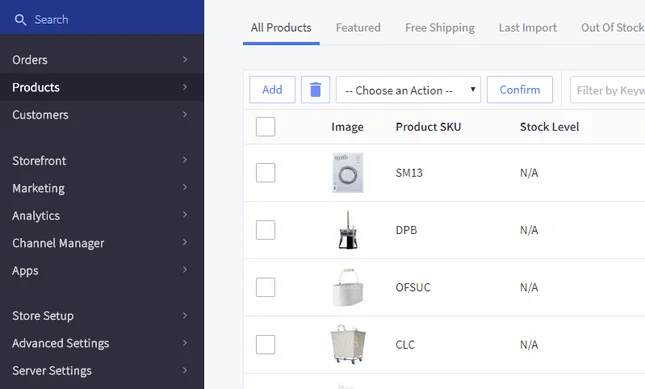
With WooCommerce, you’ll need to build a WordPress site and sort out the technical side of things, like web hosting, separately. This is perfect if you need total control, but it’s certainly more complex and less time-efficient than BigCommerce.
Heads up!Using a web hosting provider, such as Bluehost, to power your WooCommerce store can take a lot of hassle out of the setup – saving you time and a lot of effort. With Bluehost’s WooCommerce hosting plans, you get a free 2-hour WooCommerce set up call with an expert who guides you through the entire installation process.
With BigCommerce, it’s all there ready for you to start designing your own ecommerce website. As we know, BigCommerce is the easier platform to use, and there’s no escaping the fact that ease of use and build time are directly linked.
Build Time: The Verdict
This round is a confident victory for BigCommerce. Unless you already have your own WordPress website – and know your way around code – it’ll take you much longer to get set up on WooCommerce. BigCommerce is more of an out-of-the-box, ready to use solution.
Ecommerce Tools & Features
Features is where BigCommerce comes into its own. In fact, it has best sales features out of all the ecommerce platforms we tested, scoring an impressive 4.6 stars out of 5. There are tons of vital, in-built features that you will find yourself using time and time again. A few key ones include:
- SSL Security – makes your online store secure by protecting payments, giving you a little padlock symbol next to your URL so customers are aware when checking out.
- Multi-Channel Integration – lets you sell from your website directly on marketplaces like Amazon and social media like Facebook.
- Abandoned Cart Recovery – sends your customers automatic email reminders when they leave items in their cart without checking out.
- Analytical Tracking and Reporting Tools – monitor your site’s performance through sessions, sales, email campaigns and much more.
- Create Promotional Codes and Discounts – let you advertise sales and deals on products by supplying customers with a code to use at the checkout.
The above are all important when running and growing your ecommerce store. The abandoned cart feature is particularly useful, with BigCommerce stating it can help you recover 25% of otherwise lost sales.
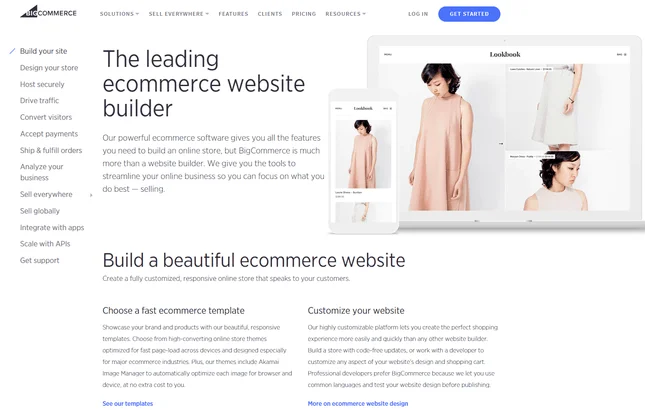
And that’s just some of BigCommerce’s features. We haven’t even touched on its shipping and marketing options. For all that and more, read our detailed review of BigCommerce here.
This isn’t to say WooCommerce doesn’t have some pretty neat features too. Although there are a lot fewer on offer, WooCommerce still provides:
- Blogging – in-built ability to write, publish and share articles.
- Limitless Customization – if you know how to code, it’s completely unrestricted. You can edit everything from the storefront to the checkout page.
- One-Click Refunds – allow your customers to get money back for returns instantly.
While BigCommerce has more built-in features than any other ecommerce website builder, WooCommerce has very few features built into its platform. This is because WooCommerce relies mostly on extensions, so that you can pick and choose the exact features you want for your store.
Some key features that don’t come built-in include abandoned cart recovery and stock management, so you’d need to install plugins to enable these features.
That said, WooCommerce still scores 4.1 out of 5 stars for its sales features, because it offers so many extensions. (We’ll look at this more closely in the Plugins and Integrations section of this review).
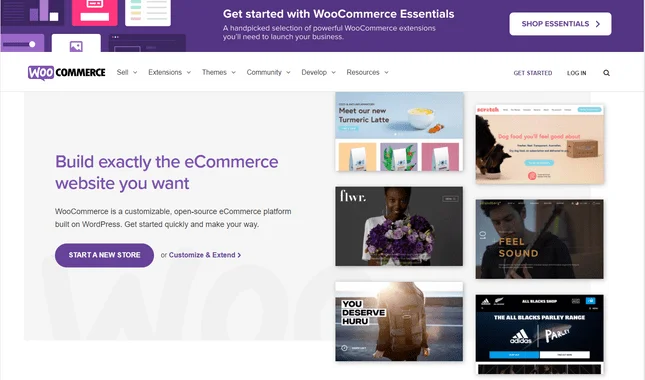
You can also embed products and checkouts into a wider range of store pages. WooCommerce clearly has some useful features, but it’s not the full package like BigCommerce.
Think of it like playing golf. Both BigCommerce and WooCommerce provide you with clubs, but one gives you far more variety. WooCommerce has a driver and putter, but BigCommerce also includes an iron, wood, and wedge. You can play 18 holes with either, but BigCommerce gives you a clear advantage.
Ecommerce Tools and Features: The Verdict
BigCommerce has better ecommerce features than WooCommerce. The platform prides itself on having everything you need to create and manage your online store, from abandoned cart recovery to multi-channel integration. WooCommerce has a few great features, like blogging and one-click refunds, but because of its reliance on extensions, it just can’t compete with the in-house ecommerce features BigCommerce has to offer.
Want to know what other platforms are out there?
Ecommerce Website Builder Comparison Chart – Click here to see our detailed comparison of the top online store builders.
Plugins and Integrations
Sometimes you want a little extra firepower, or a special feature to help your store run smoother and wow your customers. That’s where plugins and integrations come in!
We won’t beat about the bush – WooCommerce wipes the floor with BigCommerce in this category, scoring an impressive 5 stars out of 5. Plugins and integrations are a huge part of how WooCommerce works, as you heard in the ecommerce features section of this comparison.
WooCommerce doesn’t come with many built-in features, because the idea is for you to install the plugins you want as you build your store. WooCommerce has a huge marketplace full of extensions, ranging from marketing and shipping to payments, analytics, and beyond!
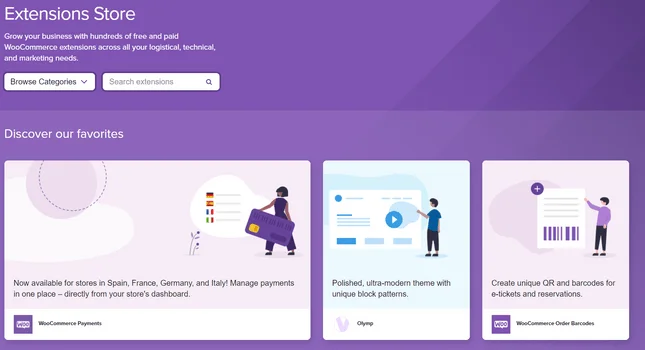
There are both free and paid extensions in the WooCommerce Extensions Store, with paid versions costing anywhere between $30 and $250 per year. You’ll find integrations with all the biggest payment providers, shipping solutions, marketing services, and marketplaces, including Amazon.
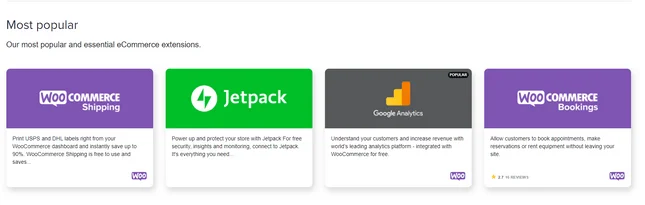
Don’t let this impressive selection of plugins and integrations make you forget BigCommerce completely, however. It doesn’t win this round, but BigCommerce does come with a solid choice of integrations and apps. A lot more of its features come built-in, though, so it has less need for a huge extension store.
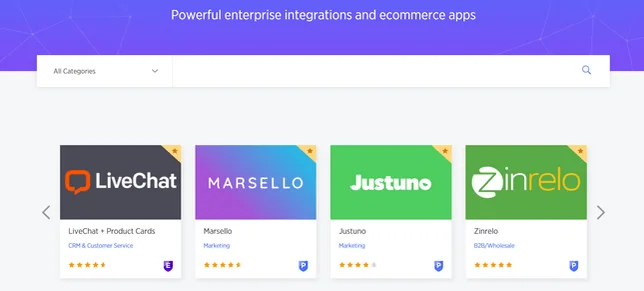
Still, in the BigCommerce marketplace, you’ll find around 800 third-party apps and integrations to add to your store. Some of the best BigCommerce integrations include tax automation, shipping services, and marketing tools.
At the end of the day, BigCommerce’s apps are primarily there to help you grow your store, while WooCommerce’s plugins are necessary from day one for you to build, and then continue to scale, your store. This means WooCommerce has a larger selection of integrations – the opportunities are endless!
Plugins and Integrations: The Verdict
It’s no surprise that WooCommerce – the open-source, WordPress ecommerce solution – wins the plugins and integrations round. It provides endless choice, and powerful integrations with all the key players in the ecommerce world. BigCommerce does a good job of providing helpful apps, but it can’t compete with WooCommerce.
Marketing Tools
Marketing tools are essential for getting your store in front of the right customers. They’re also vital for then keeping those customers, as well as continuing to draw in new ones.
BigCommerce seems to understand the importance of marketing for stores of all shapes and sizes. It includes key marketing features on all its plans, including:
- Blogging tools
- Coupons, discounts, and gift cards
- Facebook and Instagram integrations
- eBay and Amazon integrations
- Product ratings and reviews
You also get abandoned cart recovery and Google customer reviews included on all but the cheapest plan.
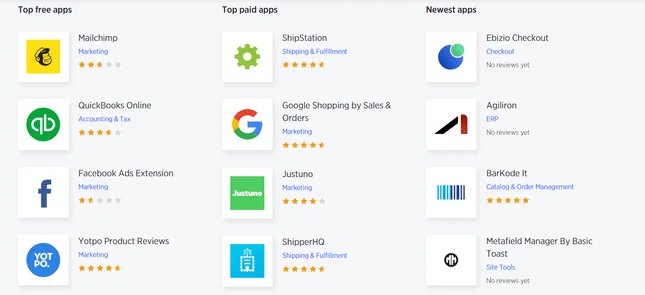
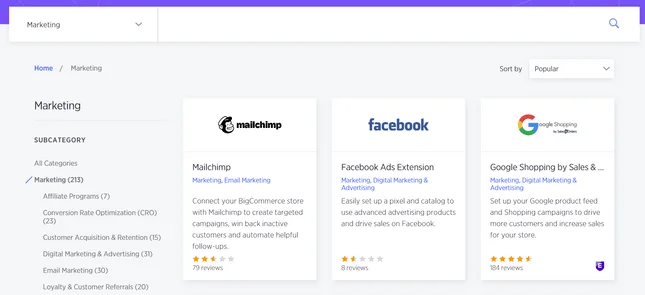
If you need more marketing features than that, you can install one of BigCommerce’s 213 marketing integrations, available in its app marketplace. Popular choices include Mailchimp, Facebook Ads, and Google Shopping.
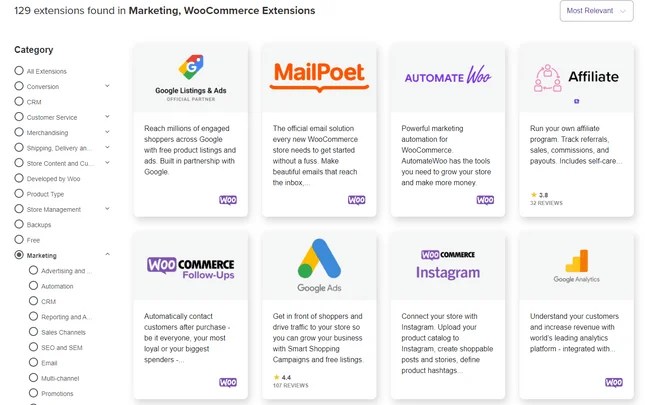
WooCommerce has 129 marketing extensions in its marketplace, but it doesn’t provide many built-in marketing tools like BigCommerce does. This gives you customization control, but it can also create extra work.
For example, while BigCommerce includes abandoned cart recovery in its plans, with WooCommerce you need an extension for the abandoned cart recovery feature, plus separate extensions to send emails and follow-up messages.
Adding marketing features can quickly start to add up with WooCommerce. Most social media integrations for WooCommerce cost $79 – this applies to Amazon, Pinterest, and Instagram, although the Facebook integration is free. WooCommerce’s eBay and Etsy integrations costs $199 per year, so it’s easy to see how these plugins can start to add up!
One thing WooCommerce does support without installing extensions is a coupon feature, where you can create discounts or offer free shipping as an incentive for your customers.
Marketing Tools: The Verdict
BigCommerce wins the marketing tools round purely because it makes marketing your site easier and more affordable than WooCommerce. Yes, you can add plenty of marketing plugins to your WooCommerce store, but with BigCommerce, you get a lot of key marketing tools automatically built-in – saving you time, effort, and money.
Payment Options and Fees
Being able to accept multiple payment options is great when selling to a broad range of customers. Both BigCommerce and WooCommerce accept credit and debit cards, along with some of the biggest payment gateways around. This includes:
- Stripe
- PayPal
- Apple Pay
- Square
One thing that’s important to know is that each payment gateway has its own transaction fee charges. So, it’s worth looking these up before jumping into one straightaway.
Neither BigCommerce nor WooCommerce enforce their own transaction fees, though. This means that any extra cost incurred when processing payments will be from the gateways or card companies directly.
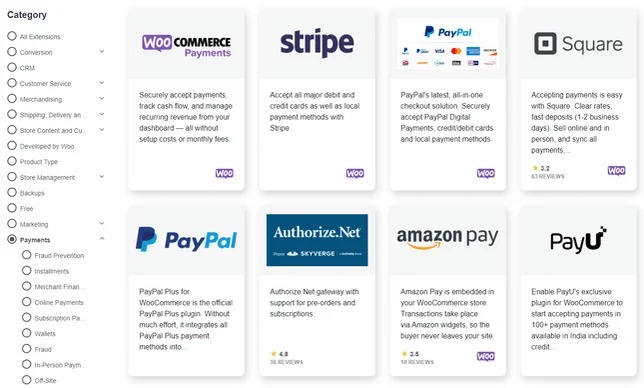
WooCommerce has its own payment gateway called WooCommerce Payments, which is free to install and doesn’t involve any setup fees or monthly charges. This is only available to US stores selling in US dollars.
On top of those listed, WooCommerce also supports over 100 other different payment gateways, such as Authorize.Net. BigCommerce is slightly more limited, only offering a couple of other options, alongside some digital wallets like Chase Pay and Venmo.
Payment Options and Fees: The Verdict
Both BigCommerce and WooCommerce offer the essentials, but WooCommerce wins simply because of its range of choice. It supports over 100 different payment options, and like BigCommerce, it doesn’t impose its own transaction fee. It also comes with its own in-house payment solution, so you can manage all your payments from one place.
SEO
SEO (Search Engine Optimization) is crucial to the performance of any online store. It determines how highly your store is listed on search engines like Google, and will directly impact the amount of traffic your site gets.
You could have the best products in the world, but if no one can find them, what’s the point?
Looking at BigCommerce vs WooCommerce, it’s a close call. Both offer you the ability to improve your site’s SEO, giving you the best possible chance of ranking highly on Google. On BigCommerce, you can:
- Edit Meta Titles and Descriptions – amend both the link and the text underneath it on Google search returns.
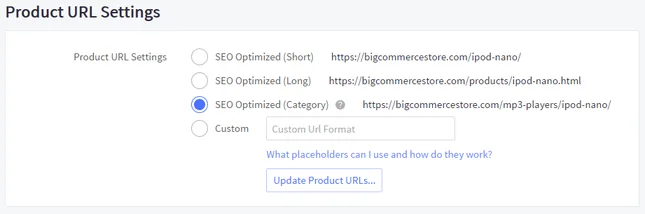
- Customize URL Slugs – to make sure it’s relevant to the page you’re on e.g. “/mens/tops/white-shirts/”.
- Add Image Alt Text – attach text to an image so Google knows what the image is.
- Get Keyword Support – recommendations on what words to include in product descriptions to help your online store rank well for those terms.
WooCommerce also lets you edit meta titles/descriptions, customize URL slugs, and add image alt text. Where it falls down, though, is in its failure to provide in-built extras, such as SSL security.
Having an SSL certificate lets Google know your site is safe for people to use. This certificate come as standard with BigCommerce but with WooCommerce, you’ll have to pay extra.
However, reputable web hosting providers such as Bluehost, provide you with a free SSL certificate when you sign up to one of their subscriptions. Bluehost’s WooCommerce-specific plans start from just $12.95/month – $17/month less than BigCommerce’s cheapest plan!
SEO: The Verdict
It’s another really close-run contest. Both BigCommerce and WooCommerce can perform similar SEO functions, but BigCommerce has more in-built features that help with your site’s SEO, such as an SSL security certificate. For that reason alone, BigCommerce wins this tightly-fought category.
Want to know more about SEO? Read some of our useful guides and pro tips:
Help and Support
Everyone needs help every now and again, and in this category, there’s a clear winner.
Although WooCommerce itself offers pretty sparse support resources, if you choose a web host such as Bluehost, you get access to outstanding customer support. When used with Bluehost, we awarded WooCommerce full marks for its help and support.
This is because Bluehost provides WordPress-specific support, plus a free two-hour setup call with a WooCommerce expert when you choose any of Bluehost’s WooCommerce hosting plans. That’s on top of Bluehost’s live chat, email support tickets, and 24/7 phone support.
While WooCommerce does come with its own support guides, it’s important to note that WooCommerce’s support options are largely dependent on your web host’s support, which is why it’s so important to choose a top quality host.
BigCommerce’s support offerings aren’t bad either. BigCommerce offers 24/7 support via phone, email and live chat. It also has its own user forum, and a help center bursting with useful guides.
If you sign up to BigCommerce’s enterprise plan, you also get your own personal onboarding consultant and account manager. These are BigCommerce experts, who will assist you with any issues you have when using the platform.
Pricing
In terms of pricing, BigCommerce vs WooCommerce is a tricky one.
BigCommerce has three core pricing plans: Standard ($29.95/month), Plus ($79.95/month), and Pro ($299.95/month). It also has an Enterprise plan, but you’ll have to contact BigCommerce directly for a quote.
BigCommerce also offers a 15-day free trial, meaning you can give the platform a try without entering any card details. This is a great way to see if it’s the right fit for you before investing.
All BigCommerce plans come with unlimited bandwidth and staff accounts, and no transaction fees. One key difference with the Standard plan, though, is that you don’t get the abandoned cart feature – something that’s vital to any serious merchant.
WooCommerce is, as usual, a bit more complex. The platform itself is a free WordPress plugin, so there’s no costs in that respect. But, you’ll have to purchase a theme (($0 – $39), SSL security ($9/year) and hosting ($83/year) all separately. This means your monthly bill can be a little awkward to calculate.
That said, WooCommerce gives you flexibility over your costs, and offers great value for money – as long as you choose a good web host with reasonable prices. WooCommerce is cost effective, and you should be able to make it as cheap or expensive as your budget allows. In contrast, BigCommerce has set prices, making it easier to budget for, but a lot more rigid.
With BigCommerce, everything’s included under one fee. Think of it like paying rent and bills – in some properties, you have to pay for gas, electricity and water all separately. With others, it’s included in the rent.
BigCommerce or WooCommerce: Conclusion
As you can see, BigCommerce and WooCommerce are two very different platforms that should be used by very different sets of people.
To recap, let’s have a look at which platform won each category:
BigCommerce is for those who need to build an online store. It’s easy to use, well-designed, and has all the features you need to be successful and grow. It’s perfect for beginners with little-to-no coding knowledge.
BigCommerce is perfect for existing businesses that are looking to grow quickly online, and have room in their budget for at least $29 per month. If you want to get online and start making money as fast as possible, BigCommerce is the platform to choose instead of WooCommerce.WooCommerce is for people who want to use WordPress and are slightly more technically competent. It’s a plugin that gives WordPress sites ecommerce functionality.
WooCommerce is perfect if you’re building a large store that’s expecting a lot of traffic, because it’s extremely scalable and can handle complex sites. WooCommerce may also end up being the cheaper of the two options, with the ability to scale up quickly as your store builds momentum.We recommend pairing WooCommerce with Bluehost to get the most out of this powerful plugin.
BigCommerce and WooCommerce are different, but overall pretty equal competitors. The one you should choose depends on your specific needs. At the end of the day, BigCommerce has a free trial, so if you’re in doubt, we recommend you jump on that to give it a try yourself!


1 reply