
- 1. Install and Verify Your SSL Certificate
- 2. Check Your Website Certificate is Using SHA-256
- 3. Enable HTTP Strict Transport Security (HSTS)
- 4. Use Secure and HTTP Only Cookies
- 5. Purchase Anti-Malware Software / Firewall
- 6. Protect Against DDoS Attacks
- 7. Validate User Data and Inputs
- 8. Regularly Update Your Website Software
- 9. Continuously Back Up Your Website
- 10. Regularly Scan Your Website for Vulnerabilities and Test Your Configurations
- Website Security Checklist: Summary
Sure, website security isn’t the most exciting part of running a website. In fact, with website builders often handling the security basics for us, many of us give it very little thought… at least until it’s too late.
Once a security attack hits, however, it’s all we can think about.
Attacks on your site and data breaches can be devastating. At best, they can be major inconveniences, taking your focus away from growing your business. But in the worst cases, they cost significant sums of money, cripple your business, and can even lead to legal issues.
Even if your web builder comes with security measures built-in, it’s still crucial to be as proactive as possible with your site security ad create a secure web gateway. Planning and taking preventative measures is the best approach to minimizing potential security issues on your website. Here’s a go-to website security checklist to get you started:
- Install and verify your SSL certificate
- Ensure your site certificate is using SHA-256
- Enable HTTP strict transport security (HSTS)
- Use secure and HTTP-only cookies
- Purchase antimalware software and firewall
- Take necessary precautions against common threats
- Validate user data and inputs
- Regularly update your website software
- Consistently back up your website
- Regularly sane your website for vulnerabilities and test your configurations
Below, we’ll look at each of these in more detail.
1. Install and Verify Your SSL Certificate
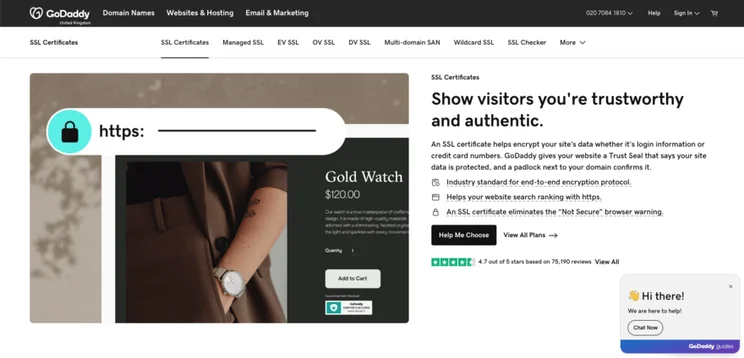
Simply put, an SSL certificate helps improve website security. These certificates are applied to websites to authenticate their identity and ensure that the connection between the device and the web server you’re using is secure.
If you want your website to be trusted by users, installing a site-wide SSL is a must. Most website builders include an SSL certificate in their paid plans, but if you aren’t using a website builder to create your site, you’ll need to get your own SSL certificate.
In order to verify your SSL certificate you will need to prove that it has been installed properly following the established steps. If you fail to do this, your visitor will receive a “your connection is not private” message, which can have a negative impact on your visitor numbers.
2. Check Your Website Certificate is Using SHA-256
Hashing is used to store passwords and transfer important data securely via encryption. Secure Hash Algorithm 256 (SHA-256) is a cryptographic algorithm that is used for hashing. In simple terms, it generates a unique fingerprint for each set of data on your website (such as your website certificate). Then, only those with that unique digital fingerprint can decrypt or modify that information, keeping it secure.
SHA-256 was developed by the National Security Agency (NSA) at the turn of the century and is the gold standard for website encryption. To check whether your website is using it, you can inspect your website certificate in your browser or use an online certificate inspection tool.
If you find that your certificate shows your website is using SHA-1, you should strongly consider getting this reissued with SHA-256.
3. Enable HTTP Strict Transport Security (HSTS)
Enabling HSTS ensures higher levels of website security by enforcing HTTP-only communication. This means that your site is protected against unauthorized access and minimizes the risk of stripping attacks.
In order to do this, you will need to add a specific header to your website’s server configuration. This header will instruct web browsers to only communicate with your website via HTTPS, automatically converting any non-SSL (HTTP) to SSL (HTTPS) requests. Doing so ensures all data transferred is encrypted.
4. Use Secure and HTTP Only Cookies
Cookies are small pieces of information sent between your website and its visitors. Your site uses these nuggets to remember key information about individual users, and this can help speed up future interactions or create more personalized browsing experiences.
In order to increase security on your site, it’s important to use HTTP-only cookies. Doing this will ensure that all data transmitted between your website and your visitors is encrypted. It can also restrict access to your cookies from client-side scripts – this reduces the risk of cross-site scripting (XSS) attacks.
5. Purchase Anti-Malware Software / Firewall
Purchasing anti-malware and firewall software for your website is a must. It’s one of the easiest ways to protect your website from cyber threats, malware infections, and unauthorized access.
Simply choose a reputable anti-malware or firewall software provider, install it, and configure it according to the given instructions.
6. Protect Against DDoS Attacks
A common type of website attack to protect against is Distributed Denial of Service (DDoS). This is where multiple compromised devices flood a website or online service with a massive amount of traffic to overwhelm its resources and cause it to become unavailable.
To protect against this, website owners should consider implementing a robust DDoS service or firewall as well as utilizing traffic monitoring and analysis tools to identify potential attacks.
7. Validate User Data and Inputs
You should protect your website against SQL injections. These are cyber-attacks where hostile actors exploit vulnerabilities in a website’s input fields to insert malicious code. To protect your website against this you can:
- Implement proper data input validation
- Use prepared statements for parameterized queries
- Regularly update and patch your website’s software
8. Regularly Update Your Website Software
Regularly updating your website software is a good way to help improve security.
Online security is a constant race, with malicious parties constantly looking for new ways to attack websites, while website providers search for ways to stop them. When you fail to make updates, you may be missing patches that help protect you against the latest types of attacks.
9. Continuously Back Up Your Website
Although simple, continuously backing up your website is a great way to protect against many attacks. Doing so can help you safeguard your data and ensure business continuity in cases of a security breach, loss of data, or website compromise. This is because a recent backup can make it easy to restore your website to a previous, secure stage should a breach occur.
10. Regularly Scan Your Website for Vulnerabilities and Test Your Configurations
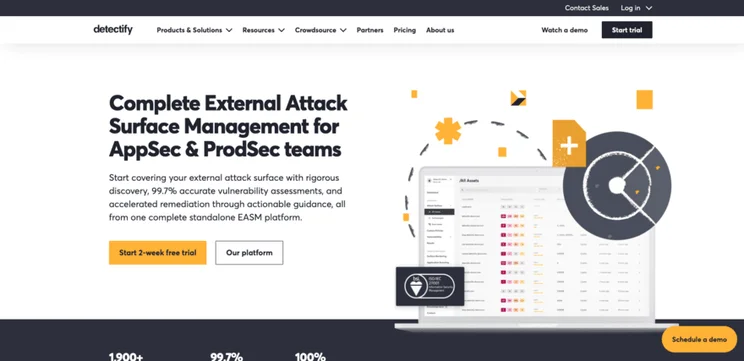
Using automated vulnerability scanning tools can be a good way to spot potential issues and weaknesses with your website code, configuration, or server setting. Using automated vulnerability scanning tools such as Detectify or StackHawk can be a good way to spot potential issues. Alternatively, you may opt to work with a website security professional to help you achieve this.
Website Security Checklist: Summary
Website security is a crucial aspect of running a successful website. According to our recent report on cybersecurity statistics, it’s estimated that there’s around 2,200 cyber attacks every day. Although it can seem like a lot of effort to undertake some of the tips we have highlighted in this guide, taking the time to prevent security issues is far less costly and time-consuming than fixing them once they occur.
You can use the checklist we have offered in this guide to help you ensure that all bases are covered when it comes to website security. Another helpful resource is our guide on How To Secure a Website, which has nine top tips to accompany this checklist!


1 reply