
As the search landscape transforms, it can often feel stressful to keep on top of the latest SEO updates. However, to help you navigate through these changes, it’s worth having some SEO Chrome extensions at your fingertips to ease the load.
In the list below, I’ve found the six best Chrome extensions for SEO so you don’t have to. From invaluable keyword research tools to broken link checkers that’ll save you plenty of time, these are the most useful tools to download today.
1. Keyword Surfer
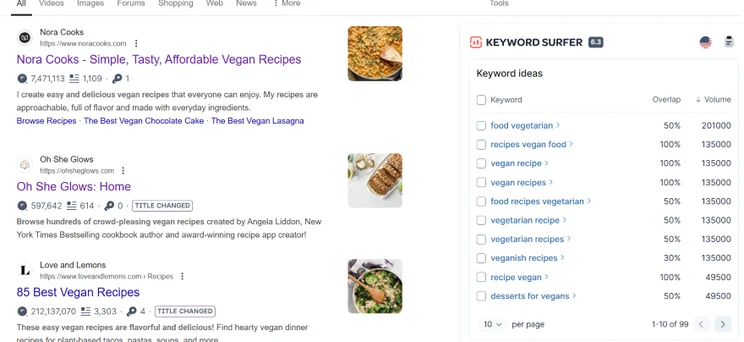
With the vast number of keyword research tools available, it can be difficult to find the right one to start with. If you’re in that situation, I recommend Keyword Surfer, an effective free tool that is easy to pick up.
To use the tool, simply type a keyword into Google search and hit enter. A box will appear on the right-hand side of the screen, allowing you to view related keywords alongside key metrics like search volumes. If necessary, you can also tweak the region that your keywords appear in by clicking on the flag symbol.
- Download: Keyword Surfer
2. Similarweb
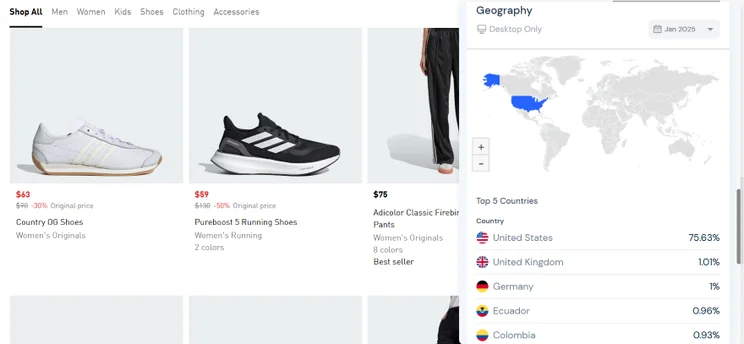
If you’re in the process of auditing your website, Similarweb is a useful Chrome SEO extension to have at your disposal – especially if you’re itching to analyze your competitors and see how successful their SEO strategies are.
With this tool installed, you can hop onto your website of choice and gauge its performance. For instance, you can see how much traffic a specific page is getting, alongside where its main traffic sources are, whether that’s search, ads, or referrals.
- Download: Similarweb
3. Check My Links
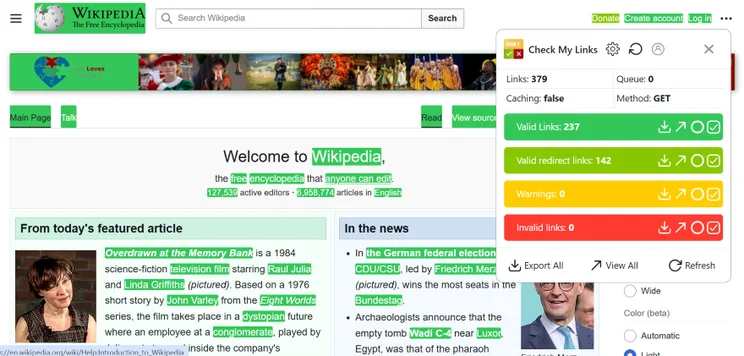
As your website grows and content is changed or added, you’re likely to run across some broken links now and then. To make sure that you spot them early on and protect your site’s rankings, I recommend downloading the free Check My Links extension.
When you’re on a page you’d like to assess, open the tool. From a pop-up screen, the extension will tell you how many working links there are, as well as any invalid links that may contain the wrong formatting or point to a page that no longer exists. You can then download a list of these links and start fixing any broken URLs!
- Download: Check My Links
➡️ Broken links aren’t the only SEO error you can make. Check out our full list of the biggest SEO mistakes to avoid!
4. Glimpse
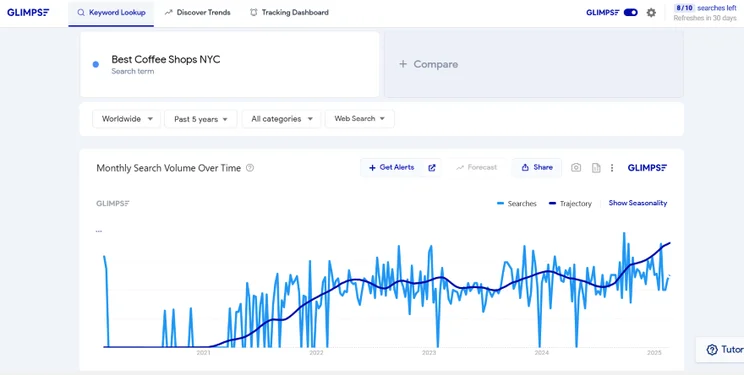
Google Trends is already a fantastic free tool in its own right, but did you know that there’s an extension you can download to make it even more effective? If you’re on the hunt for trending products or hot topics to create SEO content on, Glimpse gives you additional insights into what’s popular.
With your free Glimpse account, you can:
- See what related keywords, questions, or brands users are searching for
- Look for seasonal keyword patterns
- Use the trajectory line to see if a trend is rising or falling in popularity
However, do note that you only get 10 searches for free, which refreshes every 30 days!
- Download: Glimpse
5. SEOQuake
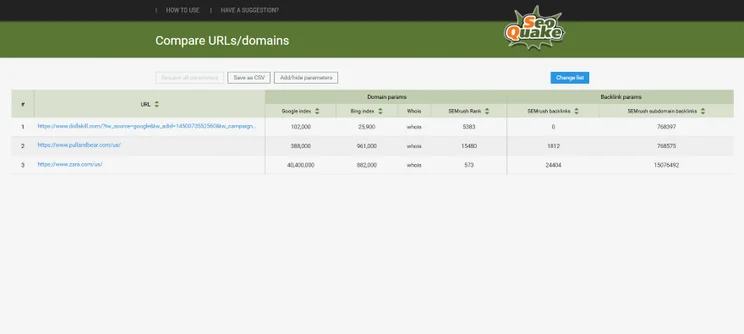
If you’re on the hunt for one of the best chrome extensions for seo that offers a little bit of everything, I suggest giving SEOQuake a go. This fantastic toolkit can help you cover your website’s SEO basics, from key metrics to backlinks.
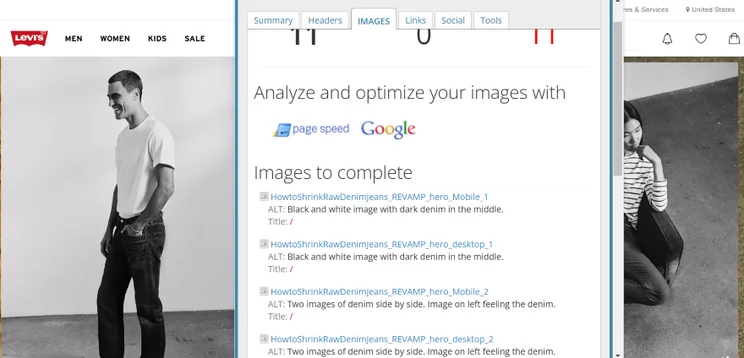
When trying out the extension, I found that its page SEO audit feature was most helpful. For example, it’ll show you if your images have alternative text, check if you’re using an SEO-friendly URL, and reveal if you’re using schema markup that allows you to appear on Google’s featured snippets.
- Download: SEOQuake
6. SEO Meta in 1 Click
When it comes to SEO, having optimized website metadata is still vital if you want to improve your visibility on Google. Since that’s the case, I also recommend installing the SEO Meta in 1 Click extension to help.
With this tool, you’ll be able to see if your current metadata has any room for improvement. This includes your:
- Meta titles: The title of a page as it appears on search results
- Meta descriptions: The description of a page as it appears on search results
- URLs: The page’s website address
- Sitemap: The map of your key pages that Google uses to crawl your website
- Download: SEO Meta in 1 Click
➡️ Want to learn how to create effective metadata? Discover how to write meta descriptions with our handy guide
And there we have it! With these six Chrome SEO extensions at the ready, you’ll be able to streamline your SEO efforts and keep your costs low at the same time. Do you already use any of these tools? Let me know in the comments.






0 comments