
Practically every business owner wants an increase of relevant traffic to their website. Though there are several marketing methods that can be used to do this, from paid ads to well-planned social media campaigns, few options are as effective as nailing your website’s basic SEO.
In this article, I’m going to walk you through 15 common mistakes that businesses make when they’re optimizing their websites for search engines. But most importantly, we’ll tell you exactly how you can avoid making these SEO mistakes on your own website.
I’ve updated this piece to better reflect SEO best practices in 2025. I’ve also added more detail on how you can overcome the mistakes listed, allowing you to improve how you’ve optimized your site’s SEO.
15 Common SEO Mistakes to Avoid
To keep up with the competition on Google search, it’s vital that you’re not making any of these 15 SEO mistakes on your website. Each mistake you make could decrease your visibility in search results pages, preventing you from fulfilling your business goals in the long run. Below, let’s go through the SEO no-no’s you need to avoid.
1. No SEO Strategy
Before you do anything SEO-related on your website, you need to create a clear roadmap first. Without a clear plan of the SEO strategies you want to employ, your efforts will feel directionless and may fail to directly contribute to your website’s marketing goals.
Top tip: To help you build a roadmap, think about your business goals first. Whether you want to increase your conversion rate or encourage website visitors to interact with a specific sign up form, these goals will help you decide what SEO steps you need to take first to reach your targets.
Your roadmap should detail everything you plan to do to achieve your end goal, and feature a mixture of SEO tactics you want to focus on (be it improving your website’s speed or fixing keyword cannibalization).
Your roadmap can also be used to forward plan time investment and responsibilities – offering you an easy-to-reference document that can be used to ensure you are always heading in the right direction.
Additionally, you can outline any potential SEO costs and make sure that your efforts are budget-friendly.
2. Slow Website Speeds
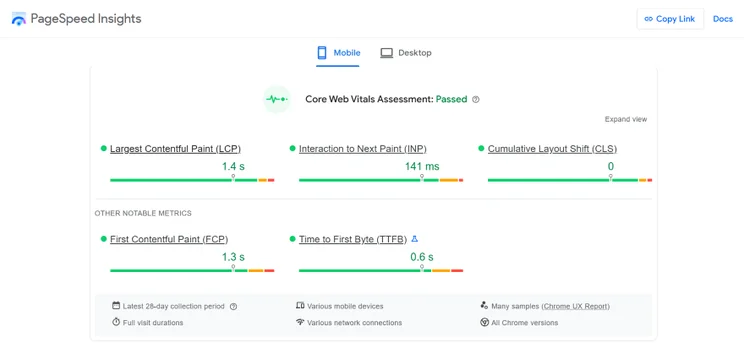
Slow website load times lead to a frustrating customer experience. If a user can’t access a web page within a few seconds, it’s likely that they’re going to close that page altogether and look elsewhere.
But more importantly, slow load times are also viewed poorly in Google’s eyes and can damage your website’s rankings. In fact, the typical website that shows up in Google search results takes approximately 1.65 seconds to load, so it’s crucial that your own pages are up to speed.
To speed up your website load times, you could:
- Move your website to a faster server
- Compress your website’s content, be it images or code
- Remove unnecessary plugins that are bloating your website
- Run regular tests to ensure that your load times remain consistent
3. Targeting the Wrong Keywords
Keyword research is an important part of any SEO strategy. The aim is to target keywords that best reflect what your target audience is looking for on Google and so, as a result, bring more traffic directly onto your website.
However, you can target all the wrong keywords too. For instance, you might be trying to rank for a keyword that has too much competition, so you’re failing to get a good position on Google. Alternatively, you might’ve misunderstood user intent and targeted keywords that aren’t relevant to their needs.
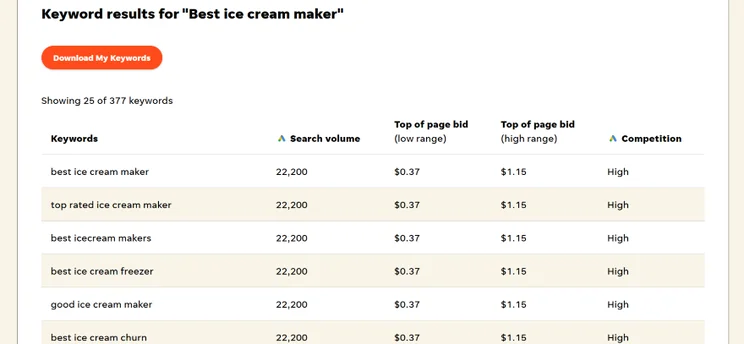
Top Tip: If you’re struggling to look for relevant keywords, you can use free SEO tools like Wordstream to find keywords that are both relevant to your brand and have different search volumes depending on your needs.
If you’re struggling with ranking for competitive keywords, I recommend targeting a combination of high-volume keywords and long-tail keywords. Long-tail keywords are search queries that are more specific (e.g. “the best exercises for lower abs”) and typically have a lower search volume but less competition – making them easier to rank for!
To find keywords that best reflect buyer intent, you need to re-examine what exactly they’re searching for. For instance, a user looking up information about yoga poses might look up “best beginner yoga poses,” while someone looking for yoga-related products may Google “best yoga equipment for beginners.”
4. Having Duplicate Content
Duplicate content – when the same piece of content appears on more than one web page – is not only unoriginal, but it can also impact how favorably search engines like Google view your website. This is true whether you duplicate content from another site, or use your own content in multiple locations.
If your website has duplicate content, this can cause further SEO issues down the line. For instance, if you have multiple pages of the same content, Google might not know which page to crawl first, leading to indexing issues.
Top Tip: Though it’s fine to use other content as inspiration, it’s crucial to ensure that your content is original. You can use free tools such as Dupli Checker to check your content for potential plagiarism.
5. Forgetting Meta Descriptions and Alternative Tags
Metadata like meta titles, meta descriptions, and alternative tags tell Google what your website’s content is all about. Though the search engine will typically assess your content in its entirety, this information will make it clear what the key themes of your content are, making it easier to rank you for the right terms.
Let’s quickly run through what each piece of metadata tells Google about your content:
- Meta title: Acts as a title of a page that appears in Google search results
- Meta description: Is a short summary of a page that appears in Google search results
- Alternative text: Describes the contents of each image on your website (also makes a website more accessible for visually impaired users)
When auditing your website, double check that you have these three pieces of metadata covered on each page.
6. Having No Linking Structure
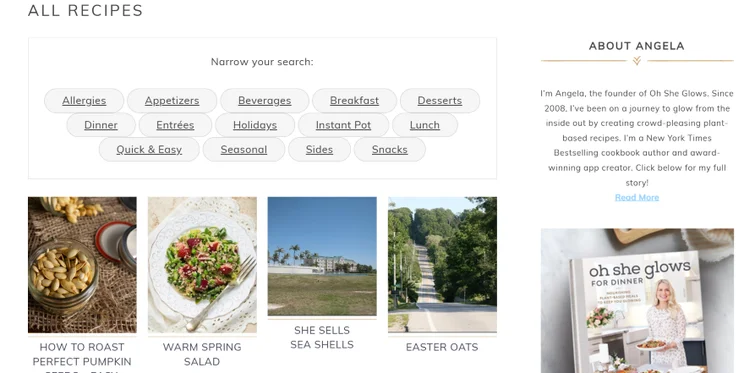
Internal linking, when you link between different pages on your website, helps Google understand how your website is structured. If Google has a clear picture of the hierarchy of your site, it can then easily access your website’s sitemap and know when to place importance on the most crucial pages.
For example, “The Happy Baker” may have one key page that is used to give information on its delicious doughnuts and allows customers to buy online. The website may also have a blog, where content is published around all things baking.
Ensuring that as many of these blog posts naturally link to the key doughnut page as possible will show search engines that this page comes high up in the hierarchy of your site.
Top Tip: Make a note of the most important pages on your website. Then, every time you publish a new piece of content, set a reminder to review that content and add links to the important pages where it is natural to do so.
7. Forgetting To Optimize for Mobile
According to our landing page stats, 86% of the top landing pages on Google are mobile friendly, which goes to show just how important it is for your website to work effectively on mobile devices.
Not only does it provide a great user-experience for your website’s visitors (and decrease bounce rates), but it’ll also help Google crawl your website. The search engine typically uses mobile-first indexing, meaning that it’ll most likely store the mobile version of your website first.
This is why you can’t avoid testing your website on different devices. Ideally, a mobile-friendly website should be responsive, uncluttered, have limited pop-ups, and include fonts that are easy to read.
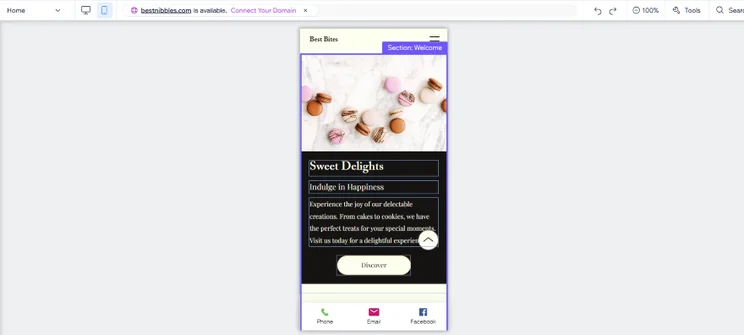
Did you know? Many platforms, such as Wix and Shopify, allow you to test your website on mobile view before going live. Use this functionality to avoid making common mobile SEO mistakes such as creating buttons that can’t be clicked or using images that don’t fit on the screen.
8. Not Utilizing Analytics
Since you’re likely spending hours on your SEO strategy, you need to make sure that your efforts are paying off. If you’re not using your website analytics to track your progress, you’re doing yourself a huge disservice.
Analytics platforms are key for growth, since they’ll share eye-opening information with you on important SEO aspects of your website. This includes:
- Which keywords you are ranking for
- How many backlinks you have
- The time spent on each page
- What sources your page traffic is coming from
And many other metrics that’ll be invaluable to your business.
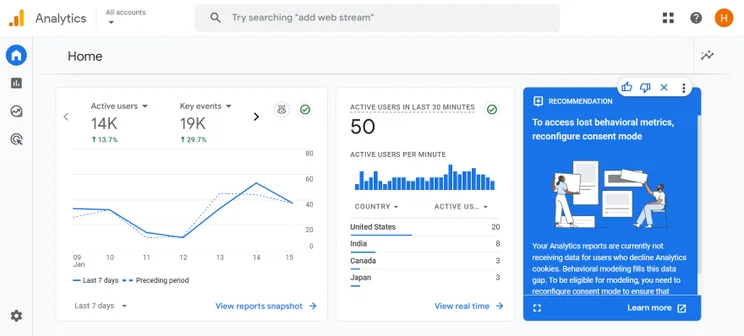
If you’re not already using an analytics platforms, I recommend connecting your business website with Google Analytics. The platform is free to use too, so you won’t be adding any additional expenses to your current SEO strategy.
Top Tip: Set a reminder to periodically check your Google Analytics, Google Search Console, and other analytic platforms. This will keep you on track when making the best decisions in your pursuit of better search engine rankings.
9. Making Things Difficult for Crawlers
Making it easy for Google to crawl your site will help boost your rankings. After all, if its bots can’t easily crawl your site, Google won’t know where to rank you – so is likely not to rank you at all.
In short, if Google’s crawlers can’t index your webpages, your website is basically invisible and you won’t show up in search engine results.
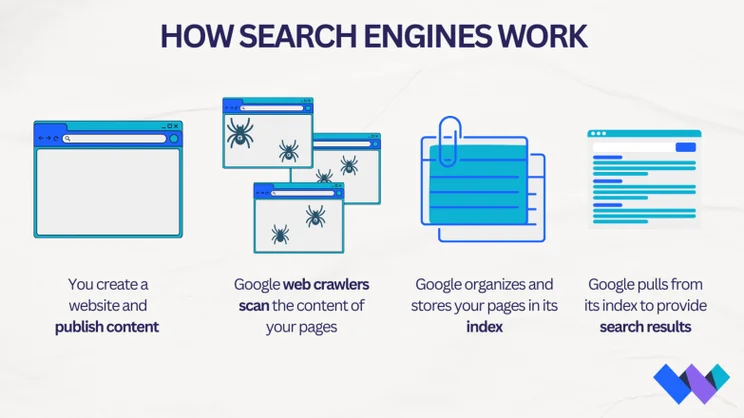
Googlebots crawl your website following hyperlinks to discover new content, and it then adds these new pages to its index. If you’re not in Google’s index, you’re not in with a chance of being listed in search results. That’s why it’s so important to create pages that are easily crawled by Google!
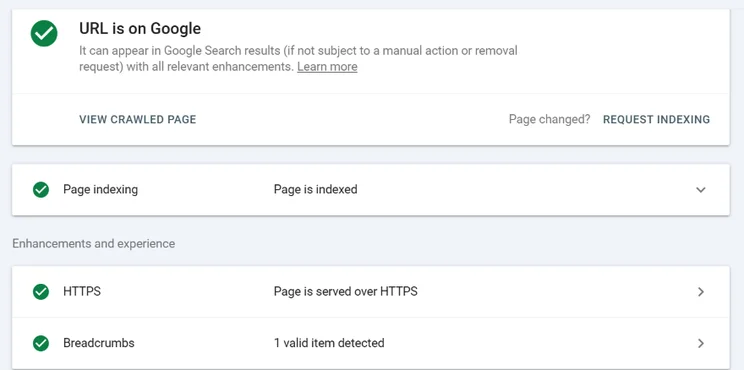
You can request indexing via Google Console, which is a good idea when you’ve published new pages to your site.
Ways you can make your pages easier for crawling include:
- Consistent internal linking between relevant pages
- Adding pages to your sitemap
- Building links from other, high-quality sites into your pages (called “backlinks”)
- Avoiding duplicate content
Top Tip: You can make it easy for search engines like Google to crawl your site by ensuring you use proper site architecture and submitting a sitemap via Google Search Console.
10. Having Faulty Redirects
It’s not just humans that dislike seeing “404 ERROR” messages. Search engines do too.
When you see this error on a page, it means that the server that hosts the web page isn’t able to show it. This can often be caused by:
- Links that are broken or dead
- Web pages that no longer exist
- Web pages that’ve changed locations
If a user can’t find the page they need, or keep running into dead ends, they won’t be happy. Even worse, this poor user experience can leave your website being penalized by search engines.
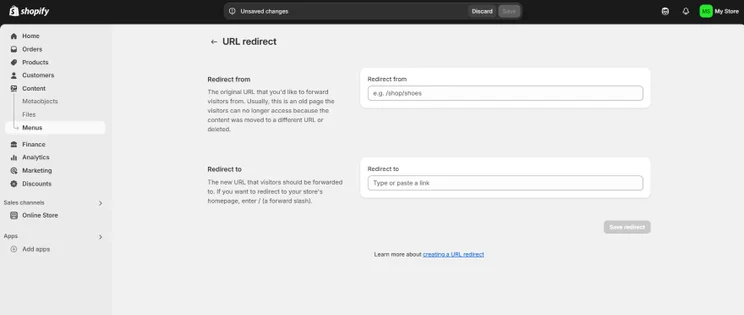
During your next SEO audit, be on the look out for any problematic links. Depending on your issue, you may need to redirect a URL, restore pages you’ve accidently deleted, or create your own error page to notify users that you’re working on the issue.
Top Tip: When it comes to this SEO mistake, Google Search Console comes to the rescue once again. Simply visit your console and run the “crawl error report” to find any faulty redirects on your site, then go in and fix them.
11. Having No Location-Specific Pages
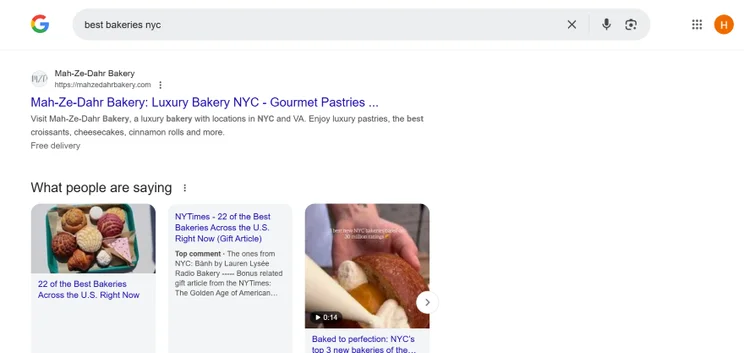
Is international SEO at the top of your agenda? To help, adding location-specific pages will be useful if you run a business that targets specific geographical areas. This is because they will help you appear in searches for those looking for your products and services in those specific areas.
For example, “The Happy Baker” may benefit from creating a page that is focused on location-based keywords such as “buy doughnuts in New York” and “New York doughnut delivery.”
12. Lack of Optimized Meta Titles
Though I’ve already covered different metadata above, you should pay special attention to your meta title.
Since this is a title that represents a specific page on Google search results, it’s important that it’s optimized well enough so that Google and its users can understand what your page may contain.
Here are some key pointers to help you do this:
- Keep it concise (between 50-60 characters if possible)
- Keep it relevant to the contents of that page
- Include a keyword your page is targeting near the beginning of the title
- Ensure it’s unique
- Write in a way that’s easy to read and enticing to click on
When you neglect to optimize your title tags, you’re missing out on a huge opportunity to boost the search engine performance of your pages. You don’t want to risk lower rankings or reduced click through rates.
13. Overlooking Image Optimization
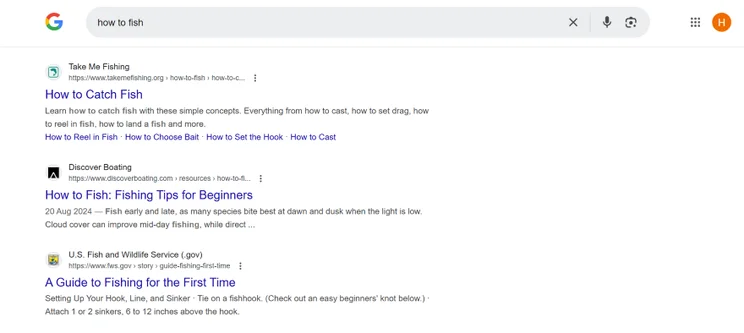
Optimizing images is often overlooked as an important part of SEO. Yet your image descriptions and keywords can provide additional context and drastically improve your search engine rankings.
Here are some ways to avoid this mistake:
- Optimize your file names using descriptive keywords to help search engines understand the content of the image
- Use alt tags to provide a text description for visually impaired users (this is also used by search engine crawlers)
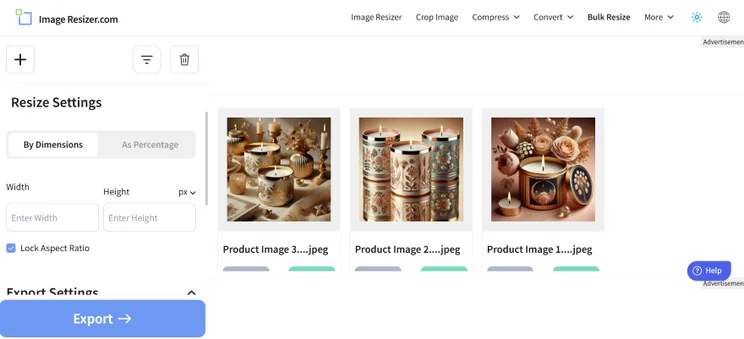
- Reduce image file sizes to reduce load time, you can use a free online image compressor like image resizer
For more in-depth tips on how to optimize your images, refer to our image optimization guide!
14. Neglecting User Intent and Search Intent Optimization
Creating content which perfectly meets the needs of your users will help you drive more traffic from search engines. To do this, you will need to understand the types of intent that a searcher might have. These are typically categorized like this:
- Informational intent – when a searcher is seeking out specific information, answers, or knowledge about a particular topic or query
- Navigational intent – when a searcher is looking for a specific website, brand, or online destination
- Transactional intent – when the searcher is ready to complete a transaction or engage in a specific online activity such as making a purchase or signing up for a service
When you understand intent, you can then create content which offers searchers exactly what they are looking for. This makes for a better user experience and helps increase authority with search engines.
Top tip: When it comes to ranking well on search engines you should always be thinking about how you can best serve your visitors. You’ll want them to leave your website with their questions answered.
15. Ignoring Backlink Quality and Relevancy
Backlinks are an important part of building your website’s search engine rankings. However, focusing on quantity over quality can be a bad idea.
Instead, work to build backlinks from high quality websites that are both authoritative and relevant to your own content. Why? Because this carries more weight with Google.
A diverse range of natural backlinks from these types of websites will help you drastically improve your domain authority, and your rankings. In contrast, you should avoid gaining backlinks from low-quality or spammy backlinks, as Google may penalize your site for this.

Top Tip: You can use tools such a Moz’s free domain authority checker to identify the quality of a website first.
SEO Mistakes to Avoid: Summary
Because Google’s algorithm is constantly evolving, it’s important that you’re not making any of these foundational SEO mistakes. After all, you don’t want to be left behind and lose out on precious website traffic.
If you haven’t already, view this article as your sign to audit your website and confirm that you’re not making any of these SEO errors. The better optimized your website is, the more likely that you’re going to reach new website visitors that are aligned with your brand – and lead you one step closer towards those all-important conversions!
Need some extra tips? Read our guide on how to run a successful website audit and skyrocket your website to SEO success.


0 comments