



- Comparing the Best Vibe Coding Tools
- 1. Hostinger Horizons: Best All-in-One Tool
- 2. Base44: Best for Rapid Prototyping
- 3. Lovable: Best for Flexible Integrations
- 4. Tempo Labs: Best for UX Optimization
- 5. Bolt: Best for Advanced Controls
- 6. Replit: Best for Planning and Learning Code
- 7. v0: Best for Creating Design Elements
- How To Choose the Right Vibe Coding Tool
- How We Test Vibe Coding Tools
- What is The Best Vibe Coding Tool?
After testing seven popular vibe coding tools amid the AI app building hype, I can confidently say that Hostinger Horizons is our best all-in-one platform for building and publishing web apps with no code.
Still, Hostinger Horizons isn’t the right tool for everyone, especially if you require custom features or collaboration tools. And with every new platform claiming to be the best vibe coding tool and promising features you don’t fully understand, decision paralysis stands in the way of getting started.
Below, I’ve rounded up the best platforms for every business need.
- Hostinger Horizons is our top vibe coding tool thanks to its intuitive interface and all-in-one frontend and hosting management.
- Lovable and Tempo Labs have the most generous free plans with 30 credits per month.
- For the cheapest starting price ($6.99 per month), choose Hostinger Horizons.
- Hostinger Horizons, base44, and Tempo Labs charge flat rate message credits, which tend to be easier to monitor than token and effort-based billing.
- When choosing your vibe coding tool, consider its integrations, ease of use, billing system, and code accessibility.
Comparing the Best Vibe Coding Tools
In a time crunch? Use the table below for a quick overview of the top vibe coding platforms:
|
Starting price
|
Free plan or free trial
|
Pros
|
Cons
|
Recommended for
|
||
|---|---|---|---|---|---|---|
 |
 |
 |
 |
 |
 |
 |
|
Hostinger Horizons |
Base44 |
Lovable |
Tempo Labs |
Bolt |
Replit |
v0 |
|
$6.99/mo |
$16/mo |
$21/mo |
$30/mo |
$25/mo |
$25/mo |
$20/mo |
|
7-day free trial |
Free plan, with 25 credits/mo |
Free plan, with 30 credits/mo |
Free plan, with 30 credits/mo |
Free plan, with 1 million tokens/mo |
Free plan, create up to 10 public development apps |
Free plan, with $5 of monthly credits |
|
|
|
|
|
|
|
|
|
|
|
|
|
|
|
Budget conscious no-coders looking to build and run an app with one tool. |
Entrepreneurs and small businesses looking to create a minimal viable product as quickly as possible |
Brands who want to create visually appealing websites and apps with lots of functionality |
Creating intuitive customer focused apps and collaborating on complex projects |
Developers wanting full manual control over the backend settings of their app |
Code enthusiasts who want to upskill as they create |
Users creating visual prototypes and landing pages that don’t require backend functionality |
1. Hostinger Horizons: Best All-in-One Tool
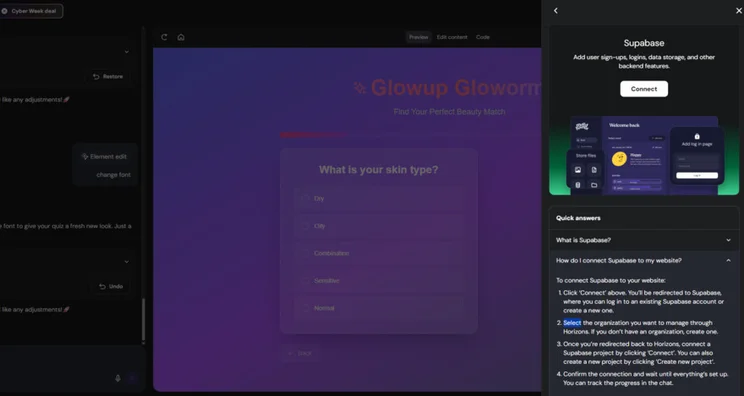
Our 2025 research identified Hostinger Horizons as our top vibe coding tool, thanks to its affordable, transparent pricing and user-friendly interface that makes it easy to connect to integrations.
That said, while Hostinger Horizons is extremely user friendly, it lacks a GitHub integration for exporting your code. This integration unlocks advanced collaboration, version control, and bug tracking tools, and without it, Hostinger Horizons is limited to simple solo projects.
- Websites
- Web apps
- Affordable pricing starting at $6.99 per month
- Full access to code that can be directly edited and downloaded
- All-in-one package with email, hosting, and SEO included
- Visual editor only works for static content
- No shared workspace for teams or agencies to collaborate
- No file uploads supported for prompts
- No GitHub integration
I was surprised by how quick and easy it was to build a working app with Hostinger Horizons without any knowledge of code, especially as it was the first vibe coding tool I had used.
Still, I did get frustrated by Hostinger Horizons’ debugging process at times. I burnt through three credits asking the AI to fix a button that didn’t register clicks, even though it had claimed to have fixed the issue the first time around.

How Much Does Hostinger Horizons Cost?
Hostinger Horizons’ pricing ranges from $6.99 to $59.99 per month (billed annually), making it the cheapest vibe coding tool on this list.
- You get 30 credits per month on the cheapest plan
- Option to purchase extra credits without upgrading your plan
Bottom Line: Should You Use Hostinger Horizons?
Hostinger Horizons is an easy-to-use tool designed for non-coders who are new to the vibe coding space. While other vibe coding tools, such as v0 and Lovable, require third party integrations to build, publish, and run your app, Hostinger Horizons handles app creation and hosting, meaning you don’t have to switch between multiple tools and subscriptions.
However, Hostinger Horizons lacks advanced collaboration tools, so it’s not the best option for teams or agencies working with clients.
2. Base44: Best for Rapid Prototyping
Base44 is the best vibe coding tool for creating internal tools and product prototypes to tight deadlines.
Base44 handles frontend, backend, and hosting in one package, making it the simplest tool to set up with no necessary integrations. This makes Base44 as beginner-friendly as Hostinger Horizons, although Base44’s addition of team workspaces and advanced admin controls makes it the better option for team collaboration.
- Web apps
- Mobile apps
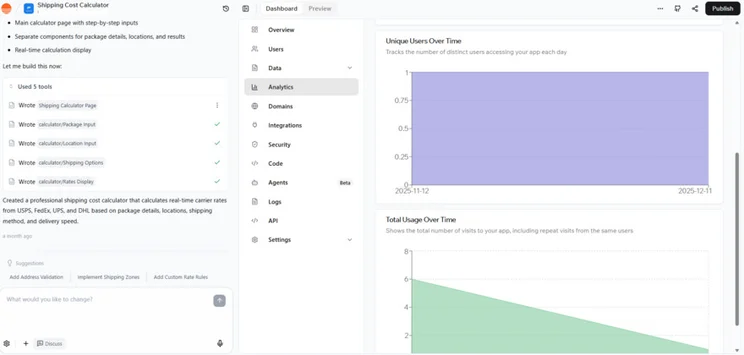
- All-in-one solution with no need to source third-party backend database or hosting providers
- Real-time collaboration in workspaces
- Security and authentication controls
- The integrated database makes it difficult to migrate to another platform
- No backend functions on the Starter plan
Base44 let me choose from multiple LLMs (large language models) and project styling options in my first prompt, instantly giving me more control over the outcome of my app. I could also add files to the prompt, which made it much easier to share product requirement documents and design mockups.
How Much Does Base44 Cost?
Base44’s pricing consists of four paid plans that cost between $16 and $160 per month, when billed yearly. On its free plan, you’ll get up to 25 messages (individual prompts) and 500 integration uses per month.
- Base44 separates message credits (to build your app) and integration credits (to run your app)
- The cheapest plan comes with 100 message credits and 2,000 integration credits per month
Bottom Line: Should You Use Base44?
Base44 is the perfect vibe coding tool for entrepreneurs and small business owners who feel held back by tech. With your backend and hosting included, you’ll have a fast and seamless experience.
However, Base44’s all-in-one support leads to greater vendor dependency. If you want more control over your backend, or you think you might want to migrate to another platform in the future, it’s best to choose an option that runs on third party integrations, such as Lovable or v0. Integrations give you more choice over the tools and features your app has and make it easier to transport data.
3. Lovable: Best for Flexible Integrations
Perhaps the most well-known vibe coding tool, Lovable excels at creating visually appealing websites and web apps. And with LLM, data, marketing, ecommerce, content generation, visual design, and business tool integrations (to name a few), Lovable is one of the most flexible vibe coding tools for a range of uses.
- Websites
- Web apps
- Choice between built-in backend (Lovable Cloud) and third-party backend integration (Supabase)
- Advanced visual editor
- Has the widest range of integrations
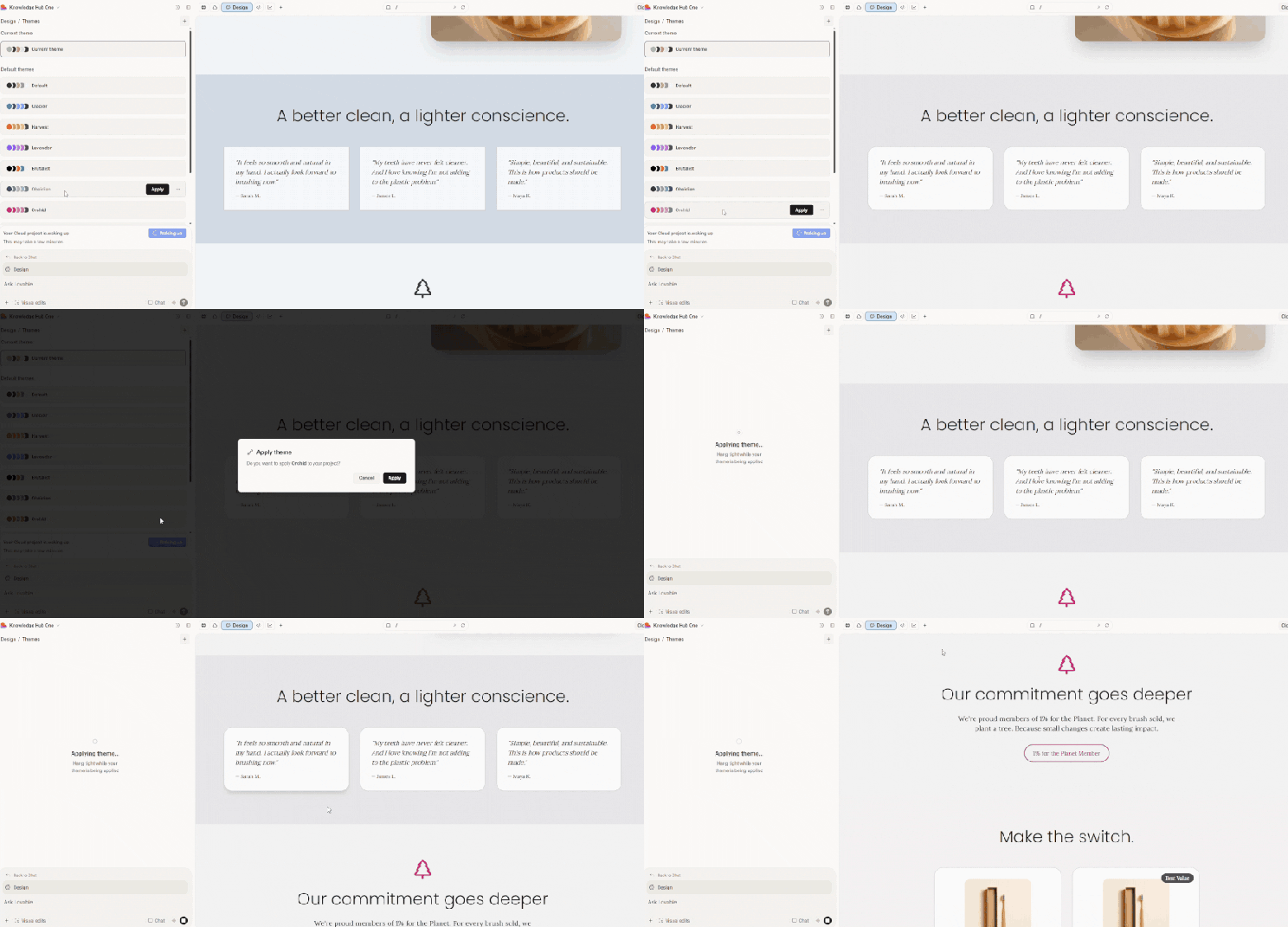
- New app themes, similar to those offered by Replit
- Usage-based credit system is unclear, and makes credits difficult to keep track of
While many vibe coding tools charge a flat rate per message, Lovable’s usage-based approach had a learning curve to it. For instance, I was charged 1.3 credits to generate new images, and 1.7 credits to add a footer, which made it difficult to know how much progress I could make before hitting my daily limit.
However, Lovable’s visual editor is one of the most advanced I’ve used, which gave me a way to save on credits.
How Much Does Lovable Cost?
Lovable’s pricing consists of two customizable plans, starting at $25 and $50 per month, as well as a custom priced Enterprise solution. Lovable also offers a free-forever plan with up to 30 credits per month, but you’ll need to upgrade to a paid plan to add a custom domain and remove Lovable branding from your app.
- The cheapest plan comes with 100 monthly AI credits
- You can tweak the credit limits on the paid plans
- You get five bonus credits each day
- Unused credits roll over on the paid plans
Bottom Line: Should You Use Lovable?
Lovable is one of the most flexible vibe coding tools for designers and prototypers thanks to its advanced visual editing capabilities and the number of integrations it’s compatible with, meaning you can add a range of functionality to your app or site.
However, Lovable’s flexibility can be off-putting for beginners who want a simple, out-of-the-box tool, so you might want to consider a Lovable alternative. Plus, its usage-based billing and lack of discussion mode (an iterative chat mode with lower credit charges) mean you’ll have to hone your prompt writing skills to get the most out of your credits, more than you would with Base44.
4. Tempo Labs: Best for UX Optimization
Tempo Labs is the best vibe coding tool for creating intuitive apps, since it generates detailed plans and user flow diagrams before the build.
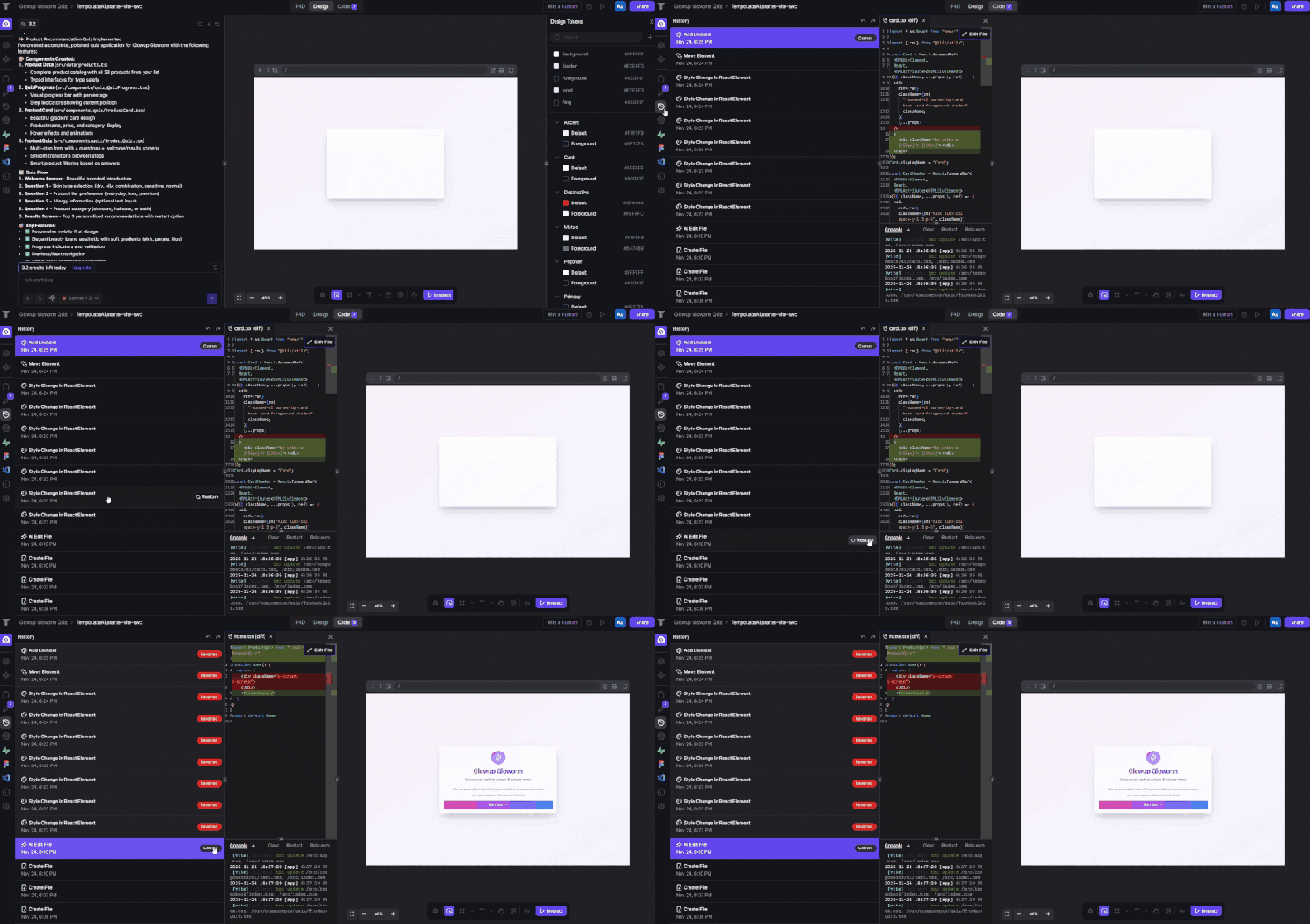
It also has strong team collaboration tools, such as real-time amendment syncing, version control that logs each change made to your app for instant reversals to old versions, and live information on what each team member is editing.
- Web apps
- Free error fixes
- Generates a 'product requirements' document and user flow diagram to perfect the app’s structure and logic
- Drag-and-drop visual editor
- Realtime Multiplayer Editing feature for advanced collaboration
- Has an app store with 40+ integrations
- There's a huge price jump between Pro and Agent+ plans
- The developer-focused features aren’t usable for beginners
Tempo Labs let me pick a framework, select integrations, import my code from GitHub, and choose from one of seven AI models – all from the first prompt. This level of choice is both impressive and intimidating. As a non-coder, I had to spend a lot more time researching the right settings to choose before starting my project.
How Much Does Tempo Labs Cost?
Tempo Labs has a simple pricing structure, with a free-forever plan and two paid plans costing $30 and $4,500 per month. While the latter Agent+ plan is extremely expensive, it includes design revisions and code reviews by humans to guarantee the quality of what you create.
- You get 150 prompt credits on cheapest paid plan
- You can customize your plan credit limits for an extra monthly cost, which ranges between $50 per month for 250 credits and $500 per month for unlimited credits
- You have the option to buy bonus credits without having to upgrade plans
Bottom Line: Should You Use Tempo Labs?
Tempo Labs is a great option for any business that’s building customer-facing apps, or creating projects that the team needs to collaborate on.
If you’re considering a hybrid approach (handing your project to a developer for checks and refinement), Tempo Labs also generates detailed plans and user flow diagrams to communicate your goal accurately.
However, Tempo Labs’ tools may be too technical for non-coders looking to build simple or personal-use tools quickly.
5. Bolt: Best for Advanced Controls
While Bolt has a similar interface to Lovable, its emphasis on code flexibility and backend control prioritizes functionality.
Bolt’s manual controls suit developers and product teams with time and experience on their side, but total non-coders will find themselves out of their depth with many of Bolt’s features.
- Websites
- Web apps
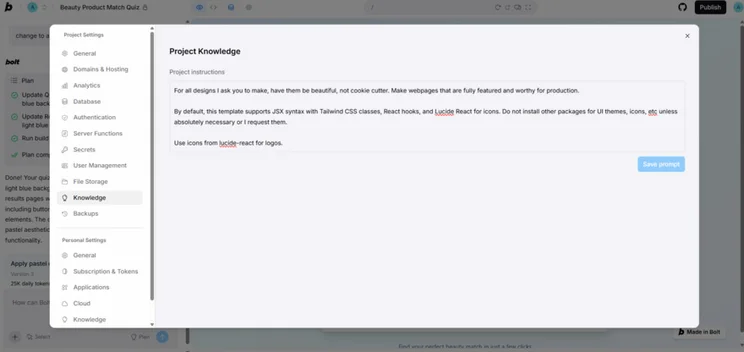
- Access prompt templates and prompt improvement tools within the chat
- Simple one-click deployment
- Full ownership of code makes it easy to export your finished project and host it anywhere
- Choice between Bolt's native database or third-party database integrations
- Token usage is more confusing to monitor than credits
- The developer-focused features, such as the file explorer, can be overwhelming for non-coders
I was surprised to use up Bolt’s 300,000 daily token limit in just one message prompt and two planning prompts – which gave me no chance to refine my first draft.
How Much Does Bolt Cost?
Bolt has a free-forever plan and two paid plans. When billed annually, the Pro plan is $18 per month and the Teams plan is $27 per team member, per month. The free plan comes with a large one million tokens per month, but these are eaten up much faster than typical credits.
- Bolt uses a tokens-based billing system, which charges for the volume of text the AI has to process, rather than using up credits for each fixed action
- You get 10 million tokens per month on cheapest paid plan
- Tokens can be rolled over on the paid plans
Bottom Line: Should You Use Bolt?
Bolt offers a lot of flexibility for developers looking to manually oversee and control every aspect of their project, with direct access to code, support for custom knowledge and integration implementation, and a prompt library for complex requests.
While beginners can use bolt, its token billing system and advanced settings are best suited to those comfortable with vibe coding tools or familiar with coding. For a more automated and streamlined solution, I recommend Lovable.
6. Replit: Best for Planning and Learning Code
Replit is the ideal tool if you’re looking to spitball ideas and refine your project before the build. With a collaborative plan builder, interactive chat mode, and design-first build options, it gives users plenty of flexibility to create in the way that suits them best.
- Web apps
- Mobile apps
- Websites
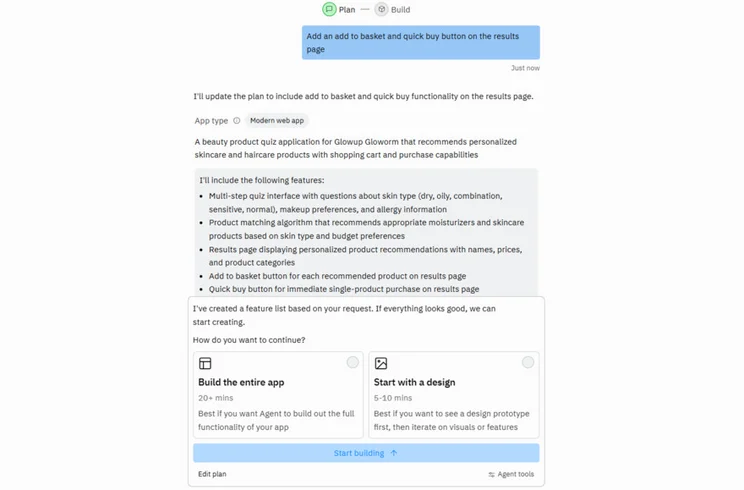
- Automatic self-testing and debugging of new features
- Interactive chat mode so you can ask questions about the code
- Real-time collaboration between team members in workspaces
- Large online community and in-depth support guides
- Effort-based, pay-as-you-go billing makes Replit more costly and prone to accidental overspend than other platforms
Replit’s focus on communication, rather than generating speedy first drafts, makes it feel instantly trustworthy. Being able to view and refine the plan before my app was built gave me confidence that my first draft would be representative of my goals.
Replit’s AI also kept me informed with exactly what was being built, although the high level of detail and coding language feels confusing as a beginner.
How Much Does Replit Cost?
When billed annually, Replit’s paid plans cost $20 per month for the Core plan and $35 per user, per month for the Teams plan. Replit also offers a free plan, but it’s limited to 1,200 minutes of development time, and you won’t be able to deploy the apps you create.
- Replit’s effort-based billing system determines the cost of each request you make based on how hard the AI has to think
- You get $20 of monthly credits on the cheapest paid plan
- You switch to a pay-as-you-go model after your credit limit is reached
Bottom Line: Should You Use Replit?
Replit’s plan building, detailed process explanations, interactive chat mode, and real-time workspace collaboration make it a great tool for group projects, and beginner coders looking to learn.
However, Replit will seem overcomplicated to users who are uninterested in touching code. And budget conscious businesses should be wary of Replit’s pay-as-you-go billing, which could lead you to overspend.
7. v0: Best for Creating Design Elements
v0 is the best vibe coding tools for generating sleek and attractive design elements. Having been built by gold standard hosting provider Vercel, v0 also provides fast, reliable hosting and deployment in a single click.
- Websites
- Web apps
- Frontend components
- Vercel integration simplifies deployment, hosting, and version control
- Mobile app for on-the-go building
- Advanced visual editor
- Design kits for consistency
- Coding knowledge is required to make full use of v0’s features
- The focus on UI and the frontend makes v0 poor for backend generation
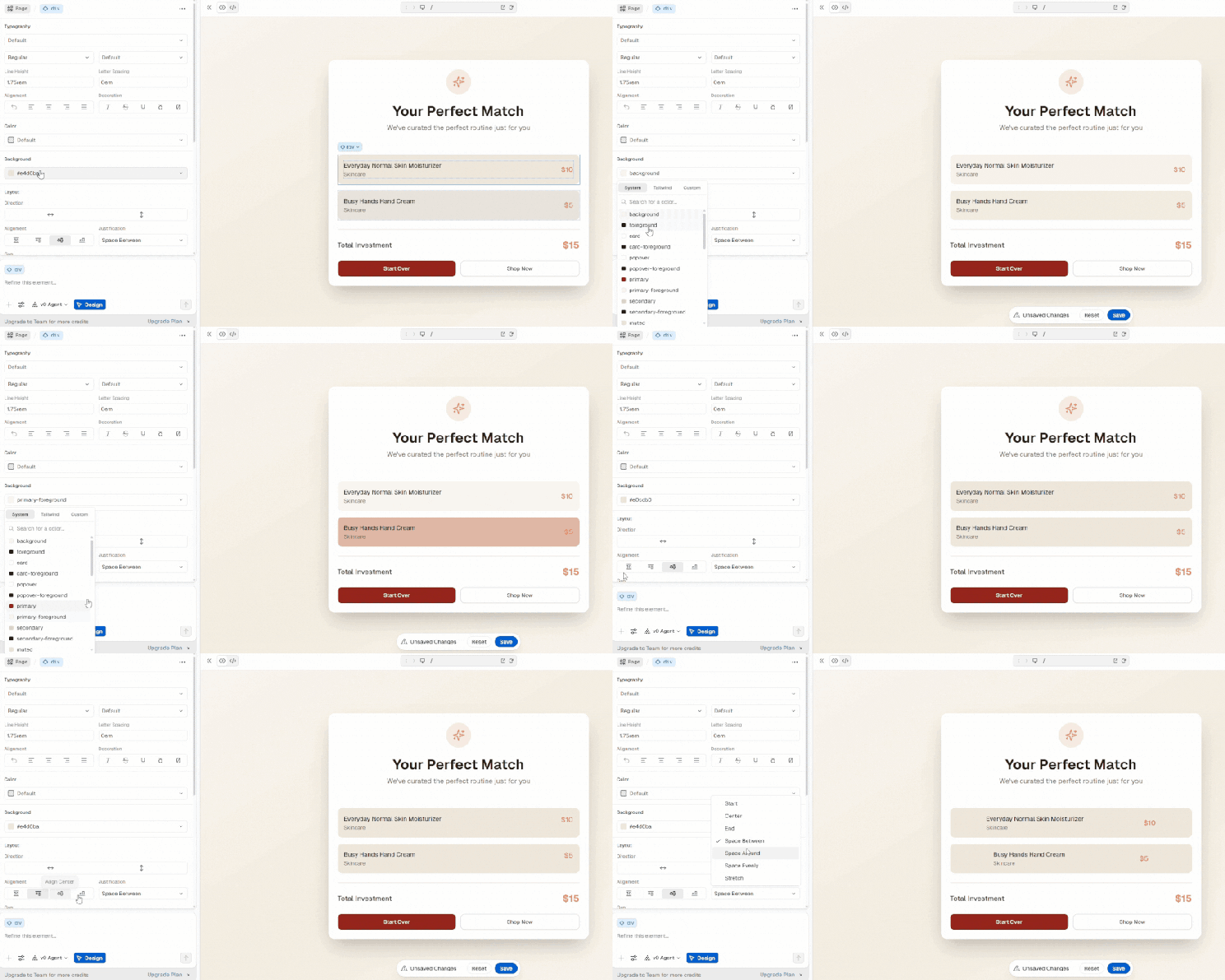
I was super impressed with the amount of control I had in v0’s visual editor. Not only could I change fonts, colors, sizing, alignment, but I could also access more advanced features, such as adding shadows, borders, and opacity.
How Much Does v0 Cost?
v0 has a free plan and a $20 per month premium plan for individual use, as well as two team plans, which cost $30 and $100 per user per month.
- v0’s effort-based billing system determines the cost of each request you make based on how hard the AI has to think
- You get $20 of monthly credits on the cheapest paid plan
- Upgrading AI models will cost more credits
- You get a bonus $2 worth of credits per day
- You switch to a pay-as-you-go model after your credit limit is reached
Bottom Line: Should You Use v0?
v0 is a strong contender for businesses wanting to create fast prototypes and attractive landing pages. And with its design kits and reusable components, it’s great for creating consistent branding at speed.
However, the catch with v0 is that you’ll need a degree of technical expertise to manually configure its backend through database integrations. To create complex internal databases or customer login portals, I’d recommend an all-in-one platform, such as Hostinger Horizons.
How To Choose the Right Vibe Coding Tool
While it can be tempting to choose the cheapest or most hyped tool, it’s important to carefully consider every aspect of your project, from initial building to deployment. To help you make the right choice, here are the top areas to consider:
- Plan pricing: Are the plans within your budget and scalable? Do they include everything you need, such as hosting and SEO, or will these require extra payments?
- Credit system: Does the tool use credits or tokens? Are the charges fixed or effort-based? Are there low/no-credit modes to reduce costs? Does it provide rollovers for extra flexibility?
- Functionality: Does the tool have all the features your app requires? If not, is it compatible with integrations that can help with this?
- Experience level required: Is the interface beginner-friendly? Does the AI chatbot communicate processes clearly? What debugging and security scans are offered?
- Access to code: Are you able to view and directly edit the code? Can you export the code to share it with a professional for review?
- Online support: Chances are, you’ll need help at some point. Does the platform have clear, accessible online support? Are there active community forums?
How We Test Vibe Coding Tools
To make our list of the best vibe coding tools as accurate and data-driven as possible, myself and the Website Builder Expert team conducted first-hand testing on each platform.
Our tests brought to light shared positives and frustrations, and gave us an understanding of how easy each tool was to use from a beginner’s perspective.
To further inform this article, we collected data on each vibe coding tool in the following areas:
- Pricing and value: We check plan prices, credit allowances, billing systems, and whether the platform has a free plan.
- Product capabilities: We assessed core features and integrations, full stack capabilities, and other important areas such as storage, security, and creative customization.
What is The Best Vibe Coding Tool?
The best vibe coding tool for you will depend on your needs. If you’re learning how to start vibe coding as a busy, time-conscious beginner, Hostinger Horizons and Base44 offer convenient all-in-one packages that take care of SEO, hosting, and deployment. However, Hostinger Horizons is the easiest to use for a totally code free experience.
Both Lovable and v0 excel in visual design, although Lovable provides advanced functionality with high-quality, easy to install integrations.
Replit and Tempo Labs are the most helpful for planning and iteration, creating detailed PRDs (product requirement documents) and user flow visuals.


0 comments