
The 7 Best Methods for Making Money on WordPress Revealed

WordPress is an open source platform that’s free for everyone to use. It’s ideal for creating unique websites, and is enjoyed by millions – but you can do more than just enjoy using WordPress. You can make money from it, too.
We’re going to reveal the best ways to make money from your WordPress website.
Don’t worry – you don’t have to be a coder, developer, or even a WordPress whiz to get a little something back. But you do need to play to your strengths. Look out for strategies that build on skills you already have, or skills you’re willing to grow.
With 34% of the internet using WordPress, competition is fierce, and you need to stand out from the crowd!
In this guide, we’ll outline the best ways of monetizing WordPress, and explain how you can get started.
Time and money wait for no one, so let’s dive in.
Further Information
- Are you reading this before building your WordPress website? Once you’ve finished, come back and read our handy guide on How to Create a WordPress Website.
- Make sure your WordPress site is the best it can be – take a peek at our 15 WordPress Tips and see how many you can check off!
- Making money online often works best when you have a strong niche – but it can be hard to get started. Check out our guide on How to Find Your Niche Online for expert tips!
Ecommerce
Suitable for: All beginners
We’ll start with the most obvious strategy: ecommerce. By using a plugin, you can turn your WordPress website into your very own online store. That means you can start listing products, running sales, and accepting payments.
The plugin we most recommend is WooCommerce. This is a powerful (and free) ecommerce plugin that integrates seamlessly with WordPress, and gives you total creative control over your store. You can sell anything, from physical and digital products to appointments and services.
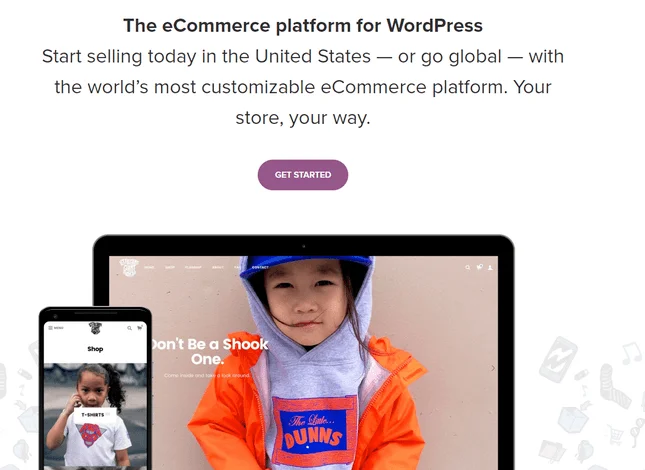
Whether you knit socks, sell vintage punk merch, or teach yoga, WooCommerce will let you promote your business and connect with clients. And, of course, it’ll let you receive payments through your WordPress store.
It’s easy to set up your online store with WordPress, but it’s not an overnight job. First of all, you need to find hosting, install WordPress, and get the basics of your site in place. Then, you need to install an ecommerce plugin (like WooCommerce).
Once you’ve installed and activated your ecommerce plugin, you can then begin building your online store. Add products, design your storefront, set up shipping, connect secure payment options… you get the idea.
WooCommerce is the most popular ecommerce platform on the web, meaning you’d be joining the ranks of some pretty successful stores. Just one example is Tiny Tags, a jewelry store that provides made-to-order pieces for mothers.
WooCommerce worked well for this business, because it relies on flexible, custom orders.

As you can guess, this isn’t a “get rich quick” strategy. You’re starting your own business, and that takes time, passion, and usually a bit of investment from you to get it started.
In a Nutshell:
- What is it? Using a WordPress ecommerce plugin to build your own online store and sell products, services, or appointments.
- Who can do it? Anyone! Although you’ll need to be happy building and running an ecommerce business, shipping orders, marketing your products, managing your inventory, etc.
- How to get started: We highly recommend that you install the WooCommerce plugin to build your store, then think about what goods or services you could offer. It’s best to find a niche and do some market research before launching your project.
Further Information
- Do you have a great business idea? Read our guide on How to Make a WordPress Ecommerce Website to get started.
- WooCommerce not for you? No biggie – check out our list of the 5 Best WooCommerce Alternatives instead.
- The first step to building any successful WordPress website is finding hosting – see our Web Hosting Comparison Chart for the best providers of 2019.
Advertising
Suitable for: All beginners
The most simple of way of making money from any kind of WordPress website is by displaying adverts on your website.
This is super easy – you can carry on using your WordPress site however you like, while your adverts sit there and make you a nice little bit of money on the side. It takes very little effort on your part!
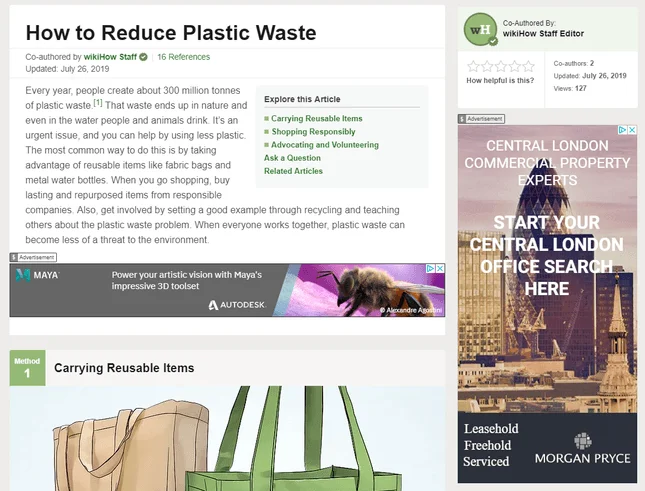
You’ll find most ads work on a pay-per-click (or PPC) basis, meaning you get paid every time someone clicks on one of your adverts. The only hitch is, you won’t get much cash per click – you’ll usually get less than $1 for each.
Still, that’s better than nothing, and some advertisers pay out more than others. So how can you get started with this modest money-making scheme?
The easiest way is to use Google AdSense, which places relevant adverts on your site for you. All you have to do is copy some code onto your site where you want the ads to appear. Yep, it really is that easy!
Google AdSense is a great option for total WordPress newbies who are still building their skills, growing their audience, or just finding their feet.

Top Tip! You might be tempted to cram as many ads onto your site as possible, in order to maximize your earnings. Don’t do this. A cluttered, messy, ad-littered site is the biggest turn-off for visitors – instead, be tactful, thoughtful, and minimal with your ad placements.
Just a heads up – adverts aren’t going to be a huge source of income, so be realistic with your expectations.
In a Nutshell:
- What is it? Displaying adverts on your WordPress website. When people click on those ads, you get a small amount of money.
- Who can do it? Anyone! You just need to sign up to Google AdSense, and add some code to your site. Alternatively, you can contact advertisers directly if you don’t mind some extra work.
- How to get started: Decide how many adverts you want on your site. Sign up to Google AdSense, and copy some code into your website to start displaying adverts.
Affiliate Marketing
Suitable for: Bloggers
One of the main reasons people love WordPress is because it’s so perfect for blogging. If you’ve got a passion for writing, you’ll be pleased to hear that there are plenty of ways you can make money through your blog.
One of the most popular ways of monetizing your WordPress blog is with affiliate marketing.
What is this? Well, it’s where companies pay you for providing them with new customers. Let’s say you blog about fashion and beauty, and you link to a product that you use a lot. With affiliate marketing, you’ll get paid each time one of your readers buys one of those products!
You can either get paid every time someone clicks on one of your links (this is called cost per click, or CPC), or every time someone uses your link to actually buy or sign up to the company you’re promoting (known as cost per acquisition, or CPA).
Usually, cost per acquisition makes more money, because the company is getting a better result! It’s also a bit more ethical, because you only make money if your reader is happy, which is nice.
But how does the company know how many people have signed up from my blog? That’s where unique affiliate links come in. You need affiliate links so that the company can track which customers came from your website.
Affiliate links look like a normal web link, but with a seemingly random selection of numbers and letters tacked on to the end. This special code lets the company see exactly how much business they’re getting through your unique links, so you can be paid accurately.
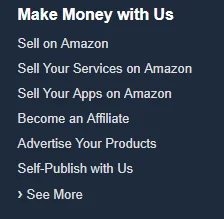
You can set up an account directly with the company you’ll be promoting, and they’ll provide you with these links. Either contact the company directly, or dig around on their website to see if they have an affiliate program. For example, on Amazon’s website, you’ll find theirs under the “Make Money With Us” menu.
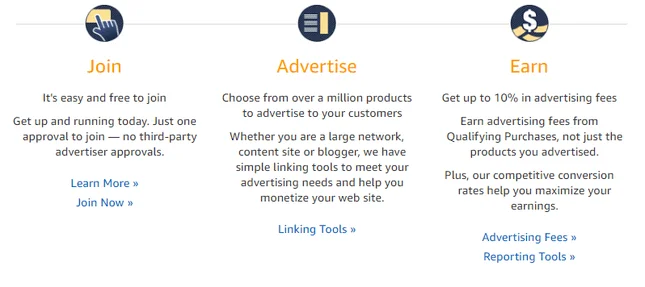
This option is best for those of you who already have a blog set up. Don’t try to launch your affiliate marketing campaign and build a blog from scratch at the same time. You need a niche and an audience for affiliate marketing to be successful.
If you already have a blog, now’s the time to think about what products or companies you could promote. Whatever you choose, it needs to be relevant and beneficial to your readers. If you write about animals, for example, don’t start promoting Calvin Klein just because you get a good payout.
Your readers won’t put up with that!
It’s also important to be honest with your readers. Let them know how you’re making money and be clear that it won’t cost them any extra, or affect the honesty of your reviews. For example, we use affiliate links right here at Website Builder Expert, and you can read all about it on our Disclosure page.
The key to affiliate marketing is being transparent, fair, and always putting your readers first.
In a Nutshell:
- What is it? Using unique affiliate links in your blog, where readers can go and buy or sign up to a product. That company then pays you money each time someone uses your link to buy their product!
- Who can do it? Anyone! You don’t need any tech skills to pull off affiliate marketing. It’s a good idea to build your blog first, grow your audience, and develop your niche, before trying out affiliate marketing.
- How to get started: Think about the content you create, and what your readers would find relevant and useful. Make sure any products you choose are good quality, and then reach out to start a partnership with one or more companies!
Further Information
- Affiliate marketing works well for bloggers. Our handy guide on How to Start a WordPress Blog makes building your blog easy, in just 10 simple steps.
Exclusive Content
Suitable for: Established WordPress users
Do you really know your stuff? Will people pay to hear what you have to say? If so, you could be sitting on a goldmine!
There are a few different ways of creating exclusive content for your visitors. Before you do this, however, it’s worth pointing out that you should have an established site, and an area of expertise, ahead of trying out any of the following strategies.
Top Tip! People like to know they’re getting value for their money, so it needs to be obvious why the content you’re offering is worth the price you’re asking.
Premium Content
Whether it’s professional photos, exclusive articles, research papers, or even music and movies, premium content is something your visitors are willing to pay for so they can gain access.
For this to be successful, you need your visitors to be confident in your product or content. We recommend offering some stuff for free, so that people have a clear idea of what to expect from your premium content. That way, they’ll be happy handing over their hard-earned cash in return for whatever you’re offering.
Top Tip! You can use social proof to encourage people to sign up. Social proof is where you show people how many others have already signed up to, liked, shared, or benefitted from your content.
Memberships and Subscriptions
Another way of making money from your WordPress site is to create memberships which unlock extra content, exclusive pages on your website, or even special discounts if you’re running an online store.
The alternative is to get people to subscribe to your site. Subscriptions are a little different from memberships – while a subscription allows your visitors access to your site and all its resources, memberships unlock an extra level of exclusive content on top of that.
Subscriptions tend to work best for online magazines, or sites offering some kind of service. Remember, there has to be some incentive for people to sign up and pay money!


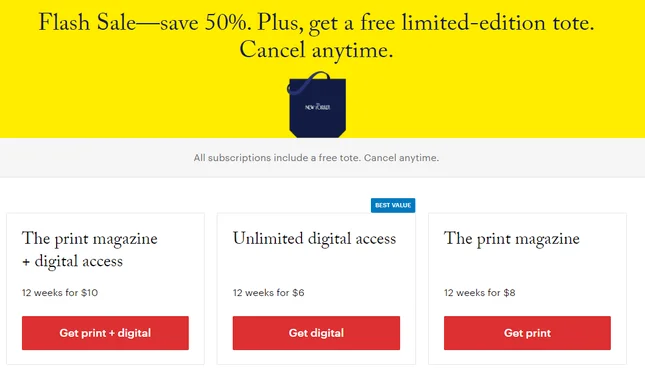
Top Tip! You can combine this strategy with producing premium content, creating different “levels” of your website depending on how much, and how often, people want to pay.
Donations
If you don’t want to be pushy by demanding people pay to access your site, you can ask for donations instead. This is how websites like Wikipedia survive – people get to enjoy your content for free, but they can donate money to keep your site going.
This is a less reliable method of making money from your WordPress site, so it could be worth combining with another strategy, such as displaying adverts on your site.
In a Nutshell:
- What is it? Creating content that people are willing to pay for.
- Who can do it? Anyone, as long as you have the knowledge or skill-set to make your content worth paying for. You’ll most likely need an established site, too, as people will want to know you’re trustworthy.
- How to get started: First, pinpoint your area of expertise. What knowledge or skills do you have that could benefit others? Get writing! You can also have a look at your site and decide if there are any pages you could turn into “exclusive” areas for members, then add some new, specialized material. To add subscriptions, memberships, or accept donations, you will need to install plugins.
Online Courses
Suitable for: Anyone with specialized knowledge
If you’ve ever been stuck on how to do something, chances are you’ve turned to Google for help. It’s quick, it’s useful, and it’s free. But what if you have more than one burning question?
Online courses are a popular way of learning new things – in fact, the global market for online learning is valued at $250 billion. That’s definitely something to make the most of!
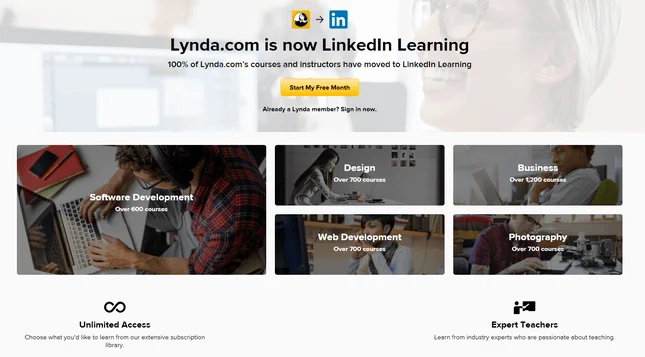
Of course, you’ll need to know a fair amount about the topic you’re teaching, but the range of subjects you can cover are endless. Writing, marketing, technology, cooking, music, pet grooming; the list goes on and on.
The good news is, you don’t have to be an expert – you just need to know enough to put together a good quality course that people will benefit from.
The only drawback is, you won’t be making megabucks overnight. You’ll need some patience and time while you plan and put your course together, and build it all on your WordPress site.
If you’re a WordPress beginner, don’t worry! There are great plugins, such as LearnPress, which you can use to create an online course website without needing coding skills. That means you can share your wisdom, grow your WordPress skills, and make some money, all without needing a tech masterclass yourself!
You’ll also need to promote your course, so it’s worth installing other WordPress plugins too. For example, think about adding testimonials, or sending out newsletters with freebie tips to draw customers in.
In a Nutshell:
- What is it? Creating an online course on your WordPress site that people will pay to take part in.
- Who can do it? Anyone – there are plugins to help you, so you don’t need any mad tech skills. However, you will need a subject you feel confident teaching about.
- How to get started: First of all, find your niche! What skills, training, or knowledge do you have that you can share with others? Draft a course outline and structure, then install a plugin like LearnPress and start building.
Building Plugins
Suitable for: Developers and WordPress whizzes
Do you know your way around PHP? Do you know what we mean by versioning control systems? If these things don’t have you drawing a total blank, then you could try building your own plugin.
You don’t need to be an expert coder, but you will need at least a basic understanding. If you need to brush up on those skills, we highly recommend taking an online course and getting a bit of experience before attempting this strategy!
Just picture it: you’re browsing the WordPress Plugin Directory, because it’s a wonderful place where you can find all sorts of functions to add to your website.
But today, you simply can’t find the thing you’re looking for. In fact, you can’t find it anywhere. Maybe hundreds of other people are looking for the same thing and coming up empty handed.
So what do you do? You decide to make the plugin yourself. And then sell it, so others can enjoy your creation (and so you can profit from your hard work!)
Top Tip! If you don’t fancy building plugins, you can apply the same strategy to building WordPress themes. You can even develop and sell both themes and plugins, as they’re often marketed together.
It’s a bit too complex to get into the whole process here, but the first step is to create your own plugin folder in the /wp-content/plugins folder. This way, your plugin will appear in the Dashboard Plugins section. There’s a lot more that follows, and most of it involves coding.
Once you’ve built and tested your new plugin, you can make it public and sell it on to other people.
The best way to do this is to use your WordPress website and an ecommerce plugin like WooCommerce. Create an online store where you can list your plugins and sell them – you can even build up a portfolio as you continue to develop new plugins and grow your skills.
If you’re not feeling quite up to building your own online store, you can list your plugin on a marketplace, such as ThemeForest or CodeCanyon. The benefit of this method is that you don’t need to worry about delivering the plugin to the customer, although the downside is that these platforms will take a cut of your sales!
In a Nutshell:
- What is it? Build new plugins (and even themes) to sell to other WordPress users. You can even use your own WordPress site to sell the plugins you develop.
- Who can do it? Confident coders and developers. You don’t need to be a tech mastermind, but you will need at least some experience of coding.
- How to get started: If you need a refresher on your coding skills – or just want to start learning – we recommend taking a course. Keep your eye out for a niche where you think a new plugin would sell well. Then start building your plugin!
Building WordPress Sites for Clients
Suitable for: Developers and WordPress whizzes
WordPress can be a tricky platform to get to grips with, and often people will turn to developers to create their site for them. Have you ever thought about offering up your WordPress skills to others?
Become a WordPress developer, and you can use WordPress to create websites for clients, who pay you for your services.
Unfortunately, this strategy is only suitable for WordPress old-timers, with experience and coding tucked into their belts like gunslingers. You need to have built websites before, be confident in your technical skills, have an eye for design, be aware of security issues, and be able to work to deadlines – plus liaise with clients!
If you have what it takes, the first thing you need to do is build your own WordPress website, to promote your skills and attract clients. Include any testimonials, examples of sites you’ve built in the past, and a query form so that clients can get pressure-free quotes.
Having your own website is an advantage, because it gives a good impression to potential customers. Alternatively, you can offer your services on freelance sites like Fiverr.
You don’t have to become a full-time WordPress developer – you can start off small, just do it part-time, or try it out when you need some extra cash.
If you’re not a developer then a workaround could be making money by buying and selling websites instead. You find a niche, buy a website, improve it, and then sell it on for more money. This is less intensive than creating a site from scratch, but you’ll still need confident skills to do a good job.
In a Nutshell:
- What is it? Using your WordPress skills to create websites for clients, who pay you for your services.
- Who can do it? Confident and experienced WordPress users.
- How to get started: Touch up on your skills if you need to. Create a pricing plan and start promoting yourself. Build a website to attract clients, or list your services on a freelance website like Fiverr.
How to Make Money on WordPress: Conclusion
WordPress is a wonderful platform with endless opportunities for beginners and pros alike. Even if you have no coding experience, there are plenty of ways to make money from your budding WordPress website.
We’ve picked out the seven main ways you can monetize WordPress, and we hope there’s something for everyone on our list. Whether you’re a blogger, a beginner, or a coding pro, you can pick out the strategy that works best for you.
Here’s a quick reminder of the seven ways you can make money on WordPress:
- Ecommerce
- Advertising
- Affiliate Marketing
- Exclusive Content
- Online Courses
- Building Plugins
- Building WordPress Sites for Clients
Remember, no matter if you choose one or more of these strategies, make sure it plays to your strengths.
It’s probably not wise to attempt building WordPress sites for paying customers if you haven’t learned to code yet. But if you’re a blogger, you should consider giving affiliate marketing a go.
We hope you’ve been inspired to monetize your website, and feel ready to take your next steps towards getting a little more cash in your pocket, thanks to the wonders of WordPress. Make sure to come back and let us know how you got on!
FAQs
I only have a small site, with low traffic. Can I still make money from it?
Yes! But be careful picking your strategy – it’s worth combining different approaches to balance things out. Higher traffic does lead to more clicks on adverts and affiliate links, but it’s the quality of your content that will help your website grow. On the whole, traffic is important, but an engaged audience is even more important for a growing website.
What’s the fastest way to make money from my WordPress website?
We’d recommend either affiliate marketing or displaying adverts on your website. These are fairly easy strategies to start using, and you’ll start making money as soon as anyone clicks through. Other tactics, like building an online store or starting a subscription website, will take longer to get going.
Do I have to spend money to make money on WordPress?
Not necessarily! To monetize your WordPress website, you don’t have to pay for an ecommerce plugin, Google AdSense, or affiliate partnerships. But there might be costs involved in setting up your own ecommerce business, or investing in better marketing methods for your site. Remember that although WordPress is free, you still have to pay for hosting and your domain name, plus any premium plugins or themes you might want.


1 reply
1 reply
1 reply
1 reply
1 reply