
- #1. Vibe Coding 101 With Replit: DeepLearning.AI
- #2. Vibe Coding: AI-Driven Software Development and Testing: Udemy
- #3. Dashboards in Minutes with Claude AI: Udemy
- #4. Intro to Vibe Coding: Codecademy
- #5. Vibe Coding Weekend Bootcamp: Maven
- How To Choose a Vibe Coding Course
- Extra (Free) Vibe Coding Resources and Tips
- Time To Upskill: Which Vibe Coding Course Will You Choose?
While vibe coding tools are an accessible alternative to coding, the terminology and features can still feel overwhelming for non-coders. Vibe coding courses offer a way to learn these tools straight from the experts with hands on testing.
There’s something for everyone on the list below. Whether you’re looking to learn vibe coding fundamentals, perfect your prompt writing, or master a specific platform, I’ve found all the best vibe coding courses available right now.
- Introductory courses are the best place for beginners to start, since they’re often free and provide helpful platform comparisons
- Once you’ve decided your vibe coding tool, platform-specific courses, such as “Vibe Coding 101 with Replit,” will teach you how to make the most out of your platform
- If you want to try multiple courses on Udemy or Coursea, you can save money by subscribing to their monthly subscriptions. For example, Udemy courses start from $19.99, but its $14-per-month subscription provides unlimited access
- When choosing your vibe coding course, think about your learning style, and be realistic with how much money and time you can spare.
#1. Vibe Coding 101 With Replit: DeepLearning.AI
- Price: Free
- Platforms used: Replit
- Course length: 1 hour 44 minutes
- Experience Level: Beginner
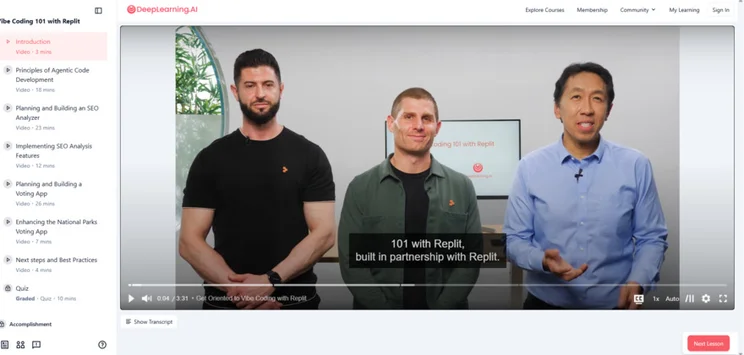
Vibe Coding 101 is Replit’s official course. The follow-along course, taught by Replit’s President Michele Catasta and Matt Palmer, its Head of Development, will walk users through the process of building and hosting two apps: An SEO analyzer and a voting app.
This course will be most useful for users interested in Replit specifically, and it’s a great way to learn what the platform has to offer before committing to a paid plan. Still, the general skills and best practices can be applied to other platforms.
Best for: Beginners with basic coding and prompting experience, code enthusiasts, students and small business owners on a budget
Try the course here: Vibe Coding 101 with Replit
#2. Vibe Coding: AI-Driven Software Development and Testing: Udemy
- Price: $19.99
- Platforms used: Cursor, Lovable, Windsurf
- Course length: 3 hours 47 minutes
- Experience Level: Beginner
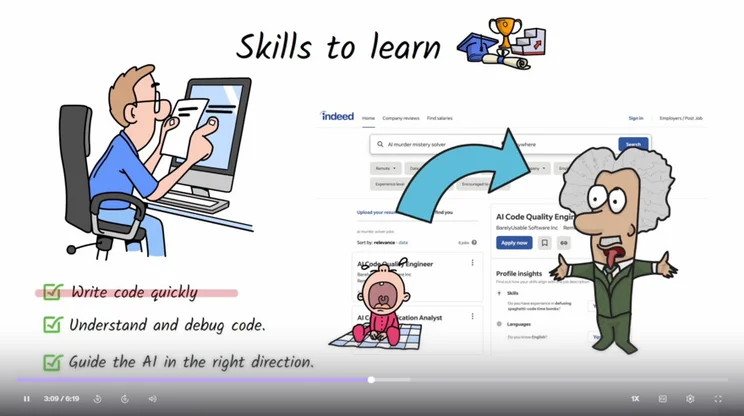
Taught by Software Developer Valentin Despa, the course introduces the fundamentals of vibe coding, then dives into three hour-long sessions on Cursor, Lovable, and Windsurf. It introduces the key features of each platform, along with helpful best tips on writing AI prompts and basic tests to verify app functionality.
A 4.5 star rating and over 1,700 reviews makes this one of the most popular vibe coding courses for beginners on Udemy.
For $19.99, the course includes:
- 17 downloadable resources
- Certificate upon completion
Best for: Beginners unsure of which platform to choose
Try the course here: Vibe Coding: AI-Driven Software Development and Testing
#3. Dashboards in Minutes with Claude AI: Udemy
- Price: $19.99
- Platforms used: ClaudeAI
- Course length: 39 minutes
- Experience Level: Beginner
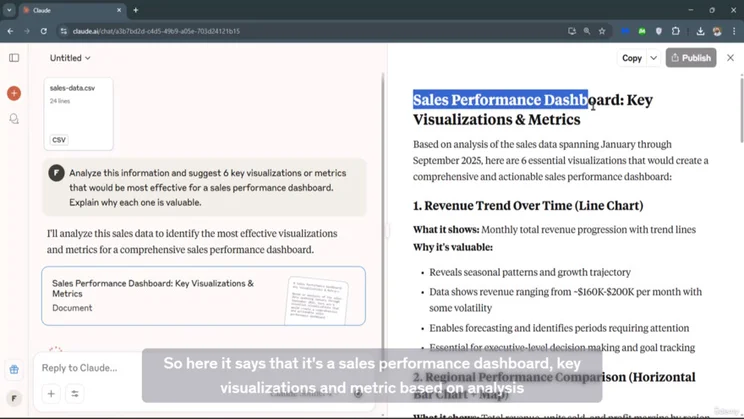
“Dashboards in Minutes” will show you how to create interactive dashboards to visualize data using ClaudeAI. With a CSV file and complete prompt templates, this follow-along course is easy to understand and apply to your own use cases.
While one of the shortest vibe coding courses on this list, the clear, straight-to-the-point teaching of Federico Garay has earnt the course a strong 4.5 star rating on Udemy. Garay is also a certified Instructor Partner at Udemy, which guarantees a high quality of teaching from his courses.
At the price of $19.99, you’ll receive:
- Real downloadable sales data to practice with
- Certificate upon completion
Best for: Businesses tracking customer data and product sales, freelancers sharing metrics with clients
Try the course here: Dashboards in Minutes with Claude AI
#4. Intro to Vibe Coding: Codecademy
- Price: Free
- Platforms used: Codecademy and Cursor
- Course length: One hour
- Experience Level: Beginner
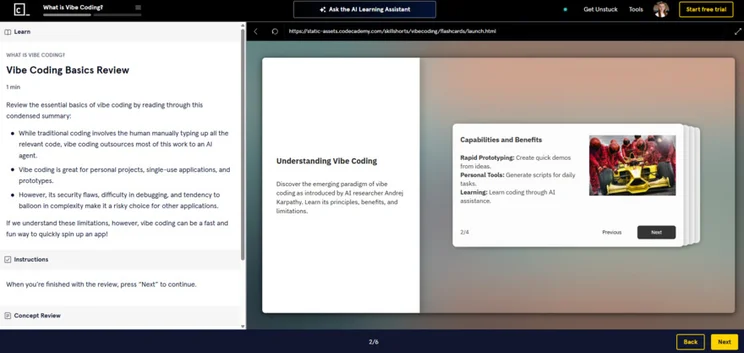
Codecademy’s “Intro to Vibe Coding” course is an extremely beginner friendly overview to vibe coding. Nitya Mandyam, Codecademy’s Senior Curriculum Developer, walks you through the history of vibe coding and helps you create a web app with Cursor.
The main standout of this free course is the access to Codecademy’s AI Learning Assistant. This tool will walk you through developing a project of your choice and answer any questions you have along the way, which makes it more personal than the typical follow-along tutorials.
The Codecademy platform also supports with job interviews and provides a certificate upon completion for premium subscribers.
Best for: Students, code enthusiasts, career switchers
Try the course here: Intro to Vibe Coding
#5. Vibe Coding Weekend Bootcamp: Maven
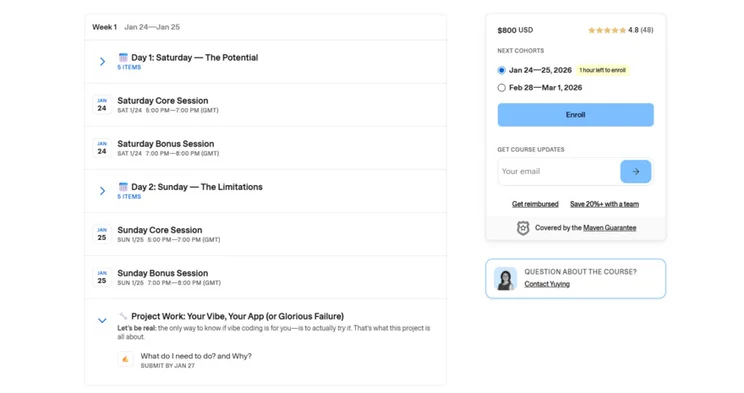
- Price: $800
- Platforms used: Lovable, Replit, Bolt
- Course length: Six hours
- Experience Level: Beginner
With a mix of lectures and breakout groups, this vibe coding bootcamp teaches you every stage of app development, from UI to adding a database and integrations all the way to publishing. Both days of this course end with a drop-in session, where teacher Yuying Chen-Wynn gives one-to-one debugging support and answers any questions.
While this Maven course is the most expensive option on this list, it provides two days of real-time, direct teaching that the others don’t. To justify the spend, it also has plenty of five star reviews, praising her jargon-free explanations and help with ecommerce integrations.
For the price, you’ll also get:
- Lifetime access to course recordings
- A LinkedIn certificate at the end of the weekend
Best for: Busy weekday workers, entrepreneurs looking to build a network
Try the course here: Vibe Coding Weekend Bootcamp
How To Choose a Vibe Coding Course
To narrow down your course selection, consider the following areas:
- Budget: As well as the main course price, check if you need any premium accounts or software to get started, as access to these won’t usually be provided. If you have an existing subscription to an online course platform like Udemy, many courses will be included at no extra cost.
- Time: Courses can take anywhere from 30 minutes to 12 hours to complete, so be aware of how much time is required of you before committing.
- Learning style: Do you prefer to learn in bitesize chapters or long lessons? Do you enjoy lectures and quizzes, or follow-along demos? What about learning in person or online?
- Experience level: It’s best not to run before you can walk, so start with courses aimed at beginners and slowly work your way up. These courses are usually more affordable, too.
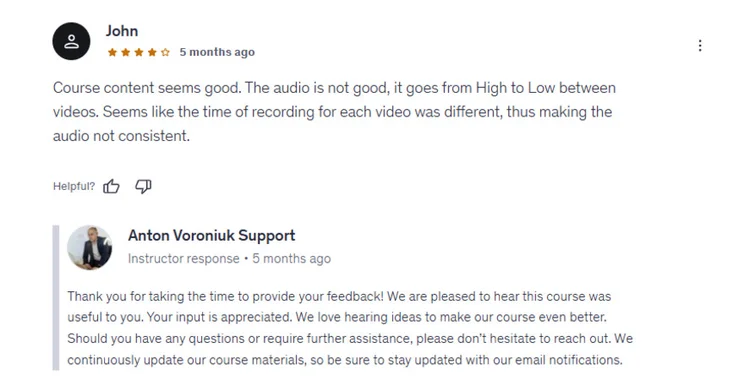
- Reviews: High ratings are the best indicator that a course is worth your time and money. By reading and paying attention to reviews, you’ll avoid any regrets upon purchase.
Extra (Free) Vibe Coding Resources and Tips
If you’re serious about mastering vibe coding, here are some extra ways to boost your skillset:
- Try out free vibe coding tools yourself: First hand testing is the best way to get familiar with the platform interfaces.
- Follow vibe coding influencers: In this fast moving space, social media influencers are one of the best ways to keep up to date with the latest trends and product updates. Our list of AI influencers to follow on LinkedIn is a good place to start!
- Bookmark helpful articles: Vibe coding platforms provide plenty of guides and support documents online which you can bookmark for easy access. If you’re looking for a more general overview, we have plenty of vibe coding tips on our website.
- Sign up to newsletters: Vibe coding tools like Lovable and Replit provide platform specific tips and product updates straight to your email inbox.
Time To Upskill: Which Vibe Coding Course Will You Choose?
Starting vibe coding may seem daunting, but following along with guided resources is a great way to learn. Start with free vibe coding courses to learn the formats you find the most beneficial, and then consider paying for technical, platform-specific lessons once you progress.


0 comments