
Web.com is one of the most competitively priced website builders on the market, which makes it a popular choice – especially for small businesses on a budget. But is Web.com a good website builder? For small businesses, yes – its beginner-friendly features will allow you to set up a simple online store quickly and easily.
In this Web.com review, I’ll use our experience with this builder to break down its pricing, key features, and support to help you figure out whether it’s the right option for you.
| We recommend Web.com for / We don't recommend Web.com for | |
|---|---|
| Small businesses that want an affordable, simple website with a fast setup, and businesses that utilize social media thanks to its content creation and scheduling tools. | Large ecommerce businesses that expect powerful sales features, and businesses that want a complex or design-focused website due to its limited customization. |
Web.com's Pros & Cons
These are the key advantages and limitations I faced when testing Web.com for myself:
What I Like
✔️ A generous one-month free trial that gives you full access to the website builder and its marketing tools
✔️ A speedy AI-powered setup that provides industry-specific templates, photos, and copywriting
✔️ Its old section-based editor has been replaced with a more user-friendly drag-and-drop format, which is great for beginners looking to build a simple website
✔️ Its content scheduling tools integrate with social media platforms so that you can create and plan your content from one dashboard
What I Dislike
❌ Web.com doesn’t offer a free plan. If you want to use it to build your website, you’re going to have to commit and pay a monthly subscription
❌ Compared to other builders on the market, Web.com’s AI builder is lackluster – the starting template wasn’t as personalized to my business as I’d hoped
❌ Its sales features aren’t very scalable, which larger ecommerce businesses may find limiting
❌ Customization is restricted by a grid within the drag-and-drop editor, meaning you won’t have total freedom
My Experience With Web.com
I got started by using Web.com’s AI Builder, which asked me a few simple questions about my company, whether I would be offering services, and whether I would be taking bookings online. This setup took me under a minute to complete, which is faster than the AI setups offered by other builders like Wix.
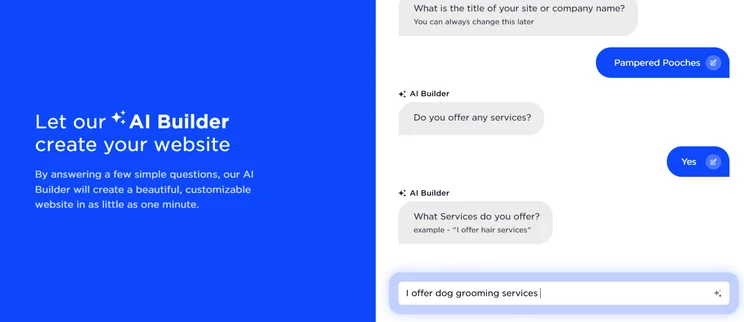
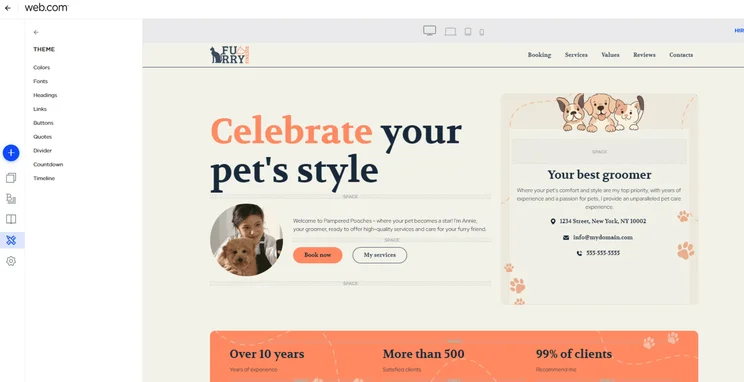
I was then taken to the editor, and I was pleased to see that the information I had provided about my dog grooming services had been pulled onto the homepage. However, this didn’t get used on any additional page templates.
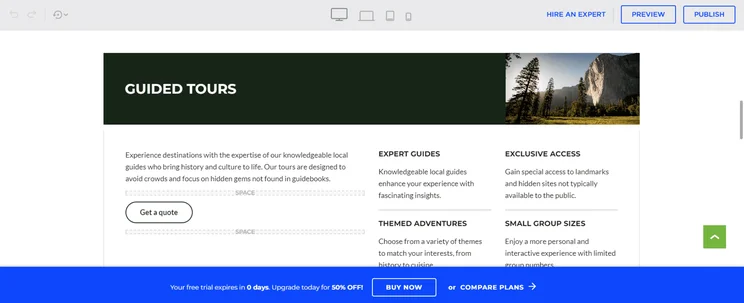
Like many other website builders, Web.com uses a limited drop-and-drag format, which means you can select the components you want and drag them where you’d like them. This makes it super easy for you to make changes to your template.
However, there are some limitations to what you can do. Similar to Squarespace and Weebly, Web.com’s templates are organized into rows. This means you can only move things around within these boundaries, so you can’t exactly put things anywhere you want. These restrictions meant it was easy to add and delete elements, but challenging to alter the positioning afterwards.
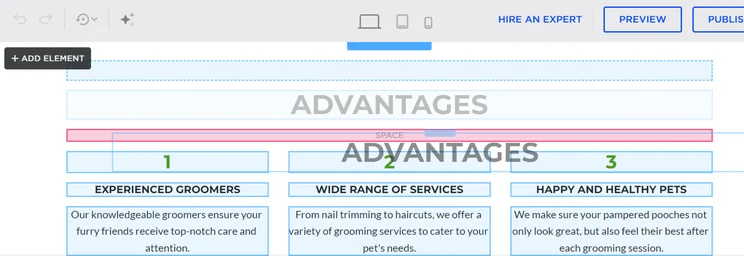
Once I got to grips with Web.com’s editor, it was relatively easy to put together a fully functioning – albeit simple –website. If you like to have complete creative control, you might find its limitations frustrating. But for those who like to have a structure, you’ll appreciate the skeleton framework that Web.com provides.
I found this structured approach beneficial for maintaining a cohesive design without overwhelming the user with too many choices. However, for those who are looking for a more freeform design experience, platforms like Wix might be more suitable, offering the ability to place elements anywhere on the canvas without restriction.
Web.com’s Pricing
Web.com’s pricing is fairly straightforward. It has two “website” plans to choose from – Website, and Website and Marketing – and an Ecommerce plan if you’re wanting to sell online.
Web.com Pricing Plans:
- Website – For personal websites: $15.99 per month when billed annually, or $19.99 per month when billed monthly
- Website & Marketing – For appointment scheduling: $21.99 when billed annually, or $24.99 per month when billed monthly
- Ecommerce – To accept payments and sell online: $29.99 when billed annually, or $34.99 per month when billed monthly
You’ll also get a considerable discount upon joining, applied to either the first month or the first year of your subscription, depending on your billing cycle:
| Website plan | Website & Marketing plan | Ecommerce plan | |
| First month offer price (when paying monthly) | $5.99 | $8.99 | $10.99 |
| First year offer price (when paying annually): Save up to 70% | $4.99/month | $7.99/month | $9.99/month |
Visit our Web.com pricing page for an in-depth breakdown of the builder’s plans.
Does Web.com Have a Free Plan?
Unfortunately, Web.com doesn’t offer a free plan. This said, it has recently introduced a generous month-long free trial, which grants you full access to Web.com’s website builder and marketing tools.
Is Web.com Good Value For Money?
After testing Web.com’s features, we think it’s great value for money. Although there’s room for improvement with some of its AI tools and general editing capabilities, Web.com’s competitive price point means you’ll be getting what you pay for.
To sweeten the deal even more, each plan comes with a professional email account for three months, a free SSL certificate, and an hour of design support. Plus, annual purchases will get a free domain for one year.
Web.com’s Design Templates
While you’ll be encouraged to use Web.com’s AI Builder tool to create your site, the design I was left with when I tested it was very basic and needed developing. If you find starting with a stripped-back design daunting, or you’re looking to save some time, Web.com also has over 200 templates to choose from instead.
There’s a wide range of categories to browse. From ecommerce and services to blogs and portfolios, the designs cover a lot of different site purposes.
As well as giving you a choice of industries, Web.com also offers two versions of each theme: a single-page layout or a multi-page one. This means you can put everything onto one single homepage, or create a more complex site by adding extra pages.
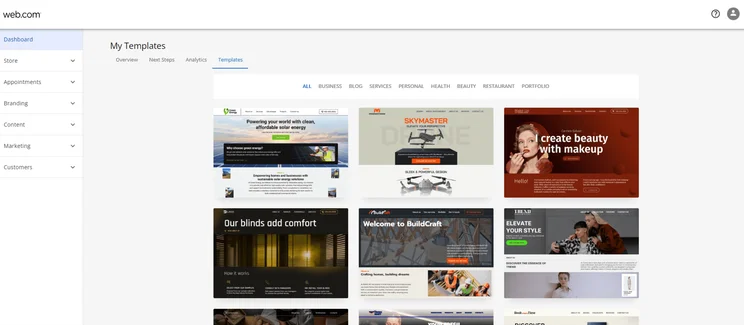
The designs aren’t the most unique or modern I’ve seen, but they’re certainly not unappealing. They’re professional looking, practical, and functional, which is perfect for getting your store online. However, if creating a showstopping design is important to you, a builder like Squarespace will be a better choice.
You can customize your chosen template within the “Theme” tab, where you’ll be able to tweak a number of factors like color schemes and text formatting. Plus, you can add and move elements with the drag-and-drop editor.
One big drawback is that, once you’ve chosen your theme, you can’t switch your site to another without manually transferring stored details, which can be time consuming. Many other top builders let you switch themes more easily, so I’d recommend looking elsewhere if you think you’re likely to want to revamp your website often.
Web.com’s Features
I’ve covered the primary aspects of the Web.com website builder, like its easy-to-use drag and drop editor, but what else does it offer?
SEO Checker
Web.com offers a free website SEO checker, which provides you with a full report on your site. The report will include information about your website’s security, how well it performs on different devices, the quantity and quality of your backlinks, and how customers are finding your site. You can access this feature by inputting your contact details and website URL, or by calling Web.com.
It’s incredibly useful to have an SEO tool this thorough, since it gives you a full overview and highlights areas for improvement. This said, Web.com’s built-in SEO tools are very basic and lack the features offered by our top SEO builders – like generating canonical tags and multi language support.
Email Marketing
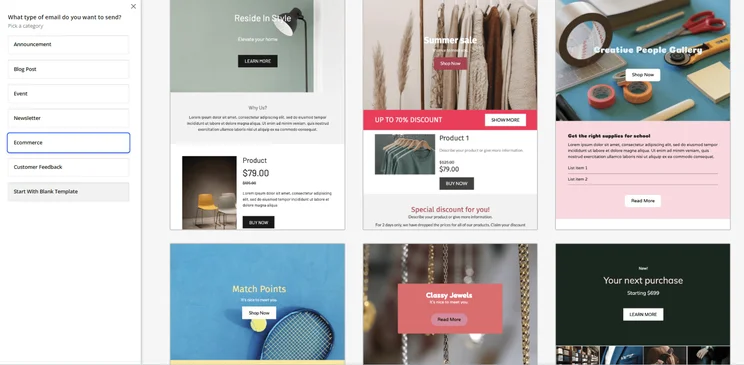
Web.com’s email marketing capabilities are great. From the “Marketing” tab on your dashboard, you’ll be able to browse its email templates that cover multiple different purposes – from ecommerce to customer feedback.
I particularly liked the “Show Me Some Examples” button, which provides example emails to send at different stages in your campaign, and specific occasional templates – great for those who are new to email marketing.
Content Scheduling
Web.com’s marketing calendar is a convenient tool that allows you to create and schedule blog posts, email campaigns and social media posts across Facebook, Google, Twitter, Instagram, and LinkedIn.
This feature is great for small or busy businesses because it takes away the need to schedule content on separate social media platforms or rely on third-party apps, streamlining and organizing the process.
Plus, I found the calendar’s separate color coding for blogs, emails, and social media posts helpful to keep track of any goals and identify areas that need more or less attention.
Selling Online
To sell online with Web.com, you’ll need to use its Ecommerce plan, which costs $29.99 per month when billed annually.
This plan offers standard sales features like discount codes and abandoned cart recovery emails, which will help to boost your sales. Plus, it puts no cap on your product listings, which is great for businesses with a varied inventory.
You’ll also be able to sell on online marketplaces as well as Facebook and Instagram, which you can integrate into your social media marketing calendar.
However, when pitted against other website builders, Web.com’s ecommerce arsenal falls a little short, because its features are less advanced and have fewer customization options.
For example, Web.com only accepts payments through PayPal and Stripe, whereas our top ecommerce builders can accept between eight to 10 payment methods. These limitations will be a problem if you’re running a growing ecommerce store and striving to create a tailored shopping experience for your customers.
Web.com’s AI Tools
Web.com markets itself as an AI website builder, so my Web.com review wouldn’t be complete without discussing these features in more detail. Its initial AI setup is basic in comparison to other AI builders, but I really enjoyed using its AI tools to create copy and logos.
AI Builder
Web.com’s AI Builder can set up your website quickly, designing your site based on your answers to some basic questions about your business.
I’ve covered my experience with this AI setup at the beginning of this article, but overall, although I was able to answer the setup questions quickly, I didn’t find that my answers were used effectively to aid the design of my website, and I spent a lot of time tweaking the stripped-back design and the text and images the AI suggested.
To save time, I’d recommend starting your site with one of Web.com’s templates and using its AI Writer if you need support writing any copy. I found this method gave me a more comprehensive starting point in terms of design, but also gave me more control over the text, which meant I spent less time making corrections.
AI Writer
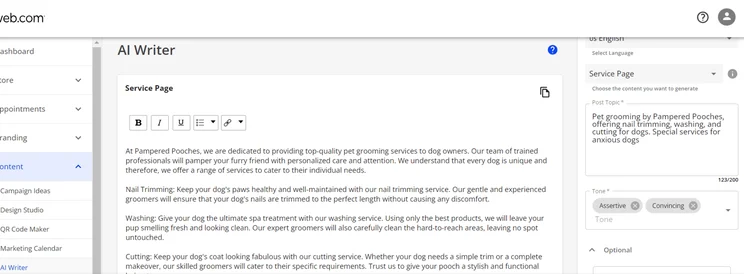
The AI Writer can be found in the “Content” tab of the dashboard, and can create copy for metadata, social media posts, landing pages, product descriptions, and SEO-optimized blog posts and articles.
I could control the copy’s length, add keyword phrases and emojis, and layer multiple tones of voice. This is helpful if you’re not confident penning eye-catching copy and product descriptions – or, if you do see yourself as a bit of a wordsmith, the tool can give you some copy suggestions to get your creative juices flowing.
LogoBuilder
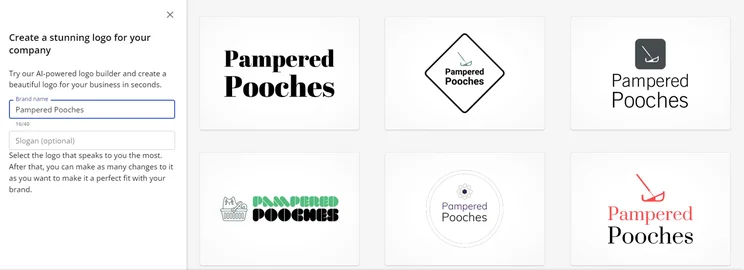
LogoBuilder instantly generates a huge array of logos based on your business name. Once you find one you like, you have the option to make adjustments to the color and layout.
The logos generated for my business “Pampered Pooches” weren’t all relevant to my dog grooming business. When I changed my business name to “Dog Heaven”, the LogoBuilder app was able to recognise the key words and source dog related imagery – but still nothing specific to grooming.
My experience indicates that the AI is relatively simplistic and recognises key words rather than phrases or colloquial terms, so for certain businesses, the logos generated will be generic or inaccurate. But – if your industry keywords are clearly indicated in your company name – this tool may create some effective logos and potentially save you a lot of time and money.
How to Get Help and Support from Web.com
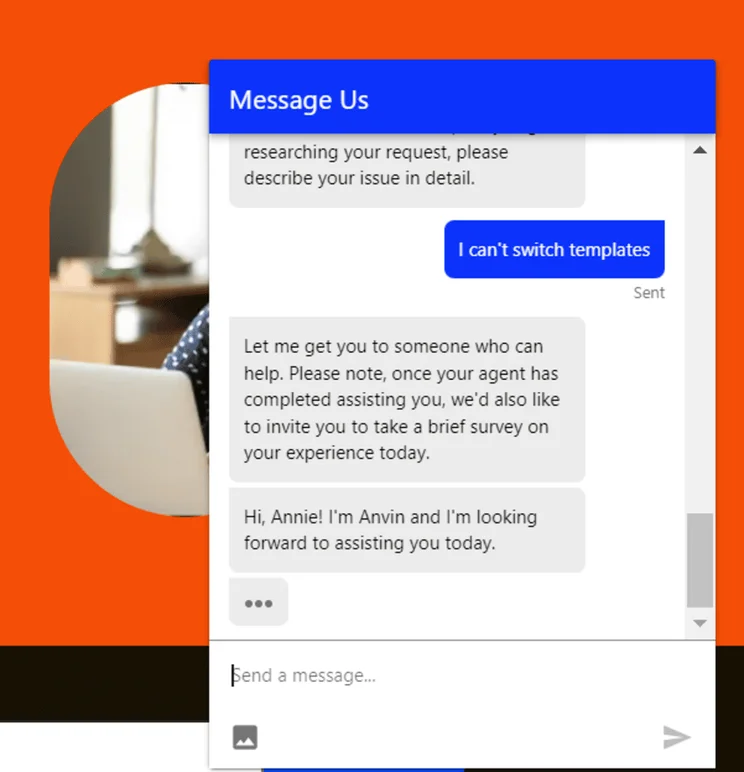
Web.com has 24/7 live chat and phone support, which is available Monday to Friday, 8am to 9pm ET. While other builders offer more support options, I was really impressed by Web.com’s live chat feature. I answered a few automated questions about the type of support I needed, and was directed towards an article from the help center. After asking to be put through to an agent instead, I was connected in 15 seconds.
The help center is also full of tutorials and informative resources in a wide range of categories like ecommerce, website building, marketing, email, and hosting.
It’s unfortunate that email support isn’t offered, as this may be preferable for longer, more complex queries. But, for the majority of problems, the available support methods are more than sufficient.
Summary
So, is Web.com a good website builder? For small businesses, yes, it’s a great choice. With the platform, you can create an attractive, professional-looking website in around an hour, which makes it ideal for adding an online presence to your current business offering. If you’ve got a stretched team, you’ll appreciate the fast setup and its organizational features, like the marketing calendar.
However, if you’re looking to create a complex website or desire a lot of creative freedom, you’ll find this builder limiting.


1 reply
1 reply
1 reply