

- Shopify vs WooCommerce vs BigCommerce:
- Key Costs
- Easiest To Use: Shopify
- Best Online Store Designs: Shopify
- Best Sales Tools: Shopify
- Best Marketing Tools: Shopify
- Best Help and Support: Shopify
- How We Tested Shopify vs WooCommerce vs BigCommerce
- Shopify vs WooCommerce vs BigCommerce: My Final Thoughts
If you need to find an online store builder that can take your business to the next level, Shopify, WooCommerce, and BigCommerce are three of the most popular ecommerce platforms in the game. But which is best?Based on our March 2025 research, during which we spent over 300 hours testing and evaluating 12 top ecommerce platforms, Shopify is the best overall. However, I’ll help you find the most suitable choice for your needs by analyzing each platform’s strengths and weaknesses, and reviewing their most important aspects, including store designs, sales tools, and pricing.
I’ve updated this piece to reflect the results of our latest round of ecommerce builder research and testing, conducted in March 2025. I’ve reassessed the previous conclusions based on our newest findings, ensured that all pricing and website design information is correct, and added additional information based on the latest website builder releases.
- Both Shopify and BigCommerce’s pricing plans start from $29 per month (billed annually)
- WooCommerce is free to install, but additional costs come from hosting, domains, themes, and plugins
- Shopify has the best sales features, including AI tools and multichannel selling
- WooCommerce provides the greatest design flexibility and control since it’s an open-source WordPress plugin
- All three builders offer responsive designs for your online store
Shopify vs WooCommerce vs BigCommerce:
Below, I’ve rounded up Shopify, WooCommerce, and BigCommerce’s key pros and cons to help you decide:
- Best sales features on the market
- Integrated multichannel selling opportunities
- Shopify Magic comes with generative AI tools
- Limiting website editor
- Expensive pricing plans
- Can become reliant on third-party apps
- Good multichannel selling options from dashboard
- No additional transaction fees on all plans
- Inventory, shipping, and payment tools can accommodate large businesses
- Back end and front end is difficult for beginners to pick up
- Need to update to Plus plan for features like abandoned cart recovery
- AI tools are lacking, especially compared to Shopify
- Some businesses will like WooCommerce's flexible approach to website creation
- Multiple ways to customize your store (if confident with code)
- SEO-friendly websites
- Not beginner-friendly
- Free to install, yet additional costs can add up (domains, hosting, etc)
There are key differences between the platforms that you should understand:
- Shopify and BigCommerce are ecommerce website builders and come with all you need to sell online without code or technical experience.
- WooCommerce is a free WordPress plugin that you install on your website to add ecommerce functionality. It’s more technical though, requiring you to customize your store with code, source your own hosting through a web host provider, and connect a domain yourself.
Key Costs
Shopify and BigCommerce have set price plans, while WooCommerce’s pricing is more flexible. Here’s a quick rundown:
How Much Does Shopify Cost?
- Shopify’s pricing: $29-$299 per month (billed annually)
- Trial: Three-day free trial
- Starting offer: Get your first three months for $1 per month
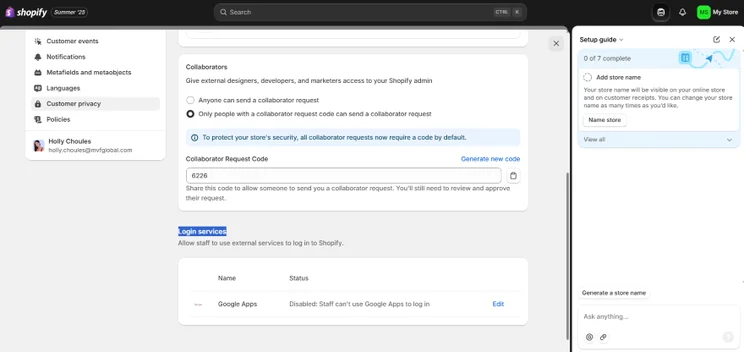
Though Shopify has the same pricing as BigCommerce, it has the best sales features for the price you pay. Each plan lets you sell unlimited products, and provides you with brilliant sales tools like in-person sales integration and global selling across three markets.
If you opt for the Advanced plan, you’ll gain access to features like third party shipping calculations and lower credit card rates.
How Much Does BigCommerce Cost?
- BigCommerce’s pricing: $29-$299 per month (billed annually)
- Trial: 15-day free trial
- Starting offer: N/A
BigCommerce’s plans come with unlimited bandwidth and zero transaction fees. However, on the Standard plan, you don’t benefit from abandoned cart recovery features, which is an important tool for any business looking to scale.
How Much Does WooCommerce Cost?
WooCommerce is a free plugin that you add to WordPress, so there’s no cost there. However, you’ll need to pay for extras like:
- A website domain: $10-$20/year
- Hosting: $36-$5,400/year
- Plugins: Free-$129/year (per plugin)
- Themes: Free-$129/year
Top Tip: When looking for a WooCommerce hosting provider, some companies, like Bluehost, come with an auto-installer that will set up the plugin for you.
Because BigCommerce and Shopify’s features are included in clear-cut pricing plans, their monthly plans are easier to manage since you’re paying one lump sum. With WooCommerce, you’ll need to work out your additional costs yourself, which I’d only recommend for experienced users, or anyone who wants more control over their pricing.
Easiest To Use: Shopify
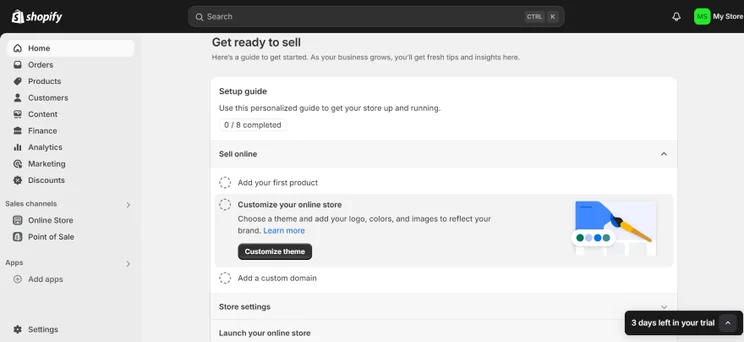
Based on our March 2025 round of in-house research, Shopify is the simplest of the three to use. When I tested the platform and attempted to build an online store, Shopify provided me with a series of simple onboarding questions and an easy-to-follow setup guide on the landing page. It kept the entire process as quick and easy as possible.
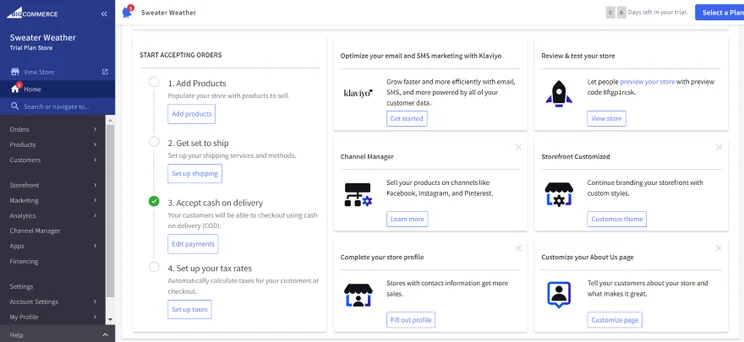
BigCommerce isn’t difficult to use either. Like Shopify, you’ll follow a straightforward onboarding process and are given clear steps to follow to build your store. That said, its dashboard can feel slightly more confusing for beginners, since it throws you into the deep end with technical language and overwhelming navigation.
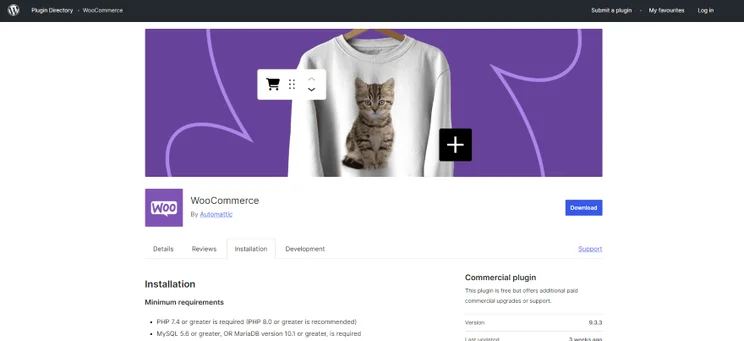
WooCommerce is the hardest of the trio to get started with, especially if you don’t already have a WordPress website to work with and you’re starting from scratch. You’ll need to source your own domain, hosting, themes, and extensions yourself, which can be time consuming for beginners.
Fortunately, using WooCommerce’s interface isn’t as difficult as you might think. When you use WooCommerce for the first time, you’ll encounter a setup wizard that’ll walk you through initial steps like creating pages, setting up payments, and choosing shipping options.
Best Online Store Designs: Shopify
To keep buyers interested in your online store, your design needs to be appealing, mobile-friendly, and offer a seamless user experience. Below, I’ve outlined the design options from Shopify, BigCommerce, and WooCommerce.
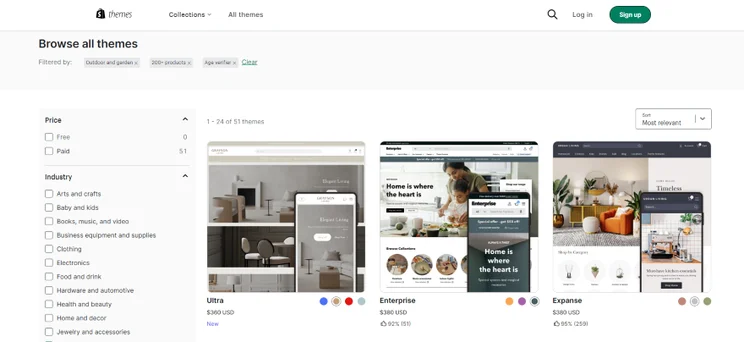
What Store Designs Does Shopify Have?
In our research, Shopify had the best ecommerce website designs. I could AI generate a unique theme for my store in under 30 seconds using an AI prompt, or choose from over 800 pre-made templates spanning entertainment, electronics, and other core ecommerce categories.
That said, only 24 of these themes are free, and you’ll need to pay between $100-$500 for a premium design.
If you decide to switch templates further down the line, you’ll need to pay for another theme and reformat your whole site, which will take some time.
What Store Designs Does BigCommerce Have?
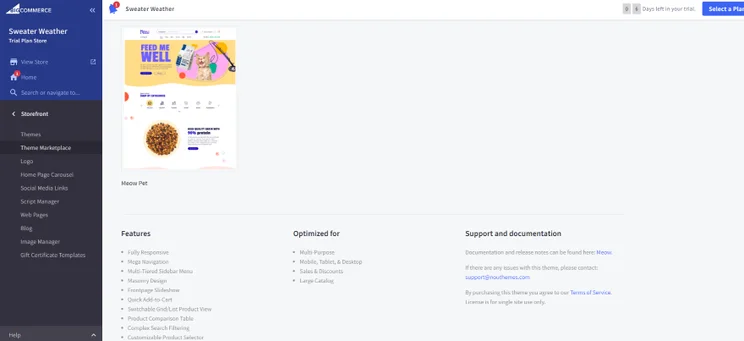
BigCommerce’s template choice is slightly less varied than Shopify’s. You can choose from over 200 templates that are split into different ecommerce industries, such as food and beverages or toys and games, but only 12 of them are free. If you opt for a paid theme from its marketplace, you could spend between $99-$400 per design.
During its summer ’25 product update, Shopify increased the number of free templates available and added the ability to AI generate website themes, so it’s disappointing to see that BigCommerce hasn’t made similar improvements since our last update.
What Store Designs Does WooCommerce Have?
Like Shopify and BigCommerce, WooCommerce also has a marketplace that you can purchase store designs from – albeit with slightly less range. There are over 100 pre-made templates to choose from. Also, you’ll need to pay a yearly fee for your chosen design, which ranges between $47-$129 (billed annually).
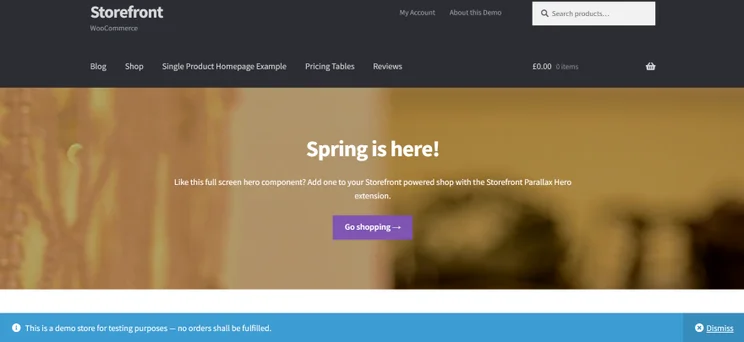
However, you can use one of WooCommerce’s free themes, Storefront or Kiosko, to begin with. These free ecommerce templates are built to integrate perfectly with WooCommerce, and you can customize them by adding custom code or installing additional plugins.
One last thing – it’s worth noting that all three platform’s themes are mobile-friendly. This means that whichever builder you choose, the site you create will look great and work well on screens of any size.
Best Sales Tools: Shopify
When we tested 12 ecommerce platforms in March 2025, Shopify had the best ecommerce tools for yet another year. With a variety of shipping and payment options and multichannel selling methods, these tools can help you grow your online store with ease.
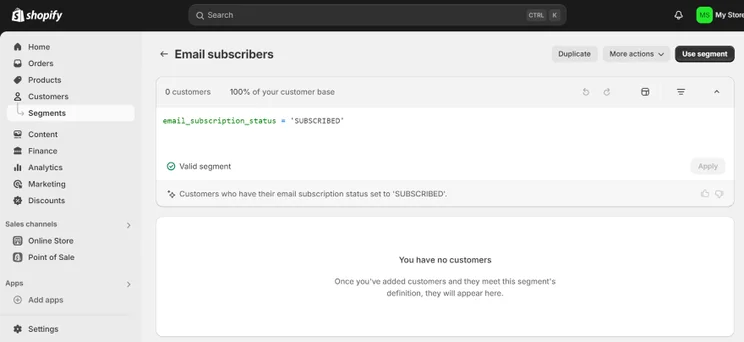
Most notably, Shopify also comes with a helpful AI tool suite on all its plans. Named Shopify Magic, the tool enabled me to:
- AI generate professional, SEO-friendly product descriptions
- Create new backgrounds for my website’s imagery
- Interact with an AI sidekick that could answer questions about my store and provide me with sales insights
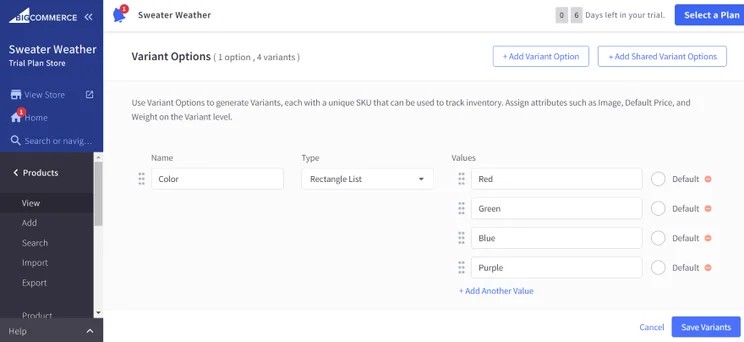
While Shopify has the best all-round sales tools and built-in AI features, BigCommerce is a suitable choice for your ecommerce business if you need help managing a large inventory. I particularly like how the platform can handle thousands of SKUs at once, automatically syncs your inventory after you’ve made a sale, and lets you add a number of variants to your products.
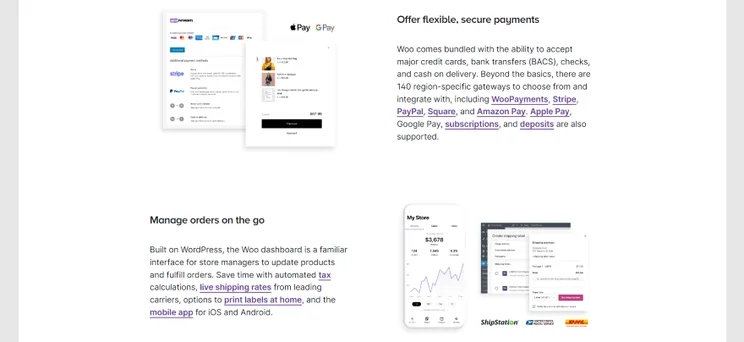
Though you will need to download sales extensions to get the most out of WooCommerce, it does come with the following tools:
- Optimized checkout for a seamless customer experience
- Automated tax calculations
- Live shipping rates from leading carriers
- Product embedding onto different store pages
Are These Platforms Good for Multichannel Selling?
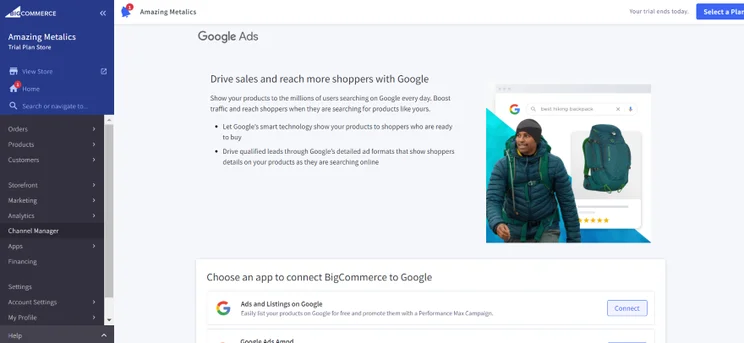
All three ecommerce builders let merchants sell across different social media platforms and global online marketplaces. This includes Facebook and Instagram, as well as eBay, Walmart, and Amazon.
What Payment Methods Do They Offer?
When you need to take payments online, Shopify, WooCommerce, and BigCommerce come with popular payment methods, which include:
- Apple Pay
- Google Pay
- PayPal
- Stripe
- Amazon Pay
- Klarna (buy now, pay later)
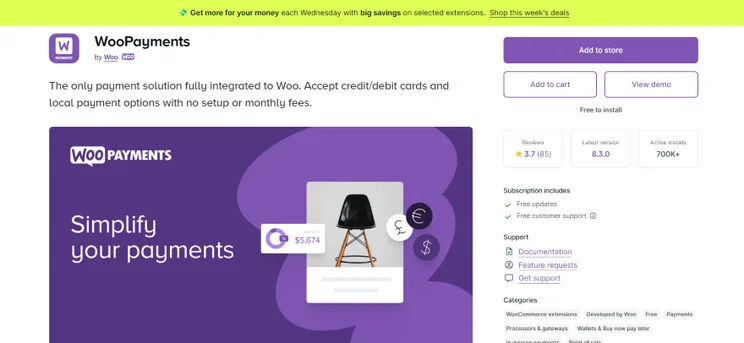
Shopify and WooCommerce come with their own all-in-one payment solutions: Shopify Payments and WooPayments. This makes it easy to set up multiple payment types at once, be it credit and debit card payments, digital wallets, or buy now, pay later schemes.
Best Marketing Tools: Shopify
Your online store needs good marketing tools to attract customers and bring more clicks – and dollars – to your website. While Shopify reigns supreme in our research and has the best marketing tools to help you grow, such as comprehensive SEO and fantastic social media integrations, all the builders offer useful promotional tools.
SEO
To help your website rank on search engines like Google, all three platforms provide strong tools enabling you to carry out basic SEO. Each ecommerce builder let me:
- Edit meta titles and descriptions, which is the text that appears in Google searches and summarizes your content
- Update your URLs to ensure that your web pages have clean links, making it easier for users to find your content online
- Add image alternative text so Google can identify the contents of an image
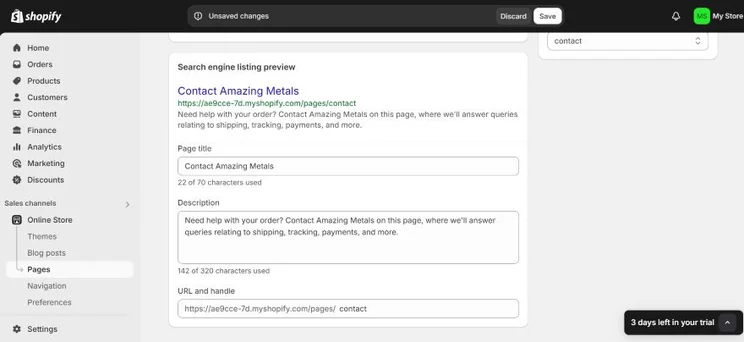
However, Shopify goes above and beyond with its SEO, since it has built-in support for multilingual SEO and lets you add hreflang tags to your store. BigCommerce doesn’t have this feature, while you’ll need to find and download a plugin for multilingual support if using WooCommerce.
Social Media
If you want to grow your social media presence, BigCommerce is the most self-sufficient platform for social media. You can connect with social media accounts (like Facebook and Instagram) directly from your dashboard. However, you will need to use separate apps to add social media feeds to your website.
In comparison, Shopify and WooCommerce rely more on third party integrations for social media. While purchasing apps can add to your store’s overall costs, it will give you precious flexibility. You can add sharing buttons, introduce social media marketing apps, and link your posts to your Shopify or WooCommerce website.
What About Apps?
If you want to install apps and enhance your store’s functionality, I suggest Shopify. Its App Store is home to over 8,000 free and paid apps, spanning marketing, conversions, management, and more. In comparison, BigCommerce has over 1,200 apps to choose from. While there’s less choice than Shopify, you still should find the apps you need to grow your store.
You can learn how to best install Shopify apps with the video below:
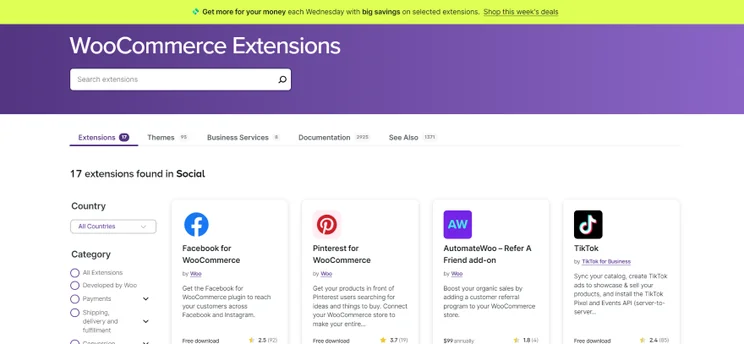
With WooCommerce, you can access its official store and select from over 1,000 extensions.
While it’s true that you can find additional extensions from across the net, I don’t recommend this. Stick to WooCommerce’s official selection instead, since it’ll ensure that you’re downloading safe, vetted extensions that won’t compromise your website’s security.
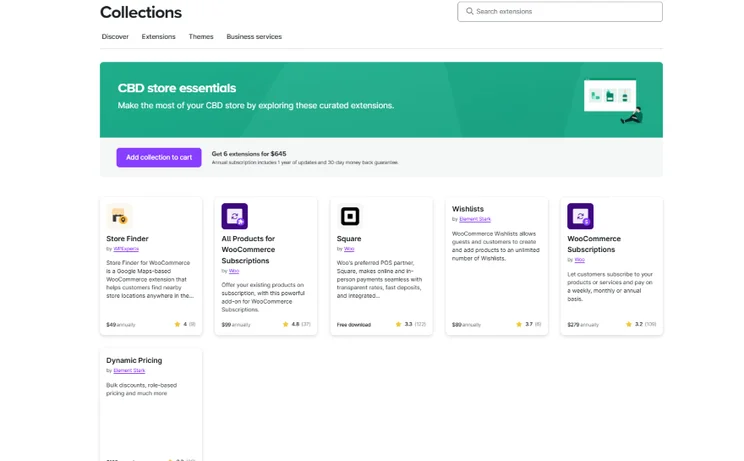
WooCommerce offers curated extension collections that enable you to purchase a suite of extensions fit for a specific purpose. For example, you can purchase the “WooCommerce essentials” collection to access all the features needed to get started with ecommerce, or the “Top marketing solutions” collection for the best tools to grow your store with.
Best Help and Support: Shopify
Shopify has the best help and support out of the three. It provides 24/7 live chat help and active social media accounts, as well as a brilliant Help Center and Community Forum that’s packed with loads of Shopify-related queries and answers.
Unfortunately, since our last update, Shopify no longer offers dedicated phone support – unless you’re on the Shopify Plus plan that’s designed for enterprise stores.
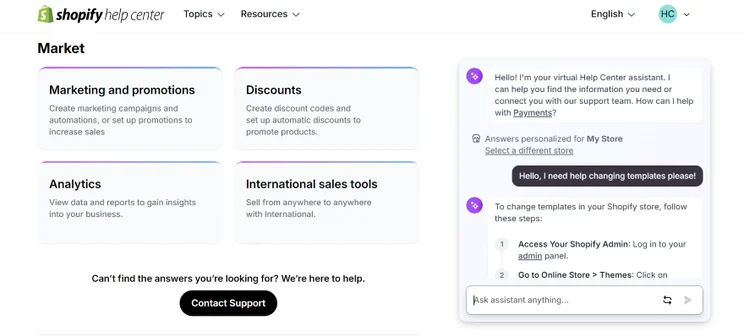
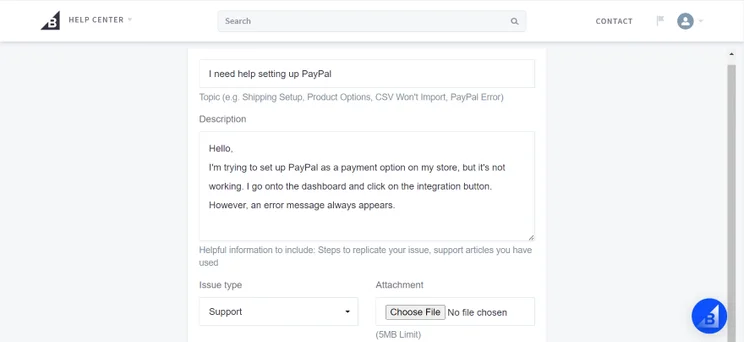
Though BigCommerce’s help and support isn’t as comprehensive (there’s no social media support), you can access a “Help” tab from your dashboard that provides links to email request forms, 24/7 phone lines, and an AI chat bot named Kora.
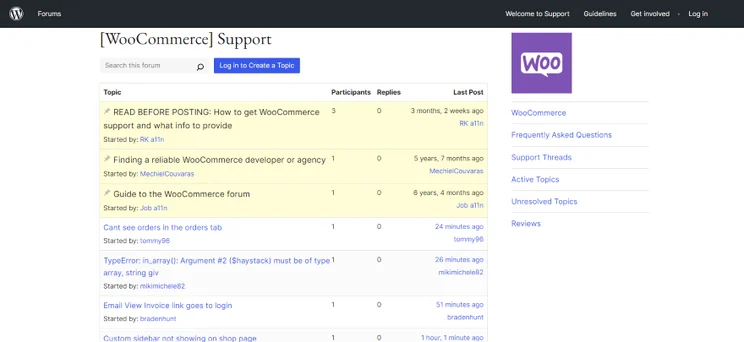
When using WooCommerce, you may find it trickier to find the support you need. The platform is home to in-depth documentation and a bustling community, but you might need to dig a little to find what you’re looking for due to the vast number of resources out there.
Because of this, I suggest that beginners opt for BigCommerce or Shopify instead to avoid this steep learning curve.
How We Tested Shopify vs WooCommerce vs BigCommerce
When comparing Shopify, BigCommerce, and WooCommerce, I referenced insights from our March 2025 round of ecommerce website builder research. Our in-house team collected over 300 hours of data and examined 283 core areas of investigation.
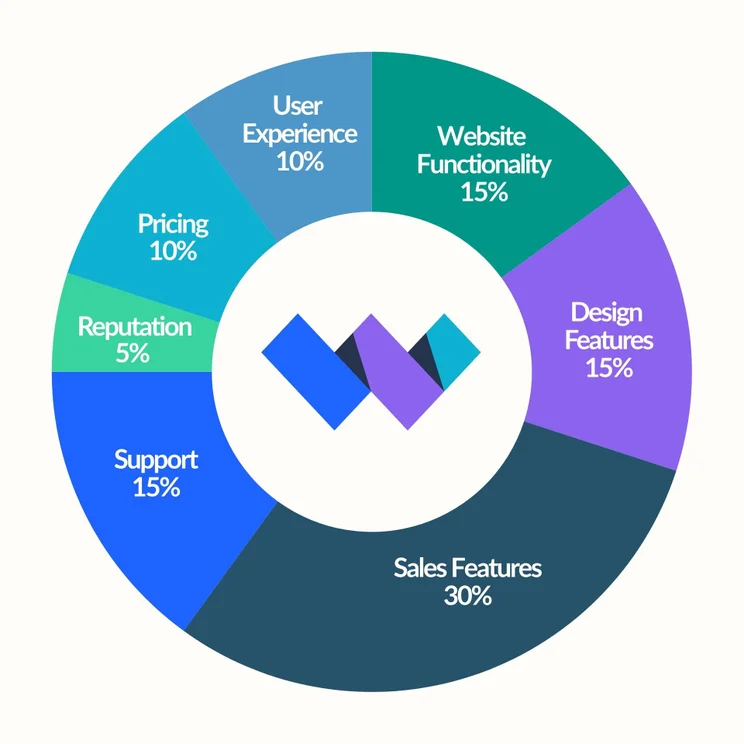
During our research, we identified seven key criteria, influenced by what business owners want in their ideal ecommerce builder, and weighted by their importance:
- Sales features – 30%
- Website functionality – 15%
- Design features – 15%
- Help and support – 15%
- User experience – 10%
- Pricing – 10%
- Reputation – 5%
Beyond our in-house research, I’ve also tested each platform myself. Since I’ve been up close and personal with all three solutions, I’ve shared my firsthand experiences throughout this article to help you make a more informed decision.
Shopify vs WooCommerce vs BigCommerce: My Final Thoughts
Between Shopify, BigCommerce, and WooCommerce, our research crowns Shopify as the top choice for online stores. It’s the best ecommerce platform I’ve tested due to its high-quality sales tools and professional store templates.
However, it still might not be the right choice for you. I’ve summarized who the platforms are best suited for below:
- You should use Shopify if: You need the best, built-in growth tools to help you scale your online store. This might include a variety of payment or shipping options, or marketing features to help you promote your business.
- You should use BigCommerce if: You’re selling a large number of items, so need reliable inventory and order management tools to help you oversee your store.
- You should use WooCommerce if: You want more freedom to set your own pricing and customize your store’s design and functionality.
💡 For additional information, read our:


1 reply