

User Experience (UX) isn’t just about designing a website, since it dictates how easily visitors can navigate, read, and purchase from your site – making it critical for retention and conversion.
Luckily, improving UX for websites doesn’t need to be confusing or expensive. Read on for our list of tips and fixes you can make, whether you’re in the process of building your site or you’re already a seasoned ecommerce seller.
- UX should be considered from the moment you start building your website
- Choosing a responsive template will improve UX across multiple devices
- AI tools, like the ones Wix is offering, make it easy to improve your site’s UX without hiring an expert
- Run regular accessibility and site performance audits to pick up on unexpected issues
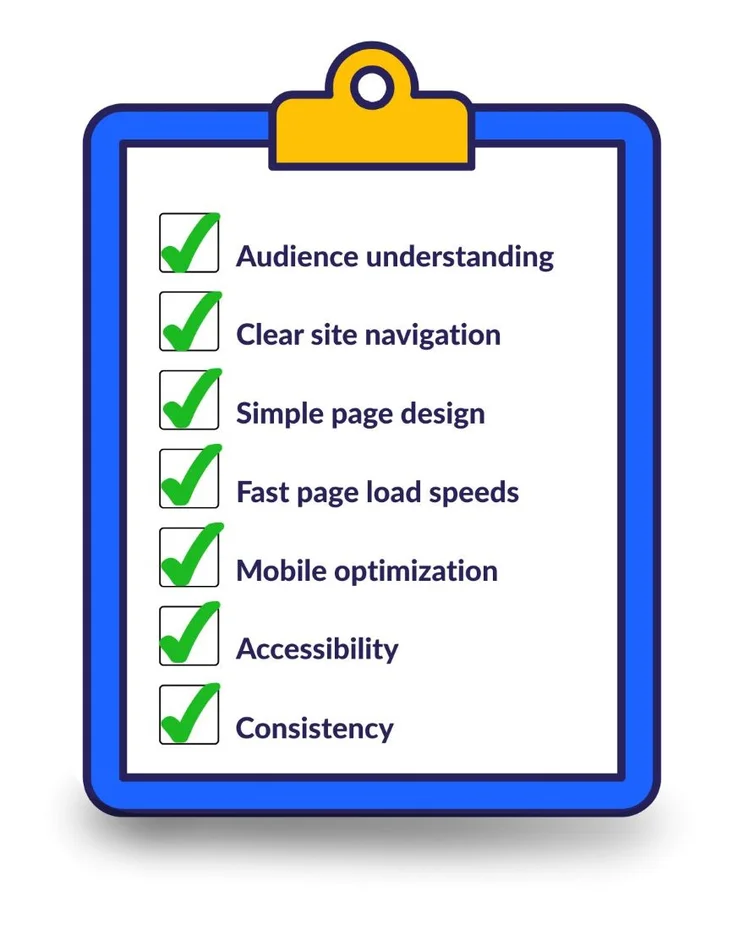
- Key principles of UX for websites include clear navigation, simplicity, fast loading speeds, mobile optimization, accessibility, and consistency
What Is UX for Websites?
UX, short for user experience, is a way to measure how users interact with and perceive a product. If a product has a good UX, it’s not only easy to use, but also enjoyable.
UX for a website is determined by a combination of functional and aesthetic factors. For example:
- Is your site’s navigation logical and clearly signposted?
- Are your fonts easy to read?
- Do your pages load correctly on mobile devices?
- Can customers easily make purchases from your website?
Why Is UX Important for Your Business?
Seamless website UX is a powerful driver of trust for businesses, since optimized websites can boost business conversion rates by up to 400%.
On the other hand, 88% of users say that a website with bad UX could be enough to put them off returning for good. First impressions are everything, so UX is essential to all brands – no matter how great your products are.
The Key Principles of UX Website Design in 7 Steps
To ensure that your website is designed for real people, there are 7 key UX principles you should keep in mind:
- An understanding of your audience
- Clear website navigation
- Simple design
- Fast loading speeds
- Mobile optimization
- Accessibility
- Consistency
As I demonstrate these principles below, I’ll be using our top-rated website builder, Wix, as an example throughout. Wix and its advanced website builder for agencies, Wix Studio, has plenty of tools focused on UX for websites, and you can try them out on its free-forever plan.

Wix Has Outstanding Templates
Wix has over 2,000 high quality templates tailored to different business types, giving you a relevant and intuitive starting point to build your website from.
1. An Understanding of Your Audience
Your website’s visitors will have specific needs and expectations, so creating a customer journey map will help you understand what they’re looking for and uncover any gaps in your design or content.
A customer journey map works by detailing the ideal journey you want a customer to take, from entering your landing page to checking out. This map is the first step toward truly understanding what your customers want and how you can give it to them.
For instance, you may realize that a customer will likely need assistance when requesting made-to-order clothing. To help with this, you could include an AI-chatbot with pre-loaded answers to anticipated queries, or add a clear sizing guide to your product pages.
2. Clear Website Navigation
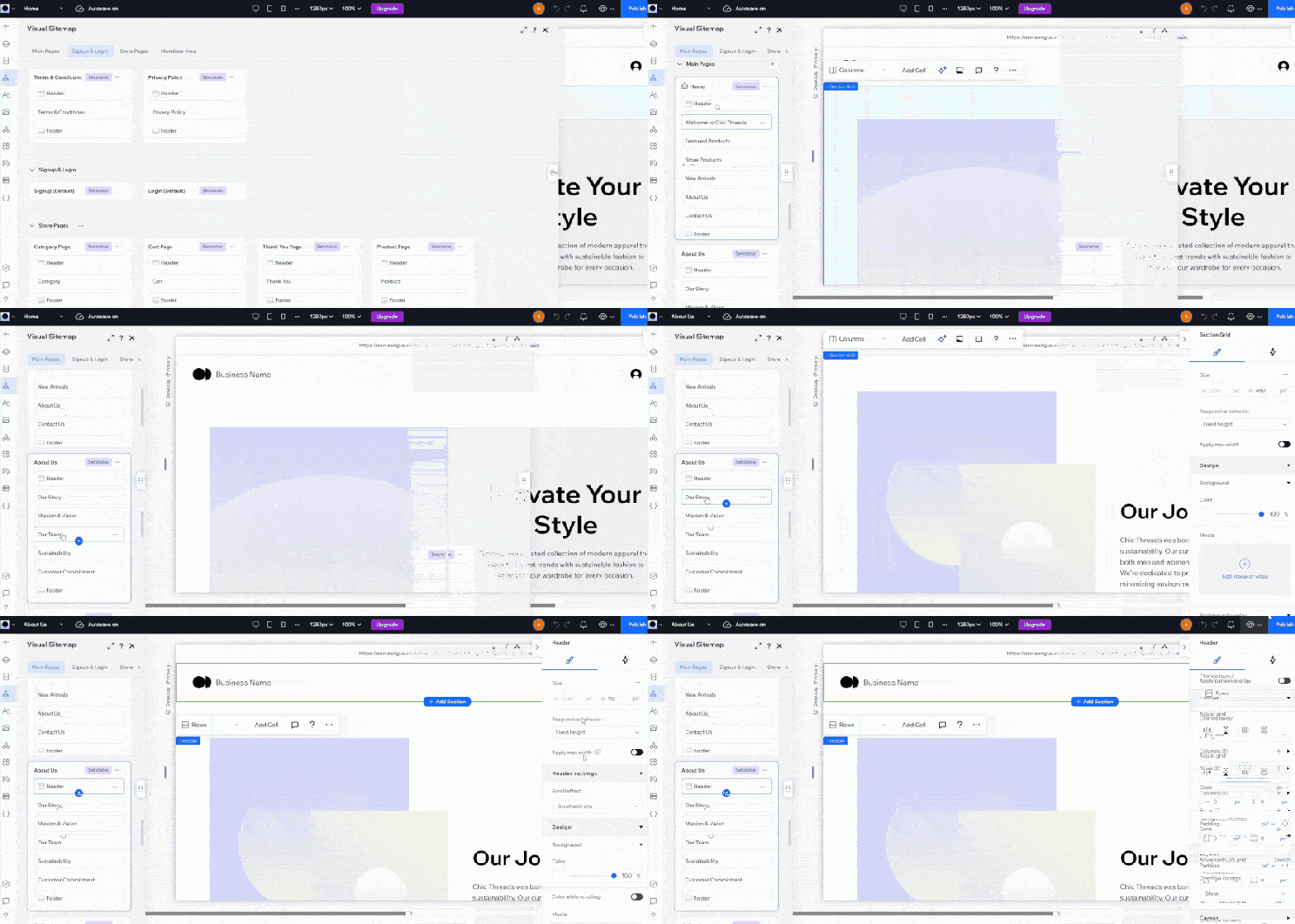
Overcomplicated navigation is a common website design mistake that often happens when you start with style, rather than structure. Creating a sitemap to organize your priority pages, their content, and how they link together ensures you start with solid foundations to build your design upon.
Wix Studio’s beginner-friendly AI Sitemap and Wireframe Generator generates a sitemap based on your answers to a simple form. It can also create wireframes (skeletal outlines of each page) that automatically sync together as you make changes.
3. Simple Design
Your page designs should make it easy for users to find what they’re looking for, so use ample white space and simplified designs to help users quickly find information. It’s one of the best ways to separate information and keep your pages clutter-free.
Additionally, assess the copy across your site to determine whether everything is necessary. Cutting down paragraphs that are overly lengthy will help your customers scan through your site and get the information they need faster.
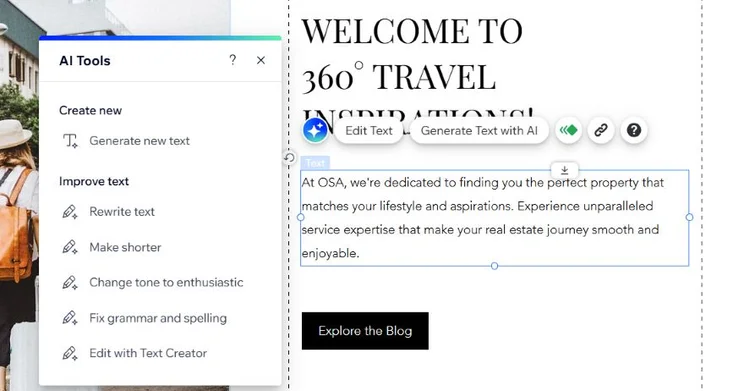
Copywriting techniques are difficult to master, so don’t be afraid to speed up the process with writing support tools. For example, when I tested it out, Wix’s AI text editor made it easy to shorten large chunks of text to make my website copy more digestible.
4. Fast Loading Speeds
Improving your site’s loading speed will reduce unnecessary customer frustrations by enabling them to open different pages, gather information, and buy your products quickly.
Start by testing your site speed using a free tool such as Google PageSpeed Insights. Our load time statistics research found the average speed to aim for should be around 1.65 seconds, so treat this data as an important benchmark.
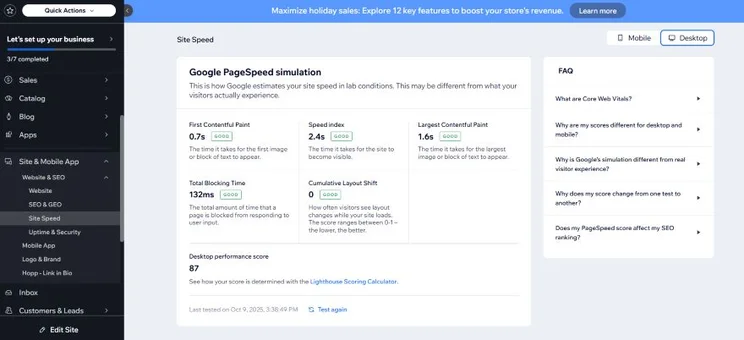
Steps to improve your site loading speed include:
- Reducing the file sizes of your images
- Removing any unnecessary code
- Removing any redirects that could be causing your site to slow
5. Mobile Optimization
Consumers don’t just shop on desktop, so it’s important to create a mobile friendly website that can adapt to any screen size while still maintaining clarity.
To ensure your website performs well across all devices, you should switch between touchpoints as you edit your design. While most builders let you switch between mobile and desktop editors to refine how your site looks on each, Wix Studio also lets you test how your site appears on a tablet, which is the chosen online shopping device for 28% of US shoppers.
You should also visit your site from different devices once it’s live to spot and fix any errors. On each device, check that:
- Your layout is clear and consistent
- Your calls to action remain clear
- Pages load quickly
6. Accessibility
AI design tools can help you make your website more accessible for users with impairments and disabilities. For example, I tested Wix Studio’s Colorblind Simulator on a low-contrast template and it immediately flagged three inaccessible buttons that I would have otherwise missed. I could instantly correct these with Wix’s Contrast Checker tool.
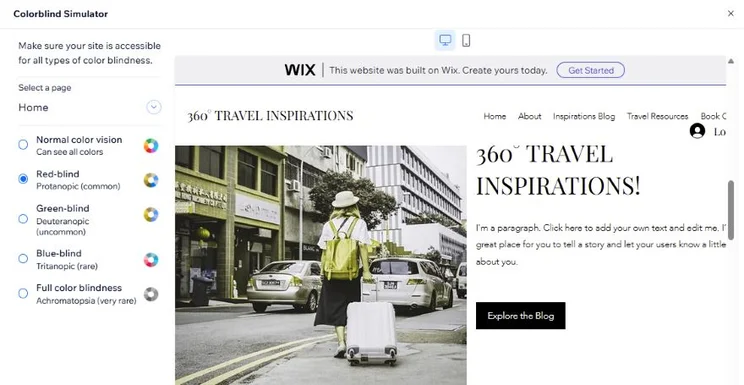
It’s also important to run regular accessibility audits before and after you publish your site. Wix’s Accessibility Wizard works with other Wix AI tools to simplify your accessibility improvements. For instance, I could apply AI-generated alt text to each of my images without leaving the Accessibility Wizard.
Wix Studio’s UX Tools
From AI-powered sitemaps to a contrast corrector, Wix Studio offers a range of tools and free add-ons designed to give your site visitors the best browsing experience.
7. Consistency
A consistent website experience makes navigation intuitive. When your site visitors can easily find what they need, they develop a sense of familiarity and trust in your business that will keep them on your site for longer.
In UX, there are three areas you need to consider for consistency:
| Type of consistency | What it means | Signs of consistency on your site |
| Visual consistency | When your site’s visuals are uniform |
• Same fonts/font pairings • Same font size for headings and paragraphs • Consistent style of imagery (e.g., realistic or cartoonish, muted or colorful) • Call to action buttons in the same color |
| Brand consistency | When your brand tone of voice is consistent on each webpage |
• Brand messaging is consistent (e.g., playful vs serious, straightforward vs sophisticated) • Logo is placed in the same spot and links back to homepage • Core promise to customers is clear and visible in site copy • Consistent terminology on each webpage |
| Interaction consistency | When your site’s navigation and controls remain the same |
• Navigation bar is in the same place • Interactive elements act the same way (e.g., buttons, checkouts) • Links lead to the correct destination |
Building a consistent website is straightforward with builders like Wix, since it enables you to AI generate a design or select a pre-made template that follows website conventions. You can also use its built-in design features to choose uniform font pairings and color schemes.
Can You Improve UX Without Hiring a Designer?
You can use AI-powered UX tools to make improvements to your site without hiring a professional designer. These tools are readily available online and provide personalized recommendations. Examples include:
- Uizard: to generate wireframes for website design ideas
- Userbrain: for website testing from real people
- Attention Insight: for heatmaps that predict how audiences interact with your website
If you’re using a professional website builder like Wix, which has UX tools built in, suggestions are often instantly actionable at the click of a button, making it much cheaper and faster than hiring an expert. For instance, you could use Wix’s AI agent Aria, released in late February 2026, for advice on where you should make optimizations.
Still, if you have the budget to hire a freelancer, they will have a valuable human-first insight that AI can’t replicate, which is particularly useful for more complex UX tasks like mapping out your navigation.
Wix’s UX Tools Are Free to Try
Wix’s design tools are all available on its free-forever plan, so you can build a site with seamless UX without spending a penny.
Guide to UX for Websites: Next Steps
To begin enhancing your website, start by mapping out your ideal user journey, since it will help bring to light the areas you need to improve or rework. You can also use the UX principles in this article as a starting point to ensure that you’re covering the most important areas of UX.
Finally, don’t forget to regularly audit your site’s UX as you update your pages with new content. AI tools are a great way to streamline this process!
FAQs
UX (user experience) refers to your audience’s general experience when interacting with your website, while UI (user interface) specifically looks at the design elements of your website, such as buttons, fonts, and colors. An effective website must balance UX and UI, since it leads to webpages that are both functional and stylish.
To see if your UX changes are working, you will need to track specific metrics on your website. Key metrics to measure include time on page, scroll depth, click-through patterns, and conversion rates. It’s also wise to review user feedback too, since this can give you a fresh, honest opinion of your site and how effective its UX is.
If you’re publishing content-heavy blog posts on your website, use clear headings to separate your content, attach relevant imagery that helps you get your message across, and organize your copy with short paragraphs, bullet points, and tables to keep your content digestible. High-level summaries and “read more” toggles can also help your audience consume your content with ease.
Ensure that your sign-up forms only ask for necessary information to keep the experience short and uncomplicated. That said, if your form needs to be longer, you can break it down into small, digestible steps, or use a progress bar to show audiences how long they have left. But be warned, the more steps you have, the less likely your audience will convert.


0 comments