





- How Do the Cheapest Website Builders Compare?
- 1. Hostinger: $2.99/Month
- 2. Shopify: $1/Month for 1st 3 Months
- 3. Pixpa: $5.40/Month
- 4. GoDaddy: $9.99/Month
- 5. Squarespace: $17.10/Month
- Can You Build a Website For Free?
- What Are the Hidden Costs of Cheap Website Builders?
- How Do I Choose a Cheap Website Builder?
- How Did We Test and Rank These Cheap Website Builders?
- What Is the Best Cheap Website Builder for Your Business?
- FAQs
Hostinger is the cheapest website builder I’ve tested despite increased prices at renewal. Its plans currently start from just $2.99 per month, with renewal prices starting from $10.99 per month. Hostinger also comes with high-quality features, such as the fastest site load speeds and AI tools.
Following our independent testing of 12 leading website builders and 54 user tests, we’ve based our ranking on overall performance and the cheapest introductory deals.
- When paying for a website builder subscription in bulk, you’ll often receive a heavily discounted introductory offer.
- Hostinger has the cheapest plans with the most long-term savings, but you’ll have to pay for two years upfront to make the most of this.
- Use code “WBE10” to save 10% on Squarespace’s plans.
- Shopify offers a $1/month for your first three months deal to new users, but you’ll need to purchase a $29+ premium plan to secure this discount
- To avoid being caught off guard by price hikes, be aware of the length of any introductory offers and renewal fees before subscribing.
Our in-house team of researchers, editors, and writers have spent over 300 hours researching and hands-on testing the cheapest website builders on the market. We examined six core areas to help determine our rankings: the features included in your plan (30%), templates and customization options (25%), pricing and value (15%), how easy the builder is to use (15%), customer support channels (10%), and the brand’s reputation (5%).
You can read more about our testing methodology at the end of the review.
How Do the Cheapest Website Builders Compare?
Here’s a quick overview of our top cheap website builders:
|
Best for
|
Cheapest paid plan
|
Free plan or free trial
|
Number of templates
|
AI website builder
|
AI features
|
||
|---|---|---|---|---|---|---|---|
|
BEST AI FEATURES
 |
 |
 |
 |
 |
|||
|
Hostinger |
Shopify |
Pixpa |
GoDaddy |
Squarespace |
|||
|
Cheapest starting prices |
Top sales features |
Showcasing creative works online |
Quickest setup experience |
Easiest website builder |
|||
|
|
|
||||||
|
14-day free trial |
3-day free trial |
15-day free trial |
Free plan |
14-day free trial |
|||
|
400+ |
1,000+ |
200+ |
200+ |
190+ |
|||
|
|
|
|
|
|
|||
|
|
|
|
|
How Does Pricing Compare Between the Cheapest Website Builders?
Hostinger is the cheapest cheap website builder on this list, though you can compare its pricing with its competitors below:
| Starting price | Renewal price | Cheapest ecommerce | |
|---|---|---|---|
| Hostinger | $2.99/mo | $10.99/mo | $3.99/mo |
| Shopify | $29/mo | $29/mo | $29/mo |
| Pixpa | $5.40/mo | $9/mo | $5.40/mo |
| GoDaddy | $9.99/mo | $16.99/mo | $9.99/mo |
| Squarespace | $17.10/mo (with code WBE10) | $19/mo | $19/mo |
- The cost of Hostinger, Pixpa, GoDaddy, and Squarespace increase at renewal. But, Hostinger’s costs increase after a 48-month term, while Pixpa, GoDaddy, and Squarespace’s pricing increases after 12 months. Overall, Hostinger gives you a cheaper deal for longer.
1. Hostinger: $2.99/Month
- Hostinger pricing: $2.99-$3.99 per month (48-month term)
- Standout features: Generative AI tools, easy-to-use editor, speedy website load times
- Key downside: No app store for adding additional functionality
- Hostinger review
Hostinger is the cheapest website builder for 2026, costing $2.99 per month on a 48-month billing cycle. The price increases to $10.99 at renewal.
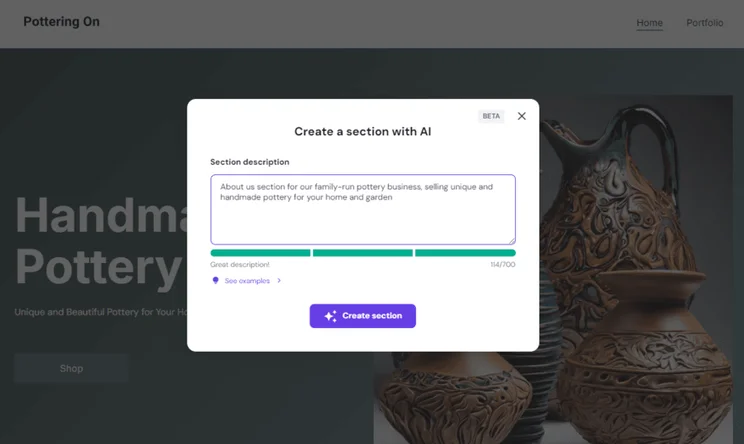
Hostinger’s generative AI tools, easy-to-use editor, and speedy website load times make it ideal for beginners and small business owners. However, it lacks the advanced features of builders like Shopify or Squarespace (i.e. there’s no app store for extra functionality).
How Much Does Hostinger Cost?
Hostinger has two website builder plans costing $2.99-$3.99 per month (billed annually). These are introductory prices for users signed up for a 48-month term, which also comes with a year’s free domain.
- Premium Website Builder plan: $2.99
- Business Website Builder plan: $3.99
At renewal, the cost of Hostinger’s two website builder plans increase:
- Premium Website Builder plan: $10.99
- Business Website Builder plan: $16.99
Though Hostinger’s pricing increases at renewal, its plans are still superb value for money. For example, Hostinger’s $10.99 renewal price is close to GoDaddy’s cheapest plan ($9.99), and it also costs less than Squarespace’s cheapest plan ($17.10 per month, when using the code “WBE10″ at checkout).
You can sell online with Hostinger. It doesn’t charge any transaction fees on its ecommerce plan, making it the most affordable entry into selling online. It also comes with a fantastic Printful integration that’s ideal for stores that want to sell via print-on-demand models.
Are Hostinger’s Plans Affordable Long Term?
Both of Hostinger’s plans are very affordable long term, and with only a $1 price difference between them, it’s risk-free to upgrade or downgrade as you see fit.
You need Hostinger’s Business Website Builder plan to unlock all its AI tools and ecommerce features. However, most core website features, such as a free domain name and access to the AI website builder, come with the cheaper plan.
If you’re unsure which plan to choose, Hostinger offers a 14-day free trial, as well as a 30-day money-back guarantee.
Hostinger’s plans can help you keep costs low in the long term. By paying for two years upfront at a low monthly cost, you’ll save money during uncertain times, be it fluctuating US interest rates or volatile operational costs.
Is Hostinger Good Value for Money?
Though Hostinger is the cheapest website builder, our in-house testing revealed that GoDaddy and Squarespace are better value for money. Despite the higher cost, they offer a greater quality and variety of features than Hostinger does, including Squarespace’s personalized SEO guidance and GoDaddy’s editorial calendar and social post generator.
That said, Hostinger’s value for money is improving by expanding its AI tool selection, which features:
- Kodee: a built-in AI assistant to help you set up and manage your website
- Hostinger Reach: create AI-powered email campaigns
- AI text editor: generate or refine website copy
- AI Product Information Generator: create ecommerce copy for your products
I really enjoyed setting up a website with Hostinger because of its AI-powered builder and tools. This made the whole experience easy and quick – in my opinion, it rivals Squarespace for ease of use. However, because of its more limited suite of features and lack of key functionality (such as no app store), Hostinger is best for very small businesses and personal, informational sites. At such an affordable price point, it’s worth the money.

2. Shopify: $1/Month for 1st 3 Months
- Shopify pricing: $29-$299 per month (billed annually)
- Standout features: Best sales features, such as inventory management, sales analytics, and a custom Linkpop page
- Key downside: Expensive investment, despite introductory deal
- Shopify review
Shopify is our top-rated ecommerce website builder, and one of the more expensive options, but new online stores can get the first three months for $1 per month, reducing your overall subscription cost slightly.
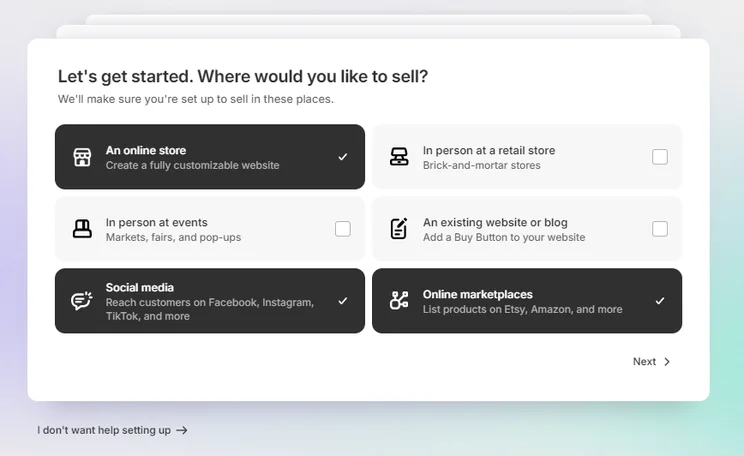
You’ll unlock an impressive range of sales features, including agentic commerce support, competitive card rates, and AI content generation tools. That said, Shopify’s plans will only be suitable for businesses with the right budget.
How Much Does Shopify Cost?
Shopify’s standard pricing is more expensive than the other builders on this list, particularly Hostinger. Shopify has three key plans costing $29-$299 per month (billed annually).
- Basic plan: $29
- Grow plan: $79
- Advanced plan: $299
Shopify doesn’t have a long term discount for new starters like other options on this list, but it has a three-day free trial and you can get your first three months for just $1 per month.
Ecommerce sellers will be charged a 2% transaction fee on Shopify’s Basic plan, which will lower to 0.6% as you upgrade. Alternatively, using Shopify’s native gateway, Shopify Payments, will remove this fee all together and save you money.
Are Shopify’s Plans Affordable Long Term?
Following the introductory deal, Shopify’s expensive plans aren’t that affordable long term.
Also, Shopify’s introductory offer only offers three months of savings, whereas other builders like Hostinger give you a discount for a 48-month term.
Is Shopify Good Value for Money?
Shopify ranks lowest for value among these five builders due to its higher price point relative to standard website building features. However, if your business requires ecommerce functionality and has the budget, Shopify’s powerful sales features are worth the cost.
Given the high costs, Shopify does give you access to powerful ecommerce features from its cheapest plan. The same can’t be said for other website builders, like GoDaddy or Squarespace.
Shopify’s core premium plans are more expensive than other builders on this list, but you unlock a lot of impressive sales features to support your ecommerce journey. If you have the budget to spare and want to sell online, a dedicated ecommerce builder like Shopify is well worth it.
3. Pixpa: $5.40/Month
- Pixpa pricing: $5.40-$15 per month (billed annually)
- Standout features: 200+ responsive templates for portfolios or highly visual websites
- Key downside: Basic sales features, such as limited analytics and accounting tools
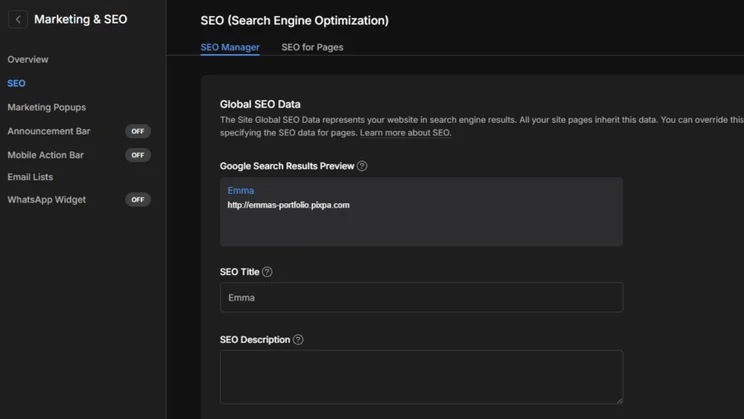
Starting at $5.40 per month, Pixpa is an ideal cheap website builder for visual and creative businesses, particularly if you’re looking to build a portfolio or artist website. It comes with 200+ responsive templates that are ideal for showcasing visual work.
Pixpa’s cheapest plan gives you access to basic features, including SEO and social media integration, but its primary selling point is that it includes online selling capabilities. For context, GoDaddy’s equivalent ecommerce plan will set you back $20.99 per month.
How Much Does Pixpa Cost?
Pixpa’s four plans cost between $5.40-$15 per month (billed annually) for your first year.
- Basic plan: $5.40
- Creator plan: $9
- Professional plan: $12
- Advanced plan: $15
After the first year, Pixpa’s plans will return to their regular price:
- Basic plan: $9
- Creator plan: $15
- Professional plan: $20
- Advanced plan: $25
Before you decide what plan to pick, you can test out Pixpa’s editor and tools with its 15-day free trial.
You can sell with Pixpa. In fact, its cheapest plan doesn’t charge any transaction fees, making it an attractive option for new sellers. That said, you’ll need to upgrade from the cheapest plan, which caps you at three items, if you want to sell a higher volume of products.
Are Pixpa’s Plans Affordable Long Term?
Pixpa’s plans are affordable long term, offering very competitive pricing. It’s fairly similar in price to GoDaddy, but Pixpa’s focus is on creative and portfolio sites especially. This creative focus also makes Pixpa a great alternative to Squarespace, since it offers templates for small businesses to professionally display and monetize their work.
The cheapest Basic plan is pretty limited (it only allows up to 10 pages and 200 gallery images), so I recommend starting with at least the Creator plan to unlock extra features, including unlimited pages/images and blogging functionality. There’s around a $5 difference between each plan, which lightens the strain of upgrading as your portfolio begins to expand.
Is Pixpa Good Value for Money?
Based on our analysis, Pixpa provides the best value for creative portfolios due to its 200+ responsive templates and ecommerce features. If you need more powerful sales features, sophisticated website tools, or more generative AI options, I’d look into a competitor like Hostinger or Shopify instead.
To access Pixpa’s best features – such as unlimited website pages and images, blogging functionality, and advanced SEO – you’ll need to upgrade to at least the Creator plan ($9/mo).
With pretty cheap premium plans, Pixpa won’t break the bank. However, I’d argue it’s only worth spending your money on Pixpa’s website builder if you want to launch a specialist, creative website. Its features and designs target portfolios in particular, so you won’t have the flexibility provided by other builders which cater to a wider range of industry types
4. GoDaddy: $9.99/Month
- GoDaddy Pricing: $9.99-$99.99 per month (billed annually)
- Standout features: Quick and easy setup with AI in minutes
- Key downside: Lacks stylish designs or creative capabilities
- GoDaddy review
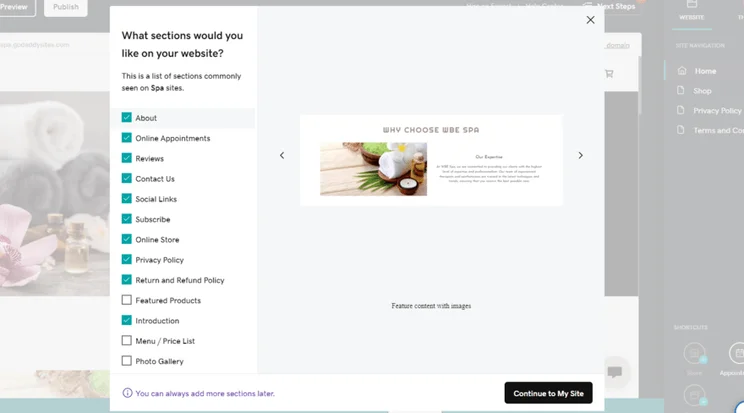
GoDaddy’s cheapest paid plan is $9.99 per month (billed annually), though it also offers a free-forever plan with ads. GoDaddy’s fast and intuitive onboarding process makes it the best option for beginners looking to get online quickly – our first-hand testing found it could generate a website in less than 30 seconds.
How Much Does GoDaddy Cost?
As part of its introductory pricing, GoDaddy’s three plans cost between $9.99-$99.99 per month (billed annually).
- Starter plan: $9.99
- Professional plan: $24.99
- Ultimate plan $99.99
You can also get started with GoDaddy’s free-forever plan, but it comes with ads and limited storage.
Yes, you can sell unlimited products and services with any of GoDaddy’s plans, making it an affordable option for online stores.
Are GoDaddy’s Plans Affordable Long Term?
GoDaddy’s pricing is very affordable long term. If you’re just after a basic site and don’t expect to use many AI credits per month, you’ll be fine with the Starter plan.
Is GoDaddy Good Value for Money?
GoDaddy is the best value for money builder on this list, providing essential website features, including a free professional email for 12 months, within its $9.99 Starter plan. Its plans are also a cheaper alternative to competitors like Wix or Shopify if you’re looking to sell online.
Plus, GoDaddy offers a free plan which you can stay on for as long as you’d like. However, I’d recommend upgrading to remove ads and unlock additional features, such as ecommerce.
GoDaddy tops our research when it comes to value for money, so it’s absolutely worth the money. Its plans are incredibly cheap, but you can find your feet with its editor and tools through the free plan first. And, even if you want to sell online, the price tag is still cheaper than other ecommerce builders, like Shopify.
5. Squarespace: $17.10/Month
- Squarespace Pricing: $17.10 – $89.10 per month (billed annually) with code “WBE10” at checkout
- Standout features: Easiest website builder to use with professional templates
- Key downside: Most expensive option on this list
- Squarespace review
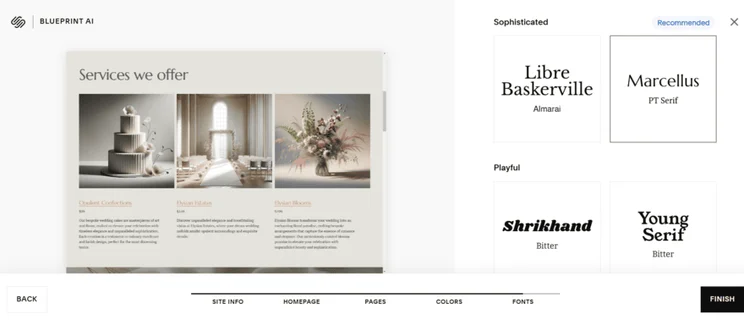
Squarespace is the most expensive website builder on this list, with prices starting from $17.10 per month with our code “WBE10.” However, Squarespace was scored as the easiest platform to use in our testing due to its highly intuitive editor. It’s the best choice if you’re a creative in need of affordable website design, thanks to its stunning templates and elements.
How Much Does Squarespace Cost?
When the code “WBE10” is applied at checkout, Squarespace’s four plans cost between $17.10-$89.10 per month (billed annually).
- Basic plan: $17.10 per month
- Core plan: $26.10 per month
- Plus plan: $44.10 per month
- Advanced plan: $89.10 per month
After your first year with Squarespace, your plan will renew at the standard annual price:
- Basic plan: $19 per month
- Core plan: $29 per month
- Plus plan: $49 per month
- Advanced plan: $99 per month
You can get started with Squarespace’s 14-day free trial to see whether it’s right for you.
You can start selling online with Squarespace on its cheapest plan ($19 per month), which includes selling products and services, as well as online content and memberships.
That said, I recommend upgrading to the Core plan ($29 per month) for its best ecommerce features, such as removed transaction fees, professional shipping and tax services, and sales funnel analytics.
Are Squarespace’s Plans Affordable Long Term?
If you want to scale your website over time, Squarespace’s pricing plans aren’t the most affordable long-term options. There’s a significant jump between Squarespace’s more expensive plans, with the Advanced plan nearly double the price of the Plus plan. This makes it much harder to scale your business over time.
Still, once you upgrade to the Core plan, Squarespace softens the blow by removing transaction fees entirely and providing additional sales features, such as unique discounts.
Is Squarespace Good Value for Money?
Squarespace is great value for money, sitting just behind GoDaddy in our research. This might seem surprising considering that its cheapest plan is more expensive than Hostinger or Pixpa. But, you get a lot for your money with Squarespace, which includes:
- Drag-and-drop editor
- Sophisticated templates for different creative industries
- A free custom domain for one year
- Unlimited bandwidth
- Taking payments from your website
Read the Q&A below to discover an insightful first-hand experience with Squarespace:
Second to GoDaddy, Squarespace is one of the best value for money builders we’ve tested. So, while its plans are slightly more money than GoDaddy, you unlock a lot of advanced features and access to Squarespace’s easy-to-use editor and designs. If you’re looking to build a visually stunning website, I’d recommend choosing Squarespace.
Can You Build a Website For Free?
You can build a website for free via platforms like Wix and GoDaddy. Their free forever plans are a great choice for businesses that don’t want to commit to a paid plan on a long-term basis. That said, these plans often come with undesirable features for businesses, such as branded ads on your website.
💰 Discover your options with our guide to the best free website builders
What Are the Hidden Costs of Cheap Website Builders?
The biggest hidden costs when choosing a cheap website builder stem from domain renewal rates, plan renewal rates, and transaction fees.
- Domain renewal rates: While the first year is often free, a custom domain will then cost between $20 and $30 per year.
- Plan renewal rates: After your first term is up, you’ll be charged the full price for your website builder plan.
- Transaction fees: Transaction fees vary between platforms. Some platforms lower or waive these charges with plan upgrades or when using their native payment solutions, such as Shopify Payments.
Committing to longer terms (e.g 24 or 48-months) typically extends the discount period, providing the best deal. However, this method will require you to pay the full amount upfront.
How Do I Choose a Cheap Website Builder?
When choosing a cheap platform to build your website with, evaluate three primary factors: the entire overall cost (including renewal increases), your non-negotiable features (like ecommerce or blogging), and your technical skill level.
- Review the website builder’s pricing and plans – Is there an affordable option that suits your needs? Is there a free trial or plan to test things out first? Is there a steep price increase between plans or can you scale your website steadily?
- Assess your website’s “must-haves” – Do you need ecommerce functionality to sell online? Are there tools to help you promote your business, like social media or blogging? Can you pinpoint specific plans that have the features you need?
- See which builder suits your style of learning and skill level – Is the website builder easy to use? Are there templates that you like? Can you design the website you want to create with the builder’s editor? Is there support available if you need a helping hand?
For additional guidance on how to choose a website builder, view our video:
How Did We Test and Rank These Cheap Website Builders?
We put 12 popular website builders through our testing process to create our data-backed recommendations. We want you, our readers, to have all of the information you need to make an informed decision when it comes to deciding which website builder to pick. To do that, our team has carried out over 300 hours of research in the areas you care about most.
Our research methodology is broken down into six categories:
- What Website Features Can I Use? 30% – Such as AI tools, email marketing, blogging functionality, SEO, scheduling tools for service-based businesses, general storage allowance, and whether or not there’s a third-party app market for further integration.
- Can I Design the Site I Want? 25% – This area covers the quality and quantity of professional templates, the existence of an AI builder and its capabilities, as well as general customization options in the editor.
- Is the Builder Worth the Price? 15% – We look at the features you get for the price you pay, scalability of plans and long-term affordability, hidden costs (such as domain names), and whether or not there’s a free plan or trial.
- Will Beginners Be Comfortable Using the Platform? 15% – I tested each builder to determine how easy they are to use and if they accommodate all skill levels.
- Is There Reliable Support? 10% – We look at how you can contact the builder for support if a problem pops up, whether 24/7 help is available, and the usefulness of knowledge centres.
- Do Customers Trust the Builder? 5% – We compare each builder’s popularity and credibility in the market, based on customer feedback, third-party reviews, and search volume.
To determine our list of the cheapest website builders, we primarily look at the pricing section of our research. In particular, we’ve assessed the average pricing plans for each builder, the jump between plans, the quality of features versus price, and reviewed the cheapest introductory deals on the market.
I also built a website with each of these builders to test its features and limits, meaning I can share my unique experiences throughout the article.
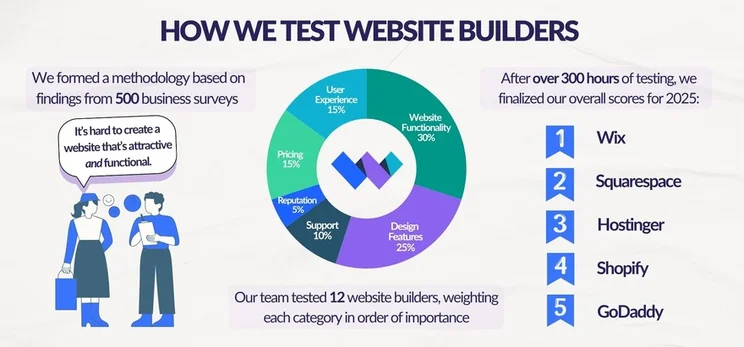
*The image above depicts our general website builder rankings for 2025. Our order of recommendation in this article is slightly different, since this article focuses on pricing.
What Is the Best Cheap Website Builder for Your Business?
Hostinger is the cheapest website builder out there, with its plans starting from $2.99 per month. And for just $3.99 per month, you’ll gain access to its suite of AI features and ecommerce functionality. So, because of its easy-to-use platform, I highly recommend Hostinger for beginners.
Just remember to keep an eye out for renewal prices and upgrade costs. The cheapest plan might only offer some of your website or business needs, but it can be a great place to start!
FAQs
A professional .com domain isn’t available on a website builder’s free plan. Instead, you’ll be forced to use a branded subdomain. If you want a custom domain name, you’ll need to upgrade to a premium plan. These plans can include a custom domain name as part of your subscription, or you can pay for one separately. A .com domain will typically cost between $10 and $20 per year.
Hostinger’s Business Website Builder plan is the cheapest entry point for selling online at $3.99 per month. However, after the introductory offers have passed, Shopify’s $5 Starter plan is the most affordable option, though it doesn’t allow users to build a full website (it’s better for selling on your socials).
The Shopify Starter plan from Shopify costs $5 per month – you can sell products via social media and WhatsApp, as well as build a brand presence online without needing a full website. It’s a great starting point for entrepreneurs and side hustlers.
Hostinger’s $3.99 Business plan has the cheapest introductory offer for selling online, but Shopify’s $5 Starter plan remains the most affordable in the long term. However, this Shopify plan only provides sellers with a payment link to add to social media, rather than a full website, so you’ll be limited unless you choose to upgrade further.
The renewal price of GoDaddy’s plans ranges between $16.99 and $34.99 per month, when billed annually. This is a steep 40% to 50% increase from its introductory offers. You’ll also have to pay to keep using the custom domain and Microsoft professional email, which would cost over $100 per year together, on top of your plan price.


1 comment