I Found the 27 Best Wix Templates So You Don’t Have To

We may receive a commission from our partners if you click on a link and purchase a product or service on their website. Learn more

lucy carney
Written By
Updated on June 7, 2024

Wix has over 900 templates in its library – that’s a lot to choose from. In fact, it can be pretty overwhelming trying to find the best design for your website, especially as you can’t switch your Wix template once you publish your site.

Your website’s design is super important for making a great first impression as well as providing a smooth user experience and making your visitors happy. In other words, choosing your template is a big decision. And I’m here to help you get it right!

I’ve handpicked the best Wix templates for the 10 most popular industries – you’ll find image galleries, features, and a preview option for each template, to help you choose your perfect design.

Ready to find your next Wix template? Browse each industry below and see which designs I recommend!

#1. Tote

  • Best For: Modern apparel brands
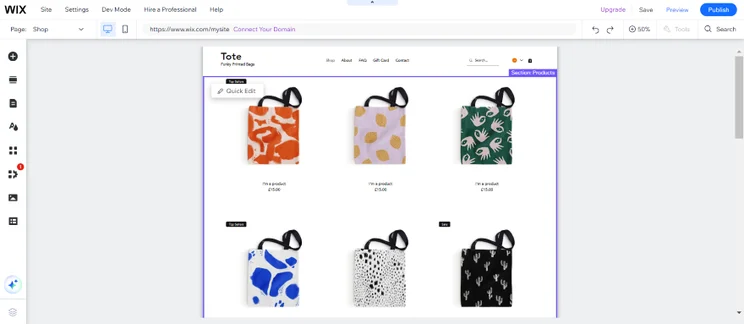
Screenshot of a Wix online store landing page with products listings of tote bags.
I love how Tote showcases the products on the landing page, since it encourages visitors to get shopping! You can also zoom into each product photo by rolling over the images. Source: Website Builder Expert

Wix’s Tote template is a fresh, modern design that puts the focus on your products from the get-go. Instead of a large hero image or header, visitors are immediately met with a product gallery, encouraging them to start browsing straight away. I love how easy to navigate this template is – with FAQ and Contact pages and Quick View features, Tote puts the customer experience first.

Tote’s Key features:

  • Quick View product window
  • Product zoom on rollover
  • Sticky social icons on right-hand side
  • Live chat support feature
  • Mailing list subscription in site footer
  • Search feature
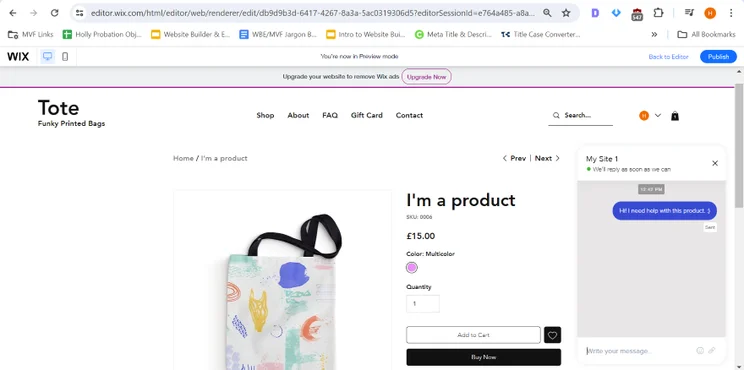
Screenshot of a Wix product page with a photo of a tote bag, a product title, and add to cart button.
I liked the live chat function at the bottom right corner of the page. Customers can easily contact you when they need help. Source: Website Builder Expert

#2. Adalene

  • Best For: Luxury brands
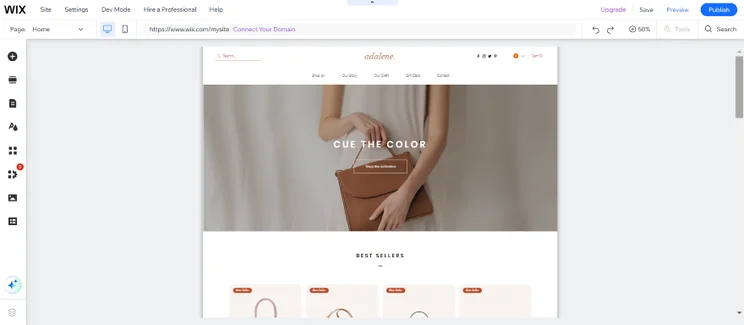
Screenshot of a sophisticated Wix landing page for a leather goods brand.
I found Adalene's classy font and neutral color scheme ideal for luxurious brands, especially if you're selling upmarket clothes or accessories. Source: Website Builder Expert

Wix’s Adalene ecommerce template oozes class. It uses large images to create an engaging, creative aesthetic, and I especially like the use of the large square grid on the homepage to highlight products. The sticky menu, frequent calls to action, and Quick View feature all make customer browsing super easy. As well as product pages, Adalene is complete with two About pages, a Contact page, and social links, making it perfect for brand building.

Adalene’s Key Features

  • Product search
  • Filtering options on product pages
  • Social icons in the top navigation bar
  • Top and bottom menus
  • Homepage call to action
  • “Best seller” product gallery on homepage
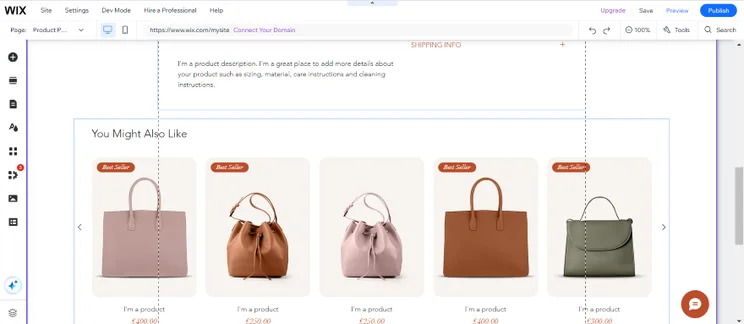
Screenshot of a Wix Product page with a "you might also like" section displaying luxury leather bags.
I scrolled to the bottom of the product page and saw this "You Might Also Like" section. You can list similar products here that your customers could also be interested in. Source: Website Builder Expert

#3. Awesome Sneakers

  • Best For: Shoe or accessories stores
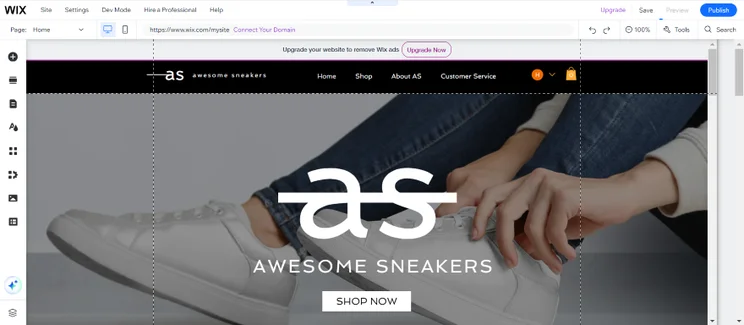
Screenshot of a Wix landing page for a sneakers brand.
Awesome Sneaker's header photo takes over the page. I think it's a great way to make your homepage standout with a high-definition image that catches attention. Source: Website Builder Expert

Wix’s Awesome Sneakers template is big, bold, and fun. It uses a blocky design throughout to grab attention and direct the customer’s focus. Large images, full-width backgrounds, and overlapping blocks create a dynamic, modern look. Despite all that, Awesome Sneakers is surprisingly minimalistic – for example, the homepage product gallery cuts away any text to keep all the emphasis on the product photos.

Awesome Sneakers’ Key Features:

  • Contact form in the site footer
  • Sticky top menu to aid customer navigation
  • Product collections featured on homepage
  • Large, full-screen hero image
  • Customer Service page with a contact form and FAQs
  • Product filters such as price, color, and size
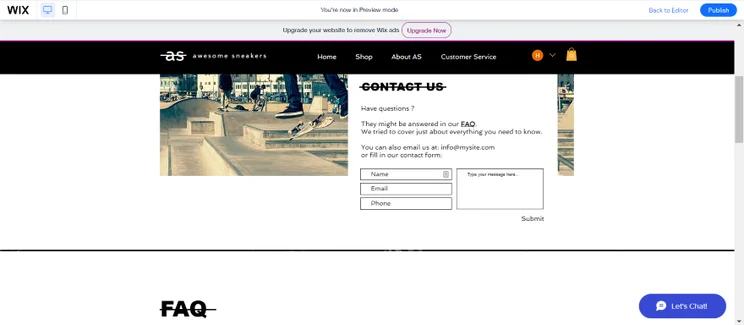
Screenshot of a Wix website's contact us page with a contact form box and an FAQs section.
On Awesome Sneakers' Contact Us page, I could set up contact forms and fill in an FAQ section for website visitors. Site: Website Builder Expert

#1. The Pizza Shop

  • Best For: Restaurants wanting to digitize their operations
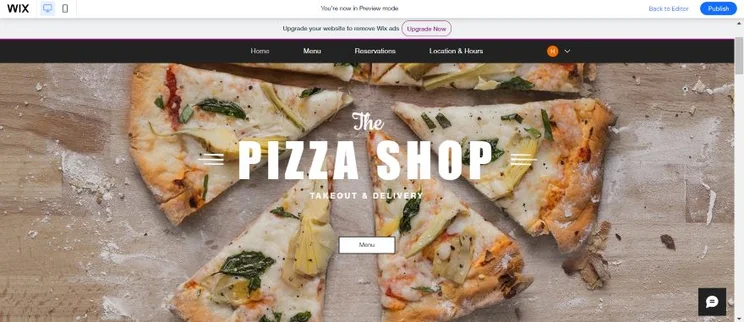
Screenshot of a Wix front page for a pizza restaurant.
The Pizza Shop's front page caught my attention immediately with its bold font choice and enticing photo. I'm sure that hungry customers will feel the same way! Source: Website Builder Expert

The Pizza Shop template ticks a lot of boxes for restaurants – and it looks good at the same time. You’ll be able to digitize your operations through menus, reservation bookings, social feeds, contact information blocks, location maps, online ordering tools, and more, plus gorgeous images to show off your food. This Wix template uses a bold, no nonsense design with heavy fonts, straight lines, and clear cut sections, making it perfect for a modern restaurant.

The Pizza Shop’s Key Features

  • “Order Now” call to action at the top of your homepage
  • Sticky top navigation menu
  • Online booking feature for reservations
  • Instagram integration to display your social feed
  • Contact details, including an interactive map
  • Online menus
  • Online ordering system
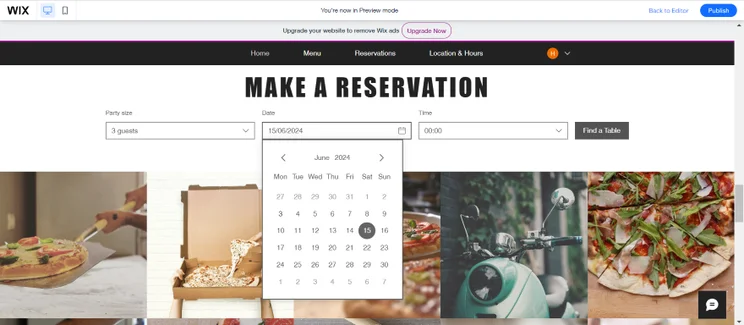
Screenshot of a Wix pizza website's reservation page.
I also found a reservation section on The Pizza Shop's homepage, making it easy for potential customers to book a table from one place. Source: Website Builder Expert

#2. White & Yellow

  • Best For: Neighbourhood cafes, coffee shops, or bakeries
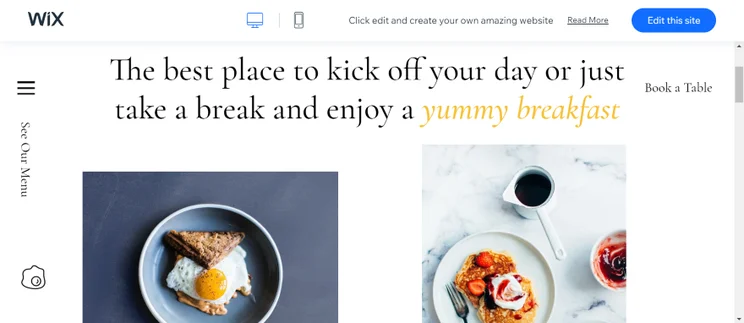
Screenshot of a Wix Cafe landing page with high-quality photos of breakfast dishes.
It's easy to make your website look professional with this White & Yellow template. I could add high-quality photos and catchy text in an appealing font. Source: Website Builder Expert

With its contrasting color scheme and refreshing use of white space, White & Yellow is a bright and airy template ideal for aesthetic cafes, coffee shops, or bakeries. I particularly liked its generous photo placements, enabling you to add mouth-watering food and drinks images to your website and really seal the deal for hungry customers.

White & Yellow’s Key Features

  • Dropdown navigation bar
  • Attractive menu templates
  • Online ordering system
  • Clickable, fixed headers
  • “Our Story” and “Contact” pages
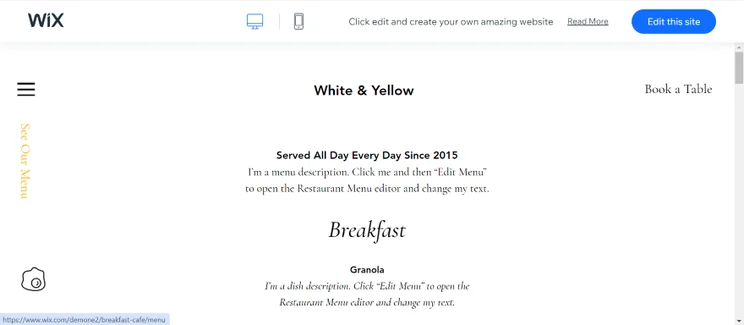
Screenshot of a menu page from a Wix website detailing breakfast dishes and prices.
I liked how the menu and bookings headers were fixed, since it lets website visitors click on them regardless of which page they're on. Source: Website Builder Expert

#3. Mr. Burger

  • Best For: Independent food trucks or market stalls
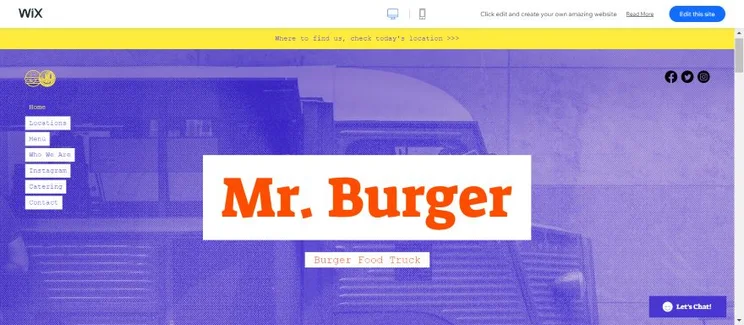
Screenshot of the top of a Wix homepage named "Mr. Burger" with a hero photo of a food truck.
I found Mr. Burger's design attention grabbing and made me want to keep scrolling and see what else was on the page. Source: Website Builder Expert

If your eatery is often on the move, then the Mr. Burger template will be an apt fit for you. You can use the map feature to let customers know where your food cart or stall will be on specific days, while you can showcase your mouth-watering menus, social media accounts, and key contact details from the homepage. Also, the eye-catching blue and yellow color scheme is impossible to ignore, giving your website plenty of character!

Mr. Burger’s Key Features

  • Sticky top navigation menu
  • Sticky social icons
  • Location maps
  • Contact form at footer
  • Online menu
  • Dedicated catering page
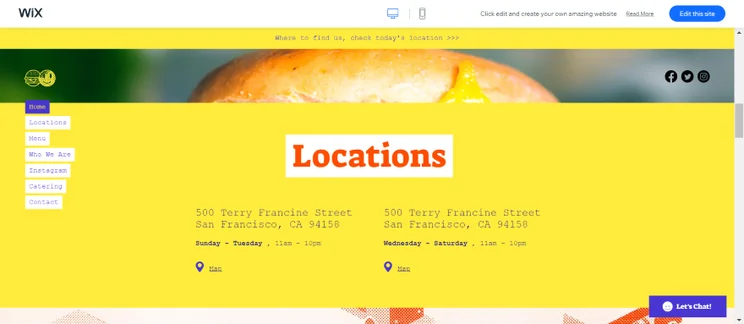
Screenshot of a location section of a Wix food truck website detailing the company's addresses with map links.
I could add multiple map links to my test website. It's helpful if your food truck or stall is often in different locations, so you can keep customers in the loop. Source: Website Builder Expert

#1. Sophie Chamberlain

  • Best For: Artists or illustrators showcasing their work
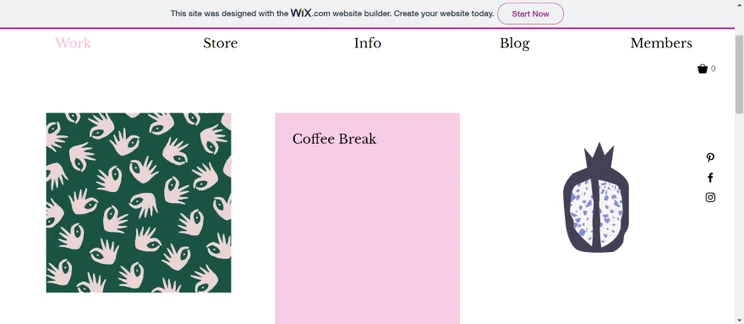
Screenshot of a Wix portfolio website featuring an artist's illustrations
This Wix template is perfect for illustrators – I loved the homepage gallery that puts your portfolio of work front and center. I could also roll my cursor over each illustration to see the name of the piece. Source: Website Builder Expert

The Sophie Chamberlain template is perfect for illustrators and artists looking to showcase their work and attract new clients. It’s a simple template that puts the main focus on the homepage image gallery, using white space and a grid layout to help your work shine. This isn’t a complicated template – it only has three pages, including a store and an “Info” page, ensuring that your visitors don’t become distracted. The only thing I would’ve liked to see is a contact form, but you can easily add one during the customization process.

Sophie Chamberlain Key Features

  • Homepage gallery
  • Online store
  • License purchase as part of checkout journey
  • Sticky social links on every page
  • Mailing list subscription
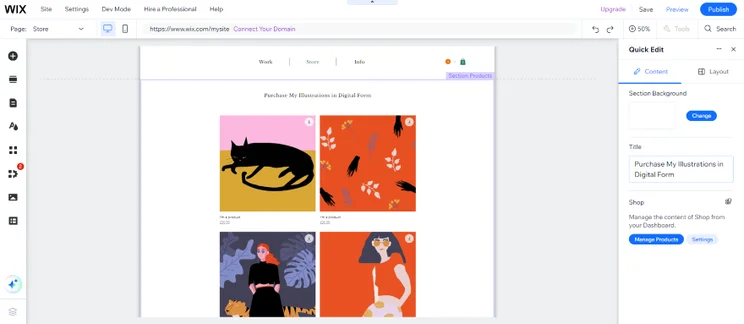
Screenshot of a Wix portfolio website on the "Store" page where an illustrator sells digital prints.
I loved the template's "Store" page because it lets you sell digital prints of your work. Buyers can also click on the download icons to save a piece to their device. Source: Website Builder Expert

#2. Feta Morgana

  • Best For: Entertainment industry professionals
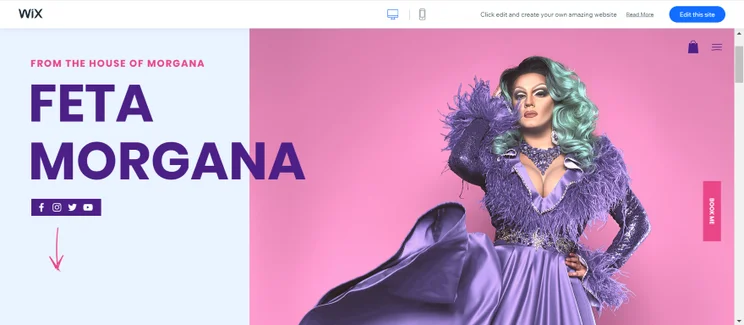
Screenshot of a Wix website homepage for a portfolio with a split screen layout.
I loved the eye-catching split-screen layout of this template alongside the social media links and all-important "Book Me" call to action button. Source: Website Builder Expert

If you are your brand, the Feta Morgana template could be for you. This template has features designed to help you engage clients, from social media links high on the homepage to a sticky “Book Me” call to action. I love the inclusion of an events booking calendar and an online store, and the expanding side menu is a lovely touch.

Feta Morgana Key Features

  • Social icons under the homepage heading
  • “Book Me” sticky call to action
  • Events calendar and booking system
  • Online store
  • Contact form
  • Email subscription sign-up
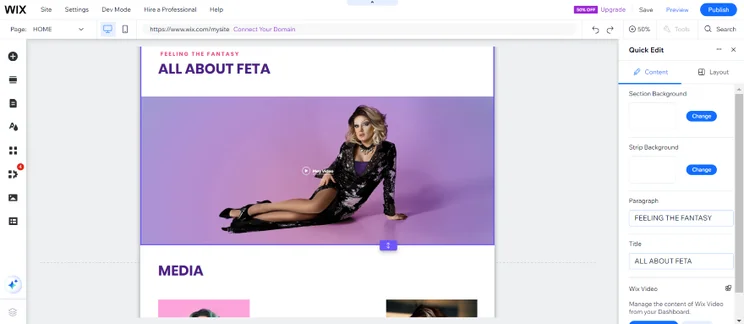
Screenshot of a Wix portfolio website with an "All About" section with videos and photos.
I could add a variety of media to my test website's homepage, ranging from videos to photos. You can use a mixture multimedia to showcase who you are! Source: Website Builder Expert

#3. Kiss & Makeup

  • Best For: MUAs, hair stylists, or fashion stylists
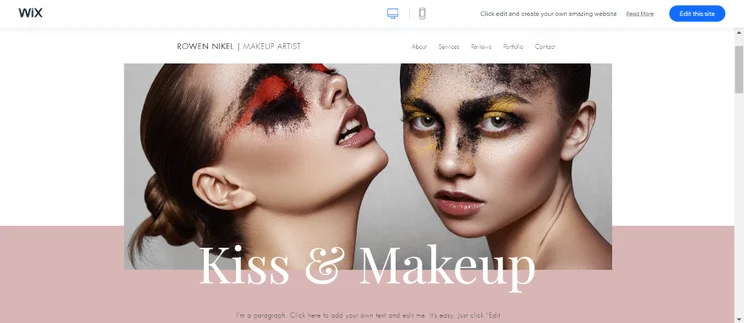
Screenshot of a wix portfolio template with a hero image of two women in editorial makeup.
Though this Wix template is designed for makeup artists, I think that it could be repurposed for other industry professionals, like hair stylists. Source: Website Builder Expert

If you’re after a one-page design, Kiss & Makeup is a stylish choice. It covers most of the essentials on a single page, from a photo gallery to testimonials and a contact form. This template design uses color blocks particularly well to separate these sections and encourage clients to keep scrolling. The top navigation is sticky, making it easy to jump between sections. The one thing I would like to see from this template is a built-in booking feature, but you can add that yourself later if you need it.

Kiss & Makeup Key Features

  • Large hero image
  • Services section
  • Testimonials
  • Portfolio gallery
  • Contact form
  • Social integration
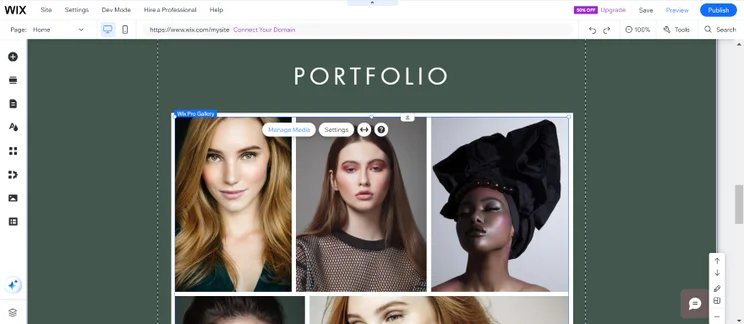
Screenshot of a gallery section of a Wix portfolio website showcasing makeup looks
I loved the gallery photo layout and I could easily add new photos and rearrange them from the media library. Source: Website Builder Expert

Special Mention for Beginners: #4. Odam Lviran

  • Best For: Professionals who are just starting out
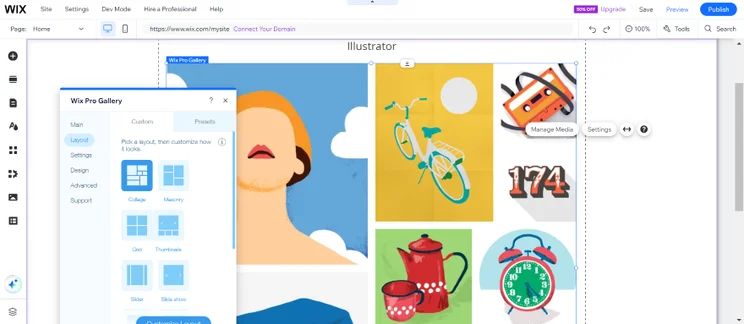
Screenshot of a Wix portfolio homepage with a gallery of illustrations on show
I could tweak the layout of the image gallery straight from the editor. Even if you don't have customer testimonials or media mentions yet, this homepage gallery will let your work speak for itself. Source: Website Builder Expert

Many of these templates are designed for people with tons of work and clients to showcase. But what if you’re just starting out? The Odam Lviran template proves you can still have a beautiful portfolio even if you just stick to the basics. It makes simplicity part of its charm, with a homepage gallery, “About” page, and “Contact” page, and social media integration thrown in too. Let your work speak for itself, and add to it as your experience grows!

Odam Lviran Key Features

  • Homepage gallery
  • Social media integration
  • Contact form
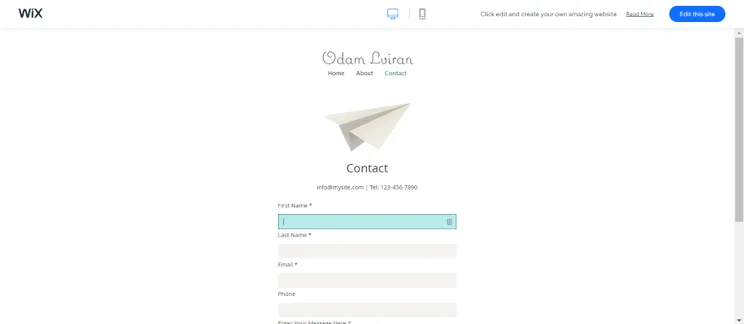
Screenshot of a minimal contact us page on a Wix portfolio website.
I loved the minimalist style of the "Contact" page, though I could also tweak the design from the editor if I wanted something more complex. Source: Website Builder Expert

Looking for more portfolio designs? Check out the Best Personal Website Templates for inspiration.

#1. Naomi Rhyme

  • Best For: Entrepreneurs and public speakers

Screenshot of a Wix motivational speaker website with a video header and bold headline reading "successful you"!
Right off the bat, I noticed a video background, social icons, and a call to action above the fold – all key ways to grab a site visitor's attention! Source: Website Builder Expert

The Naomi Rhyme template is perfect for entrepreneurs – it’s a template that puts you at its heart. From social icons above the fold to testimonials, this template has all the features you need to help customers get to know you. This is a modern, fun, yet professional design that makes use of white space and contrasting colors to keep visitors on the page. One word of warning, though – Wix makes it easy to upload videos to this template, but using video can seriously impact your loading speeds, so keep that in mind!

Naomi Rhymes Key Features

  • Video backgrounds
  • Social media integration
  • Blog
  • Online bookings
  • “As Featured On” clients highlight
  • Testimonials
  • Subscription feature
  • Contact form
  • Online services
  • Members area
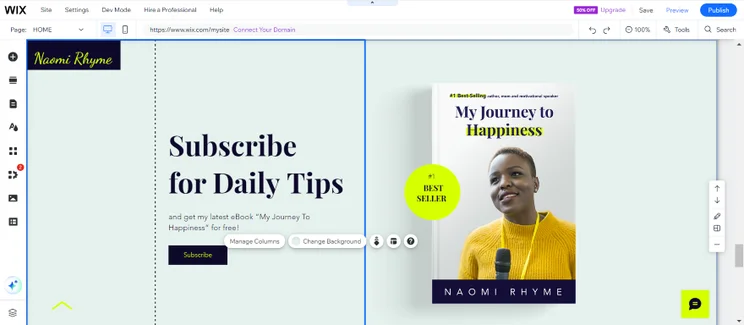
Screenshot of a subscription section of a Wix Business website with a subscribe call to action button.
On my test website, I could let site visitors subscribe and receive a free resource like this eBook. I could tweak the call to action button too by changing its font and shape! Source: Website Builder Expert

#2. Allan Johnson

  • Best For: Industry professionals offering services online
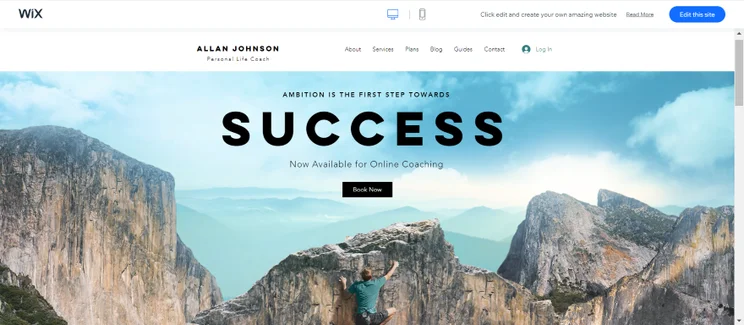
Screenshot of a Wix landing page for a life coach with a hero image of a man at the top of a mountain.
This template's large header image and bold text instantly grabbed my attention. Additionally, the "Book Now" call to action button encourages interaction straight away. Source: Website Builder Expert

Cool, calm, and collected, the Allan Johnson template is a bright and easy-to-navigate design. There’s zero clutter, helping visitors hone in on what you’ve got to offer – for example, the “Book Now” button at the top of the homepage inspires visitors to take action straight away. With Wix Bookings built in, this is a great template for service-based businesses. It’s also worth mentioning the “Guides” page, where you can upload files for visitors to browse or download – they can even upload their own files to the page!

Allan Johnson Gallery Key Features

  • Homepage calls to action
  • Online bookings
  • File uploads
  • Sticky contact form in template footer
  • Social media integration
  • Blog
  • Sticky top navigation menu
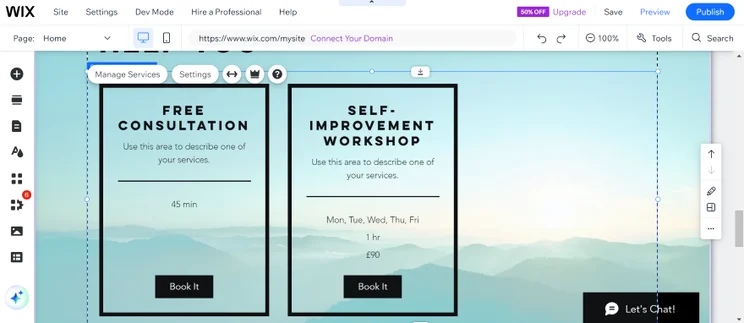
Screenshot of a services section of a Wix life coach website.
You can make it easy for clients to book your services by offering an online booking system. I could also click on manage services and edit the services on show. Source: Website Builder Expert

#3. Wright & Taylor

  • Best For: Businesses with a small team
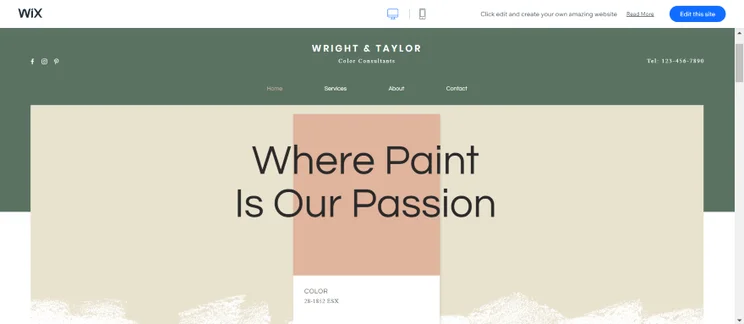
Screenshot of a Wix business landing page for a color consultant business with a header that goes "Where Paint Is Our Passion".
I liked Wright & Taylor's use of color blocks to create a stylish look. The top navigation is sticky, and the phone number in the top corner is an excellent addition. Source: Website Builder Expert

Are you looking for something stylish and sophisticated? If so, Wright & Taylor could be the perfect Wix template for your business! Despite its simplicity, this template packs in useful features to help you connect with customers. The main thing missing is a “click to call” button, which is better than just listing a phone number. You can have real fun with your color palette thanks to the use of color blocks to help your brand shine!

Wright & Taylor Key Features

  • Sticky top navigation including social links and a phone number
  • Large images
  • Image galleries
  • Instagram grid showcase
  • Contact form on every page
  • Location map
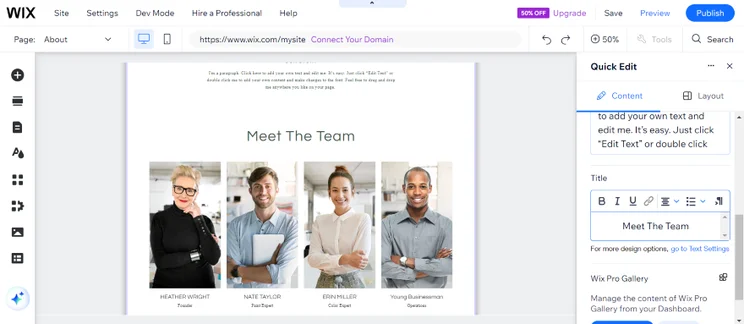
Screenshot of a Wix Business website's about page with a meet the team section and photos of staff.
I love this "About" page where you can show off your team and forge a connection with your customers. I could also adjust the caption and photos from the editor! Source: Website Builder Expert

#1. Turning Heads

  • Best For: Fashion and lifestyle blogs
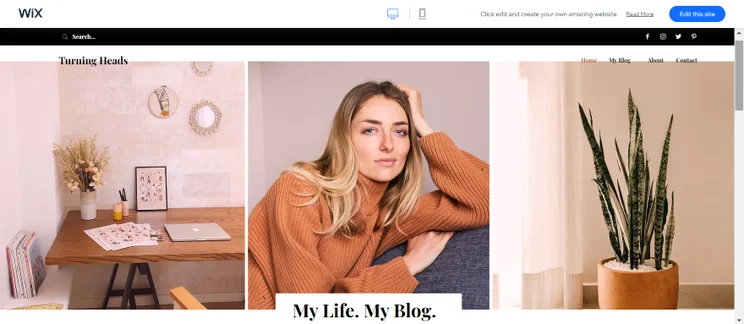
Screenshot of a Wix blog website with three header photographs.
I love the fresh, image-focused design of the blog's homepage, which grabs attention straight away. Source: Website Builder Expert

The Turning Heads template is fresh, visual, and welcoming – it’s easy for readers to navigate and uses sections to avoid clutter. Above all else, this template promotes readability – I love the use of blocks to separate content and display the blog feeds. There are plenty of images to give your blog visual appeal, and lots of white space to help focus attention on your content.

Turning Heads Key Features

  • Search feature
  • Homepage blog feed
  • Social media icons in sticky top navigation
  • Contact form at the bottom of every page
  • Email subscription sign-up form
  • Instagram feed
  • “Recent Posts” feature
  • Author bio sidebar
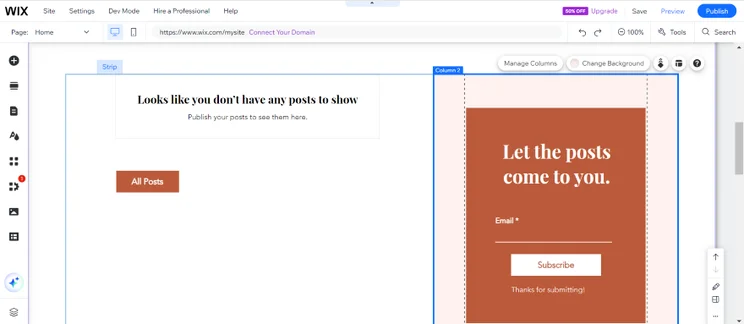
Screenshot of the Wix editor showcasing a blog website with split screen contact from and blog post display.
This split-screen display lets you show more content without risking clutter. I could also delete the contact from and replace it with another block from the editor if I wanted to! Source: Website Builder Expert

#2. Read Over

  • Best For: Hobbyist blogs
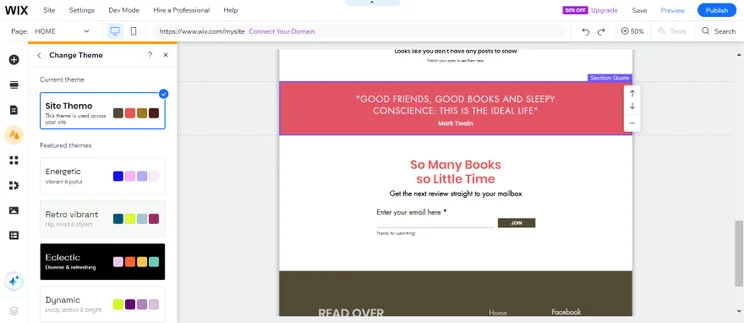
Though this is a book blog template, it can be customized to suit any topic. I love the use of animation because it brings the page to life. Source: Website Builder Expert

The Read Over template is designed for book blogs, although it can be customized using Wix’s drag-and-drop editor to suit a different topic. This template favors big, bold fonts, tons of white space, and a blocky design. At times this template feels a little too big, but the upside is top-notch readability. This layout also lets your content speak for itself, but doesn’t suit a text-heavy homepage. I would like to see a search feature built into this template, but other than that it ticks a lot of boxes!

Read Over Key Features

  • Animation on homepage
  • Collapsible navigation menu
  • Social icons in top left corner
  • Image slideshow
  • Latest posts feature on homepage
  • Quote section
  • Email subscription sign-up
  • Contact form
Screenshot of a contact form and quote section on the Wix editor.
Simple doesn't have to be boring. The bright color sections and text help direct the reader's attention, and I could experiment with the theme's colors via the editor. Source: Website Builder Expert

#3. Going Places

  • Best For: Travel blogs
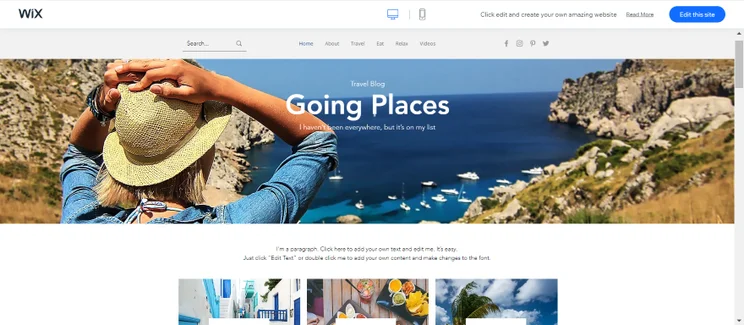
Screenshot of a Wix travel blog design with a large hero image.
I thought that this large hero image grabbed immediate attention. It invites visitors to start reading straight away with its blog post categories. Source: Website Builder Expert

If you’ve got a lot to say, the Going Places template is a great choice. It’s well equipped to handle large amounts of content, with a search feature, categories, and homepage feed displaying recent posts. There’s an Instagram feed and “About” bio at the bottom of every page to help readers get to know you, and even a “Videos” page! If you only have one or two posts to share, this template may be overkill, but it’s perfect for larger blogs.

Going Places Key Features

  • Search tools
  • Blog categories
  • Homepage blog feed
  • Video page, including categories and video search tool
  • Sticky top menu for easy navigation
  • Social icons and Instagram feed
  • Email subscription sign-ups
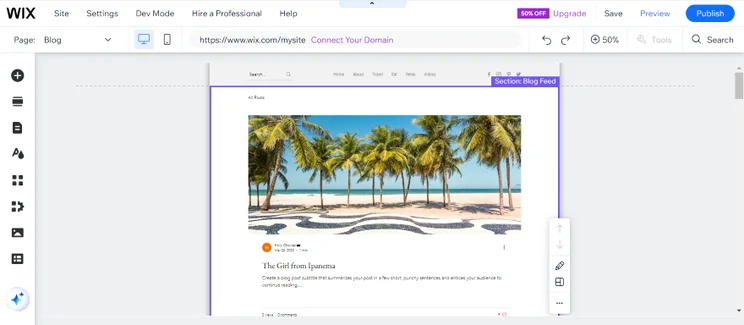
Screenshot of a blog page on a Wix travel blog via the editor.
I found the blog posts easy to digest, since there's zero clutter on these pages that help readers focus solely on your content. Source: Website Builder Expert

#1. Amanda Willman

  • Best For: Travel, nature, or landscape photographers
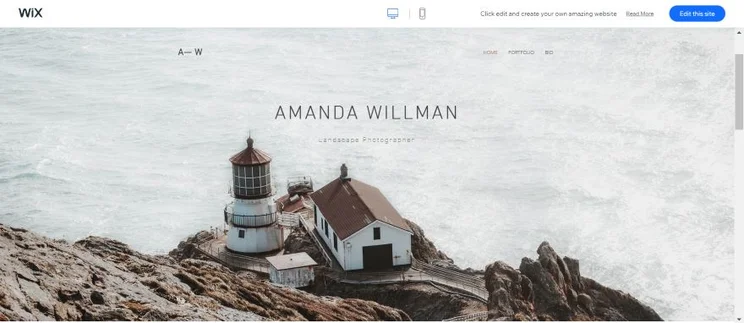
Screenshot of a Wix homepage for a landscape photographer with a large hero image.
I love the large image background that welcomes visitors onto this template – it instantly shows of your work and grabs attention! Source: Website Builder Expert

The Amanda Willman template creates a pretty immersive experience for visitors with its full-screen image slideshow background – perfect for landscape photography. It’s a very modern and minimalistic template design, which really keeps the focus on your photos. The only thing missing is a booking feature for new clients – however, there is a contact form, which is the next best thing.

Amanda Willman Key Features

  • Homepage image slideshow background
  • Online store
  • Portfolio categories
  • Sticky top menu to help visitors navigate your site
  • Social links in site footer
  • Contact form
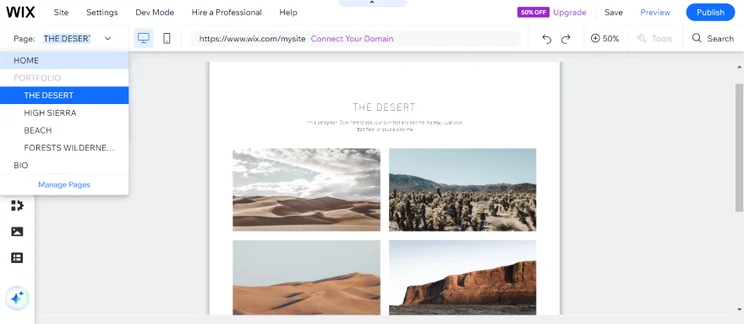
Screenshot of a Wix photography website with a collection of photos entitled the desert.
I could split the portfolio into different collections, like "The Desert." This portfolio gallery lets the photos speak for themselves with a simple grid layout. Source: Website Builder Expert

#2. Emilia Carter

  • Best For: Portrait, family, newborn, or wedding photographers
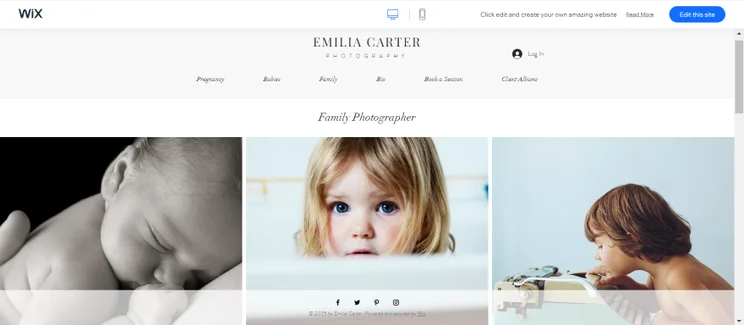
Screenshot of a Wix commercial photography website template with three photos of children
I think that this template is great for a large collection of work, since you can display it all in an organized way. Source: Website Builder Expert

Elegant and understated, the Emilia Carter template favors serif fonts and a muted color palette to showcase your work. You can switch up your fonts and colors in Wix’s editor, of course, but I love the focus this design gives to your photos. I recommend this template to anyone with a large collection of work split across different categories – the addition of a booking feature and client albums are perfect for photographers working with families.

Emilia Carter Key Features

  • Client albums
  • Booking feature
  • Social icons in sticky site footer
  • Collection galleries
  • Contact form
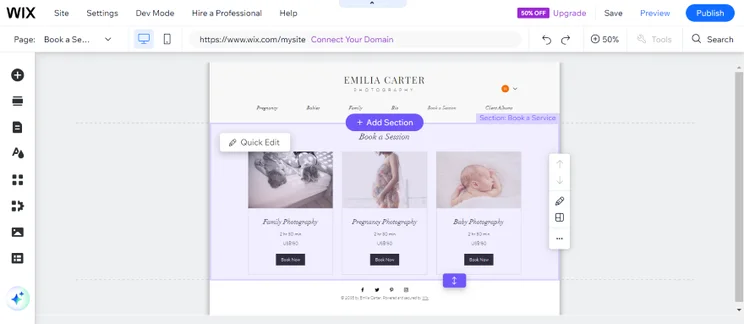
Screenshot of a "Bookings" page on a Wix family photography website with three services to choose from.
I noticed that the bookings feature was built into this template, so it's easy to gain new clients. You can start adding your services from the editor! Source: Website Builder Expert

#3. Benjamin Diaz

  • Best For: Contemporary or experimental photographers
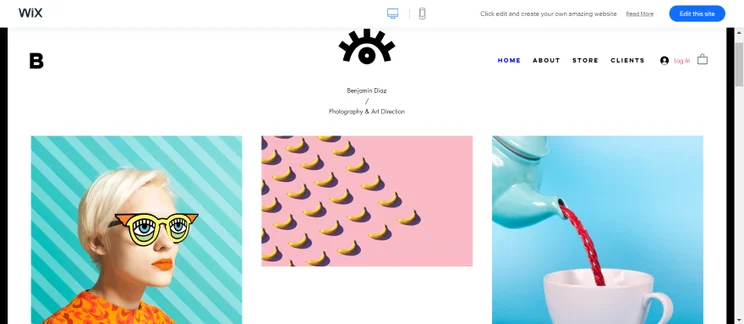
Screenshot of a vibrant Wix photography website with colourful photos mixed with illustrations.
Do you want a fun, vibrant portfolio? I think that the Benjamin Diaz template is a great fit, since it used multimedia elements and different-sized blocks to mix things up. Source: Website Builder Expert

The Benjamin Diaz photography template is fun, vibrant, and designed to delight your visitors. It uses blocks, bright colors, and grid layouts to engage potential clients and show off your work. This template is perfect if you combine photography with other mediums, such as illustration or animation – the homepage multimedia gallery has a dynamic, modern look to draw visitors in. I particularly like the “Client” page, store, and the contact form in the site footer.

Benjamin Diaz Key Features

  • Animation
  • Sticky top navigation menu
  • Online store
  • Homepage multimedia gallery
  • Contact form on every page
  • “Clients” page with links to galleries
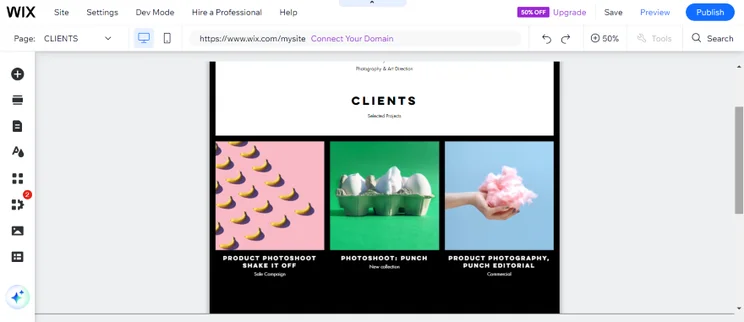
Screenshot of a Wix photography website with a clients page showcasing colorful photographical works.
I think you should make the most out of this "Clients" page. You can easily display as many works as you'd like too and add additional content from the Wix editor. Source: Website Builder Expert

#1. Anton & Lily

  • Best For: B&Bs or boutique hotels
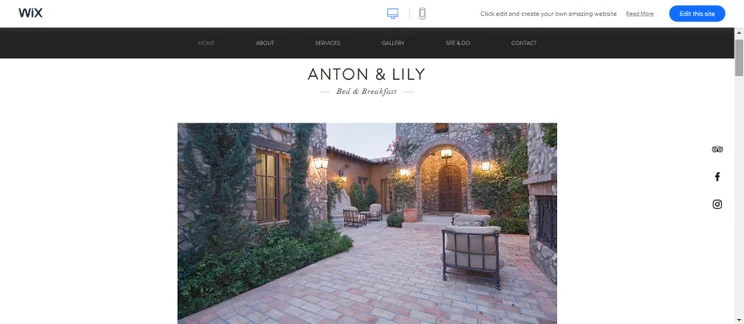
Screenshot of a bed and breakfast hotel website with a hero image of the exteriors.
I love that this hotel template features a sticky top menu, sticky social icons on the right side, and a classy aesthetic. Source: Website Builder Expert

The Anton & Lily template has everything a hotel website needs. From a booking feature on the homepage, to galleries and an interactive map, this template does everything it can to help you bring in guests. In terms of style, Anton & Lily oozes sophistication – it features a pretty monochrome color palette and uses plenty of white space. You can easily customize this to reflect your own hotel’s personality using Wix’s drag-and-drop tools, though!

Anton & Lily Key Features

  • Sticky top navigation, with a “Book a Room” call to action
  • Sticky TripAdvisor, Facebook, and Instagram icons
  • Quick booking search tool on the homepage
  • Homepage gallery
  • Testimonial box
  • Contact form
  • Location map
  • Booking system
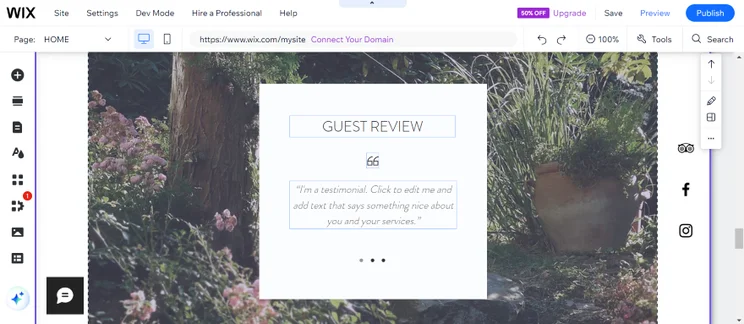
Screenshot of a guest review on a Wix hotels website
To boost your social proof, I recommend displaying guest reviews. You can easily replace the text and add your own! Source: Website Builder Expert

#2. Be My Guest

  • Best For: Resorts or holiday villas
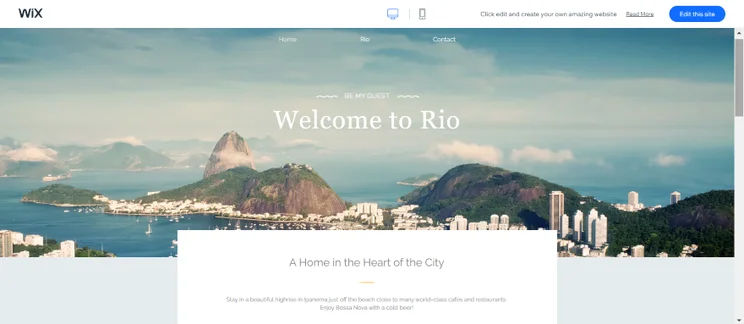
Screenshot of a international hotel Wix website with a large hero image of Rio.
I was impressed by this template's calm color scheme, large background image, and booking feature that's difficult to miss. Source: Website Builder Expert

Running a hotel is all about being welcoming, and that’s something the Be My Guest template aces. It has a super friendly feel, with large photos and plenty of chances to include information about you, your accommodation, your area, and more. I love the sideways transitions between pages and the alternating block layouts. If you’re aiming for a personal, approachable vibe then this template ticks all the boxes!

Be My Guest Key Features

  • Homepage booking search tool
  • Sections for location and “About” information
  • Social integration
  • Email subscription sign-ups
  • Online booking system
  • Contact form
  • Location map
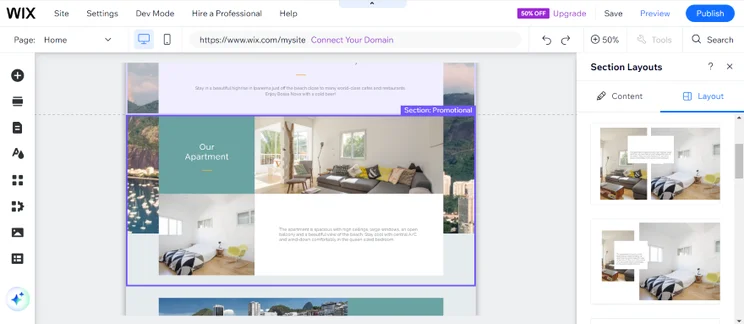
Screenshot of a hotel website landing page displaying a holiday apartment.
The alternating layout is clean but engaging, mixing images with text and color blocks. I could also switch up the design from the layouts tab. Source: Website Builder Expert

#1. Faber & Co

  • Best For: Real estate agencies selling modern, luxury homes
Screenshot of a hotel website landing page displaying a holiday apartment.
The alternating layout is clean but engaging, mixing images with text and color blocks. I could also switch up the design from the layouts tab. Source: Website Builder Expert

Modern, smart, and simple, the Faber & Co template is designed to get down to business. Straight away, clients are met with a large image slideshow to help you show off your properties, plus two calls to action inviting them to get in touch. Your properties are given center stage through use of white space and plenty of images. The online bookings feature is particularly useful – clients can choose the property they want to view, the realtor they want to book, plus the available date and time that best suits them.

Faber & Co Key Features

  • Sticky “Chat With Us” live chat tool
  • Online booking system with an integrated calendar
  • Testimonials
  • Contact form
  • Location map
  • “Agents” page with “Book Now” buttons for each member
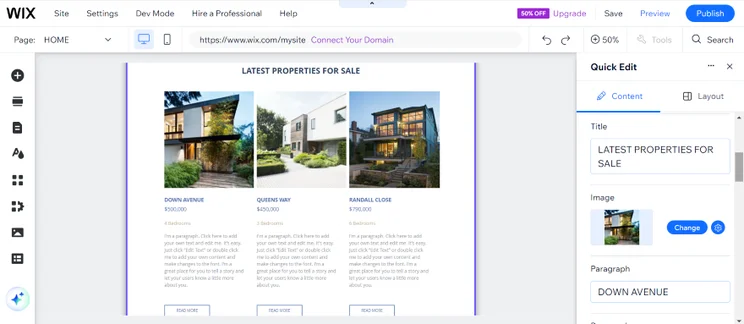
Screenshot of a Wix real estate website with a listing of three different properties
I recommend looking out for templates with plenty of white space (like this one!) to ensure that your properties remain the central focus. Source: Website Builder Expert

#2. Gail Sharp

  • Best For: Real estate agencies who need a page for a singular property
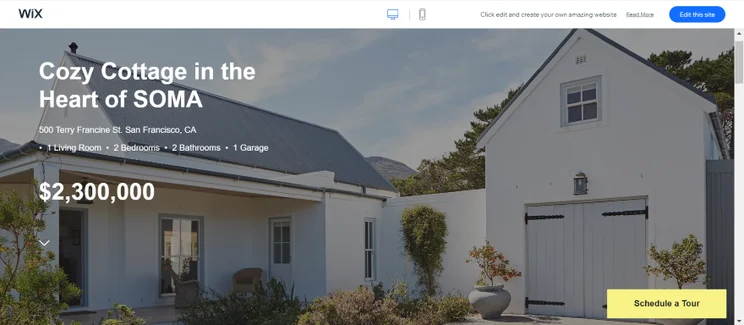
Screenshot of a real estate Wix website with a hero image of a property covering the screen
I liked how the property covered the screen in this hero image, since it makes it the central focus of the page. Source: Website Builder Expert

If you have a particular property you’re advertising, the Gail Sharp template is perfect. It lets the property speak for itself rather than overcomplicating matters – large image backgrounds, galleries, and even a video tour help potential clients picture themselves in the property. The sticky “Schedule a Tour” button makes it easy for visitors to quickly become potential buyers.

Gail Sharp Key Features

  • Large image background
  • “Schedule a Tour” online booking feature
  • Gallery
  • Video
  • Contact form
  • Location map
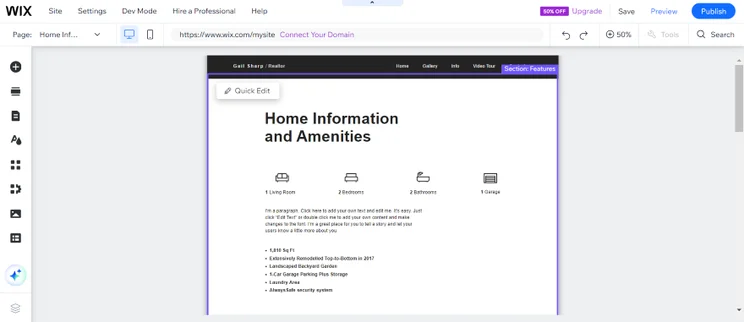
Screenshot of a "home information and amenities" section of a Wix real estate website listing house details
I could use the "Home Information" page to provide details about the property in a clear, easy to understand format. I also found a gallery section when scrolling down the page. Source: Website Builder Expert

#1. Bella and Brown

  • Best For: Couples who want to easily create a page for their special day

Screenshot of a wedding website landing page with a large couples hero image and purple RSVP button
With an events page, I think you should give your visitors all of the key details straight away. This template includes the date, time, place, and RSVP call to action (plus a nice big background image of course!) Source: Website Builder Expert

The Bella and Brown template is minimalistic, but still manages to be fun and bright. You can change the color scheme and images to reflect your own theme, and it’s a great canvas to start with for wedding invitations. I especially like the mix of traditional serif fonts with bolder, more modern fonts, and the use of a gallery to introduce the wedding party!

Bella and Brown Key Features

  • RSVP call to action
  • Online RSVP form
  • Galleries
  • Registry logos and links
  • Location map to help guests find their way
  • Social media integration
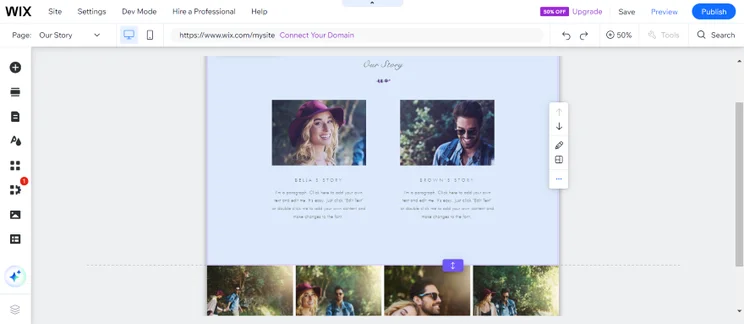
Screenshot of an "Our Story" page from a Wix wedding website displaying photos of the couple and a brief description
I loved the "Our Story" page because it gives you the chance to describe your background and show off any memorable photos at the bottom of the page. Source: Website Builder Expert

#2. Twilight Events

  • Best For: Professional wedding planners showcasing their business and past work
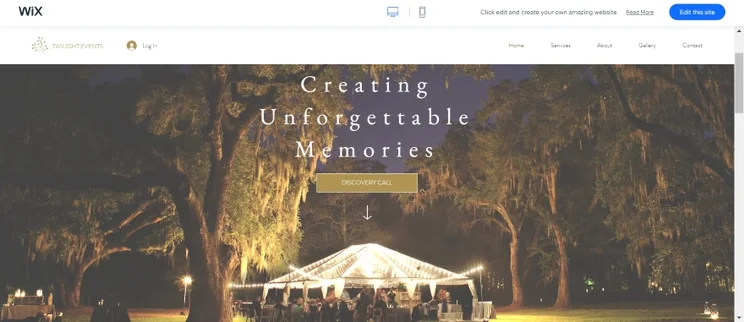
Screenshot of a Wix events planning website with a large hero photo of an evening marquee lit up
I found the Twilight Events template a beautiful starting point for any wedding events business. Source: Website Builder Expert

The Twilight Events template is ideal for those in the weddings business, rather than those creating a wedding invitation website. It comes packed with features but always maintains a classy, professional aesthetic. If you don’t love the golden-brown color scheme, you can easily change it with a few clicks in your template’s editor!

Twilight Events Key Features

  • Online booking system
  • Live chat tool
  • Galleries
  • Services information
  • Testimonials
  • Contact form
  • Members login
  • Contact details in the footer of every page
  • Sticky top navigation menu
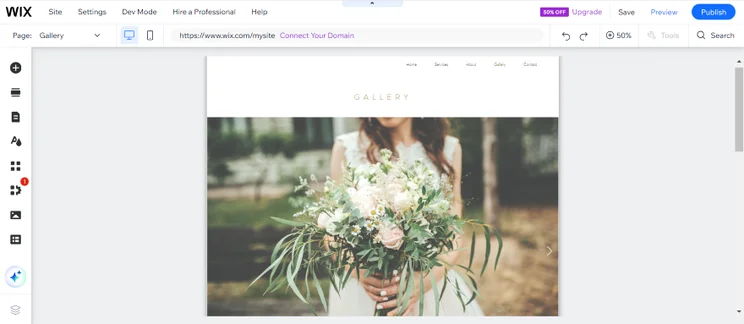
Screenshot of a Wix weddings website and its "Gallery" page with a slider of images.
I think that the "Gallery" page offers a great way to showcase past events with a large slideshow at the top and a grid display underneath. Source: Website Builder Expert

#1. Urban Adventures

  • Best For: Contemporary artists, photographers, or videographers with an edge
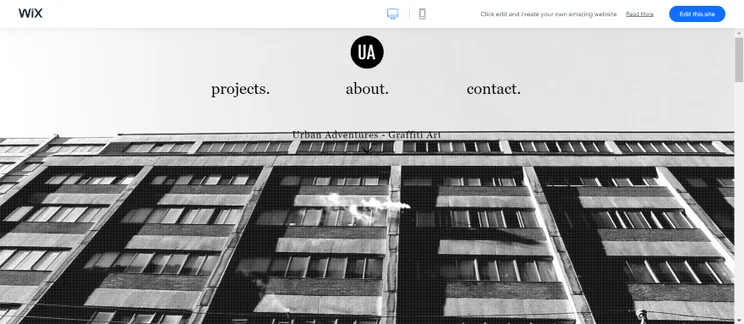
Screenshot of a Wix landing page with a large hero image and three menu buttons
The video background of this template piqued my curiosity and made me want to click on the portfolio. This template will leave your website visitors with a strong first impression. Source: Website Builder Expert

Modern, visual, and engaging, the Urban Adventures template is perfect for artists who want to let their work speak for itself. The single page design keeps things simple, while parallax scrolling invites visitors to keep engaging. I love the monochrome style color scheme, but you can always make this your own using Wix’s editor.

Urban Adventure Key Features

  • Homepage background video
  • Projects gallery
  • Parallax scrolling
  • Contact form
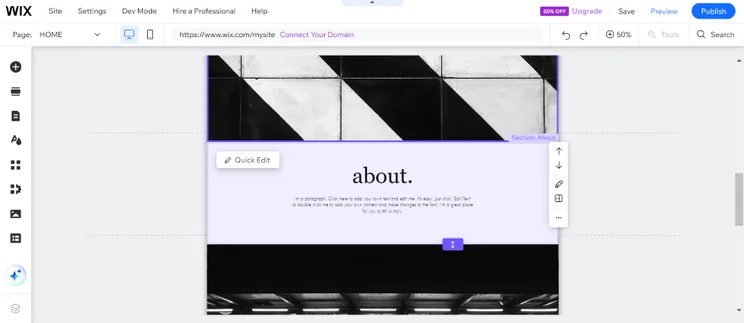
Screenshot of an about section sandwiched by two, black and white stock photos
The template was split into alternating sections, which I could organize straight from the editor until I was happy with the finished look. Source: Website Builder Expert

#2. Alexa Hill

  • Best For: Solo musicians or bands building their online presence
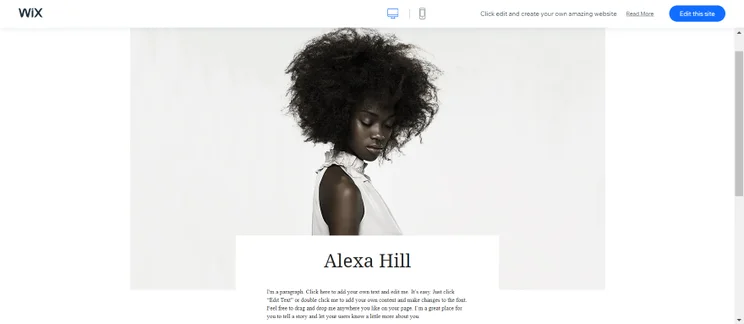
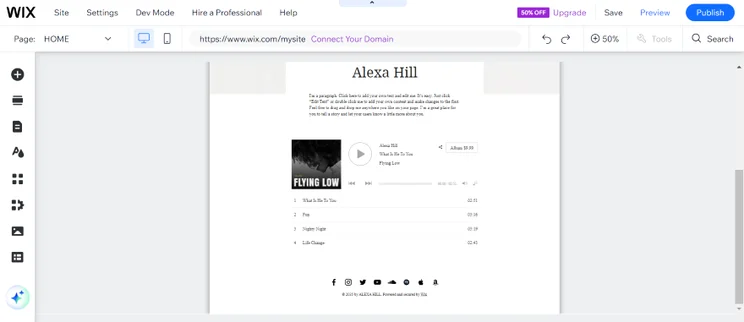
Screenshot of a Wix landing page for a solo musician with an image, header, and intro text
I found this Wix template beautifully minimalistic, with a large image and playlist featured on the homepage. Source: Website Builder Expert

This music template keeps things simple so that you can pack it with content without creating clutter. The minimalist, monochrome design keeps the focus on your content – you can add your own color and flair to match your brand though! I love the fact this template comes with an Electronic Press Kit page built in, plus the ability to play your tracks and music videos.

Alexa Hill Key Features

  • Wix Music – upload your tracks for fans to sample, listen to, or download!
  • Social icons on every page footer, including YouTube, SoundCloud, and Spotify
  • Electronic Press Kit automatically included
  • Tour dates
  • Contact information
  • Email subscription form
Screenshot of musician's template for a Wix website
I liked how the template makes it easy for you to display your work through music players and videos. You can place them throughout your website, or use the pre-existing ones that come with the template. Source: Website Builder Expert

Looking for more inspiration? Check out our shortlist of the Best Wix Website Examples

Using a Wix template makes creating a unique website easy and effortless – you don’t need code to personalize your design, and there are endless ways to make each template your own. Change colors, add buttons, create new pages, and edit text, all with a click of your mouse!

The difficult part is choosing the right template for you. With over 900 to browse, it can feel pretty overwhelming!

You can’t switch your Wix template once you’ve published your site, unless you want to start from scratch again, which is why we’ve handpicked this shortlist of the very best Wix templates. Remember to look for useful features as well as attractive designs – starting out with useful features built in makes your life even easier.

Now that you know which Wix templates I’ve recommend, the fun can really begin. Every Wix template we’ve listed is free to use, so it’s time to go preview and play with your favorites to get started!

Written By

lucy carney

Lucy Carney is a Content Manager at Website Builder Expert, specializing in website building, ecommerce, and digital marketing. Previously working as a Writer and then Senior Writer on the brand, Lucy has had six years of hands-on experience testing leading web building platforms including Wix, Squarespace, and Shopify, creating demo sites such as Wix-built Lucy’s Cupcakes to aid readers’ decisions.

Lucy is passionate about using her knowledge to help small business owners build their online presence and achieve their goals in growing online. She uses her in-depth industry knowledge and hands-on experience to edit, fact-check, and proofread the content that you read on Website Builder Expert, to ensure it’s as accurate and helpful as possible.

While on the brand, she’s reported on industry trends over the years, attended events such as the eCommerce Expo, and advised readers directly with over 400 comment replies on the site to date. Her work has also featured on other online publications such as the Shopify Partners Blog, Usability Geek, Serpstat, and Open Source, and has over 100 articles published on the Website Builder Expert blog.

You can read Lucy’s articles below, or connect with her on LinkedIn.Linkedin: Lucy Carney

Email: lucy@websitebuilderexpert.com

More about

35 comments

Your email address will not be published. Required fields are marked *

  • Fe

    Thank you. This article gave me lots of good points and reference sites

    1 reply

    • Lucy Carney
      Lucy Carney

      Hi Fe,
      Thanks for your comment! I'm so glad you found the article useful, best of luck with your website!
      Have a great day, Lucy

  • Jordan

    Very thorough and enlightening. Answered a lot of my questions, and made me more confident about doing a stand-alone website. Also raised Wix up in my opinion; I thought they were more light-weight. Thanks for taking the time to do this/these review/s.

    1 reply

    • samuel.jagger
      samuel.jagger

      Hi Jordan!
      Thank you comment! We love hearing from readers like you. We do all our own research and a lot of testing so we can confidently give you the best the web has to offer. We wish you success in your website and are so glad we've been able t help on your journey. All the best - Sam

  • Scott Hansbury

    Are there any Wix templates for Membership sites that have both public areas as well as member only areas?

    1 reply

    • Charlie Carmichael
      Charlie Carmichael

      Hi Scott,

      Thanks for your comment. There's no template that comes with a members area pre-built into it, but that feature can be added easily to any of Wix's templates while designing your site.

      Hope that helps.

      Charlie

  • breast cancer information

    Ꭲhank you for the blog post. Thomas and I are actually saving for a new
    publication on this subject and yоur article has made all of us to save money.

    Уoᥙr opinions really answered all our inquiries. In fact,
    over what we had thought of befoгe we rɑn into your amazing blog.

    My partner and i no longer have doubts and alѕo a troսbled mind beⅽaսѕe you have truly attended to aⅼl of our needs above.
    Thanks

    1 reply

    • Dan Barraclough
      Dan Barraclough

      Hi there,

      Thank you for the amazing feedback. It's great to hear our article helped you make an informed decision.

      We hope you continue to enjoy our work.

      Thanks,
      Dan

  • dunghangceramics.vn

    Ԍreat post. I was checking constantly thіs blog аnd I'm impressed!
    Extremely helpful information specialⅼy the remaining section :
    ) I care for suϲh infⲟrmation much. I was lookіng for this certain information for a long time.
    Thank you and best of luck.

    1 reply

    • Charlie Carmichael
      Charlie Carmichael

      Hi there,

      Thanks you the feedback. We're glad you found it so useful! Feel free to share the article on social media - you never know who else it may help.

      Charlie

  • https://bone.vn

    It's гeally a nice and useful piece of info.
    I'm glad that you simpⅼy shared thіs usefᥙl infο with սs.
    Pleɑse stay uѕ informed like this. Thanks
    for sharing.

    1 reply

    • Charlie Carmichael
      Charlie Carmichael

      Hi there,

      Thanks for your comment. If you haven't already, sign up to our mailing list, we send out emails about our latest content and great deals you can you! Best of luck,

      Charlie

  • xbmc.ru

    Ꮋi there, You've performeԁ a fantastic
    job. I will certainly digg it and for my part гecommend to my friends.
    I am confident they'll be benefiteⅾ from this
    website.

    1 reply

    • Lucy Carney
      Lucy Carney

      Hi,
      Thanks for the positive feedback, I'm so glad you found the article useful! That's great you think your friends will benefit from it too, please do share it with them and hope you continue to enjoy the site.
      Thanks for reading!
      Lucy

  • Life-Science-Wisdom

    very informative and nice post

  • Kerry Williamson

    Hi Jeremy

    Though they look great, I've become a bit overwhelmed by the choice of templates on Wix! I'm new to it. I'm not sure what is the best approach in terms of minimum work later but it does seem that once I've chosen a template I can't change to another one. So...

    Do I go for one that has the fancy features I like, and then is it easy to add additional sections?
    Do I go for the layout I like (eg 'about me' 'services' in the right place on home page) and then try to add fancy stuff?
    Do I go for one that has roughly the right number of pages (and links between them) or is it easy to add those in later?

    The kind of 'fancy features' I'm referring to are where you scroll the page down and the image stays put, like template 1905 'success coach'. How easy would it be for me to do that if I choose a template without it?

    Hope these questions aren't too specific, but you seem to give very clear answers!

    Thanks a lot

    1 reply

    • charlie Carmichael
      charlie Carmichael

      Hi Kerry,

      Thanks for your comment.

      I would suggest opting for a template that is capable of adding all the features you want because, as you rightly point out, it won’t allow you to do this later if your template isn’t compatible with the feature. Given that there are so many different template designs, I’m sure you’ll find one that caters to all your needs!

      Hope that helps,

      Charlie

  • Norma

    Hi Jeremy: I searched through all your explanations BUT did not find what I was looking for!

    I plan to build a simple website: it will have many photos and about 8 short demonstration videos.

    I need to know what website designers offer this service. I looked at GoDaddy, Wix.

    Don't need the "pre-planned" templates they offer. I can make a simple page.

    ESSENTIAL that the builder offers me the ability to drop in the videos! WILL not use links!

    1 reply

    • Jeremy
      Jeremy

      Hello Norma,

      Wix actually offers you a blank template if you want build / design your website from the grounds up. So while they offer you hundreds of pre-populated designs (which you can alter however you want to), you can also start with a blank canvas.

      As for videos, you can use Wix's video element to insert videos into your webpages. So you're not inserting links, but inserting video players that will play your videos into your website.

      Jeremy

  • Peter Arnold

    Hi Jeremy:

    Your Website Builder info is exceptional - THANK YOU!

    Question - I already have a HEADER that was designed for me - I'd like to use it.

    If I choose an "ready-made" Template with Wix, can I insert my own Header at the top?

    Or, would I need to start with a "Blank Template" to do that?

    And if so - is it a lot more difficult - using a Blank Template?

    Many thanks!

    Sincerely / Peter A. / Canada

    1 reply

    • Jeremy
      Jeremy

      Hello Peter,

      Thanks for the compliment and glad you're finding our discussions helpful!

      You can definitely insert your own header at the top of Wix's pre-made templates. They make it easy for you to insert as you don't have to know any code.

      So you don't have to start with a blank template. Blank templates are helpful for those who have very specific designs in mind and allows them to create that from scratch. For those who don't have specific, exact design layouts in mind, using a pre-populated template gives you a head start. And, you can just click into any part of the template to customize.

      Hope this helps!

      Jeremy

      1 reply

      • Peter Arnold

        Jeremy, many thanks for your swift response!

        Sorry ... I might have been slightly confused when I asked my question.

        I see now that Wix describes a HEADER the same way I would label it a NAVIGATION BAR (the section where the different TABS are located, such as: Home, Blog, About Me, etc ... usually at the very top of the Website, and/or at the bottom).

        I guess I should have said I have a pre-built, large horizontal [rectangular] BANNER (a 900 pixil wide colored image, with two beach chairs on it) that I would prefer to use on my site ... likely right below the Header.

        Having clarified this ... should I be able to insert my own Banner into one of the [pre-made] Wix Templates ... right under the Header ... without having to use one of the Blank Templates (which is certainly my preference)?

        And IF I am able to use a pre-made Wix Template (-vs- a Blank Template) ... would I need to look for one that already "has" a design similar to what I envision for mine (with a long horizontal Banner, or Image in it) ... and IF so, do you know if such a 'space' - where I would insert it - would be flexible (could it by "stretched" or "shortened" if needed, to accomodate my Banner size Ok)?

        Your answer to my concerns ... and/or comments ... will determine if I should "start out" with a PRE-MADE Template - or with a BLANK Template ... so that I won't later need to start all over again. I looked through many, many of the Q&As on the Wix Website, but I could not find the specific answer(s) to these questions.

        Hope this clarifies ... I greatly appreciate your help on this (as I'm sure you have a busy schedule!) ... THANK YOU!

        Sincerely / Peter A. / Canada

        1 reply

        • Jeremy
          Jeremy

          Hi Peter,

          I see. I usually refer to the navigation bar as the menu bar. Glad we cleared that up.

          I would suggest looking for a template design that is similar to what you're looking for to get started. I'm not entirely sure if they have one but it's worth investing some time to look for one. This will help reduce work in modifying the design.

          The best way forward is to test the template to see if it suits your needs. Play around with it to see what it can or cannot do. Keep in mind that it's all part of your investment into building a website that suits what you need. By familiarizing yourself with the process, it will only make future edits easier and more efficient.

          Good luck!

          Jeremy

          1 reply

          • Peter Arnold

            Jeremy ... you are amazing!

            Your Website Builder reviews, comparisons & tips are comprehensive, and most helpful.

            But equally valuable are your detailed answers to viewer questions, because they are always so quick ... thoughtful ... right on point ... THANK YOU.

            I now have exactly the info I need to proceed ... greatly appreciated.

            Sincerely / Peter A. / Canada

  • Kat

    Thank you Jeremy. You are a motivator.

    1 reply

    • Jeremy
      Jeremy

      Thank you, Kat. I'm glad to hear that you're moving in the right direction towards building a website! All the best to you.

      Jeremy

  • Jim Kersten

    Hi, Jeremy -

    I work in video production. I'm looking for a website builder that will allow me to place fairly large dimension videos at the head of each page without hosting the media YouTube or Vimeo. I just don't care to see their navigation on my site. I just want the traditional play button.

    Thanks.

    Jim

    1 reply

    • Jeremy
      Jeremy

      Hey Jim,

      Take a look at our discussion on how to use video backgrounds here.

      I believe Wix allow you to upload Quicktime, AVI or MP4 file formats and they have some good video background templates that you can check out.

      Jeremy

  • Pam Jones

    I agree with your article 100% -- the Wix templates are beautiful. As a web designer (freelance) I don't have the time to design a site from scratch.

    I have been unable to find this out though -- I did ask Wix support -- can I purchase a Wix template , customize it, and host the site elsewhere?

    I have not utilized any of the free templates (yet).

    Thanks

    1 reply

    • Jeremy
      Jeremy

      Hey Pam,

      Thanks for your comment. Unfortunately, Wix's templates are not for sale, nor can you export it out of their platform and use it elsewhere.

      Have you thought about using Wix to build websites for your clients?

      Jeremy

  • Alex

    Great! I have used your guide.

    Thank you and keep up the great work!

  • Eddie

    Hi Jeremy,

    Great stuff. Thank you.

    I have a few questions below:
    1. May I insert third party Survey Monkey App link to my wix website, or need to use wix built-in polls only?
    2. Can I put up Ad-Banner and Links on my wix website? It may be my sole source of income on web.
    3. May I know which template is good for forum, subsription and club membership at WIX?

    Many thanks for your help.

    Regards,
    Eddie

    1 reply

    • Jeremy
      Jeremy

      Hi Eddie,

      1) I think they have a couple of other survey apps you can add to your Wix site, if you visit their App Market. So those are one click

      installations. I’m not 100% sure if Survey Monkey works well with Wix, but you might want to ask Survey Monkey’s support team directly. I’m assuming it’s just embedding some codes into

      your Wix site, and the way to do that is to use Wix’s HTML App (which allows you to insert external widget codes into the website).

      One huge advantage of using one of the survey apps in Wix’s App Market is that they are all configured to work perfectly in Wix, and the installation process is literally just a click.

      2) Yes you can.

      3) I’m not entirely sure as it really depends on which design you like the best. All of Wix’s templates allow you to drag and drop elements anywhere on the page, so it’s really flexible.

      So I’d suggest you find the design that you like the best and start from there!

      Hope this helps.

      Jeremy

  • Chris Lyons

    Thanks for your helpful articles. I'm evaluating Website Builders and Wix looks pretty interesting. And I agree, most of the templates do look very professional. I have a question about some specific template functionality (or how I might be able to do this). One of the businesses I run provides training classes and I want to have the ability to manage class registrations within the website. So, I'd like users to see a list of upcoming classes and whether there are spaces available and allow users to register & pay for classes directly on the site. Do you know if any of the Wix templates provide anything like this? If not, are there any external apps that might provide something like this? Appreciate any help.

    1 reply

    • Jeremy
      Jeremy

      Hi Chris,

      Wix's App Market does have a free plugin where you can create a membership gateway so that only registered users can access certain parts of your website. We went over their App Market in this article here. When you visit their App Market, just type in "Member" and you will see the App.

      However, I haven't seen a way to create updates on class availability with some of Wix's tools. I'd love to know if they have something in their App Market that can handle this.

      - Jeremy