
To say Shopify is a household name would be an understatement. With the platform’s total revenue increasing by 31% to 1.7 billion in the second quarter of 2023* – and a logo that’s etched firmly into the modern consciousness – Shopify is here to stay.
A million people have relied on Shopify to build and maintain their online stores, so it’s fair to say the platform is easy to use. In fact, in our recent research into six website builders, Shopify placed second-highest for “Ease of Use”, with an average score of an impressive 4 out of 5.
It goes without saying, no matter what builder you use you’ll likely need to use its customer support services. Whether that’s picking a design template, integrating your store with third-party apps, or bossing its SEO, you’ll want to feel safe in the knowledge that solid customer support is just a phone call – or a click – away.
In this article, we’ll unpack all the different ways in which you can seek customer support from Shopify. With social media, live chat, email, phone, forum, and online self-service assistance all available, you’re spoilt for choice – so let’s dig in.
Community Forum
When it comes to contacting a company for support, most of our minds turn to sending an email, or dialing a number. But actually, it’s sometimes better to consult the wisdom of those who have already been there, done that, and got the t-shirt – before you pick up that phone.
Here’s where the Shopify Community comes in. Basically, it’s a huge online forum with over 900,000 members, where you’ll find over 1.15 million posts. Here, you’ll find discussions around Shopify’s apps, designs, and – for you techies – its array of API (Application Programming Interface) integrations. This forum is fully searchable, and can answer pretty much every question you could dream up about running a Shopify site.

In this sense, Shopify’s community forum is a lot like a knowledge base: free to use, simple to navigate, and open to everyone – 24/7. The only difference? That the Shopify Community is powered entirely by the sharp minds and inquisitive voices of your fellow Shopify users, all of whom have experienced – and overcome – the same issues as you.
Sure – the Shopify Community won’t be suitable for all enquiries. You’ll have to do some digging to find what you need. So compared to live chat it’s not the fastest way of grabbing support. We’d recommend this channel of Shopify customer support for those looking less for a quick response. It’s better for a learning experience. Or to brush up on a wider range of topics related to selling on Shopify.
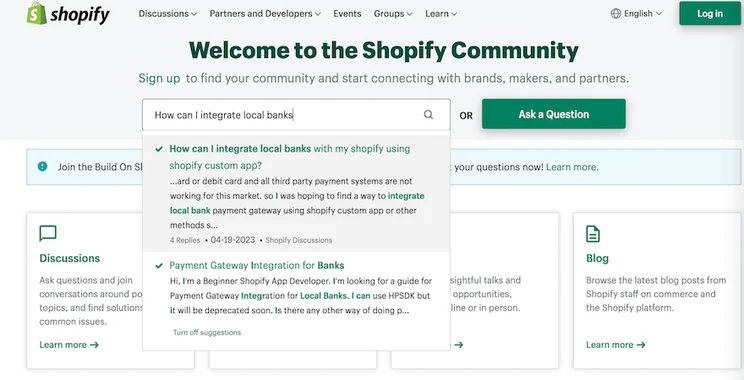
And we’d also recommend getting involved! It’s free to sign up and join the discussion.
Help Center
The Shopify Help Center is the ecommerce platform’s knowledge base. Like the Shopify Community (the open forum we just discussed) the Help Center is an online self-service resource. That means that, unlike with live chat, phone, or social media support, you’re responsible for procuring your own answers – not one of Shopify’s agents.
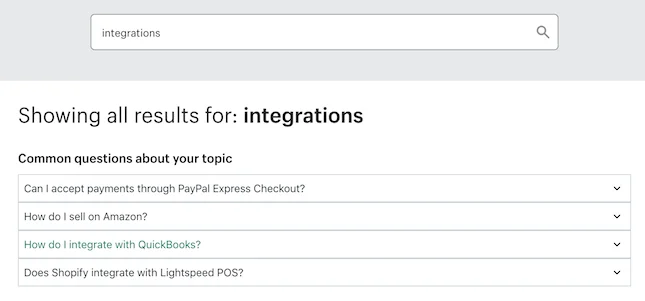
Fortunately, that’s easy to do. Simply enter your query into the search bar…

… and Shopify will generate a series of collapsible FAQs to help out.
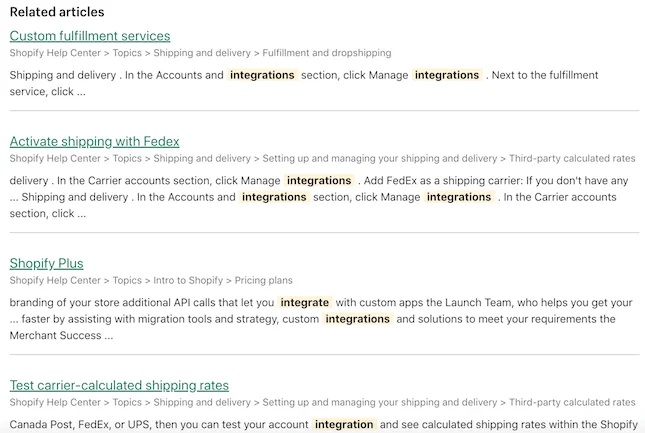
If those aren’t what you’re looking for, the Shopify Help Center will also serve up a series of ‘Related Articles’ in a display reminiscent of Google’s search results.
From here, you can also get chatting to Shopify’s AI-powered chatbot, which will also direct you to the results most relevant to your query.
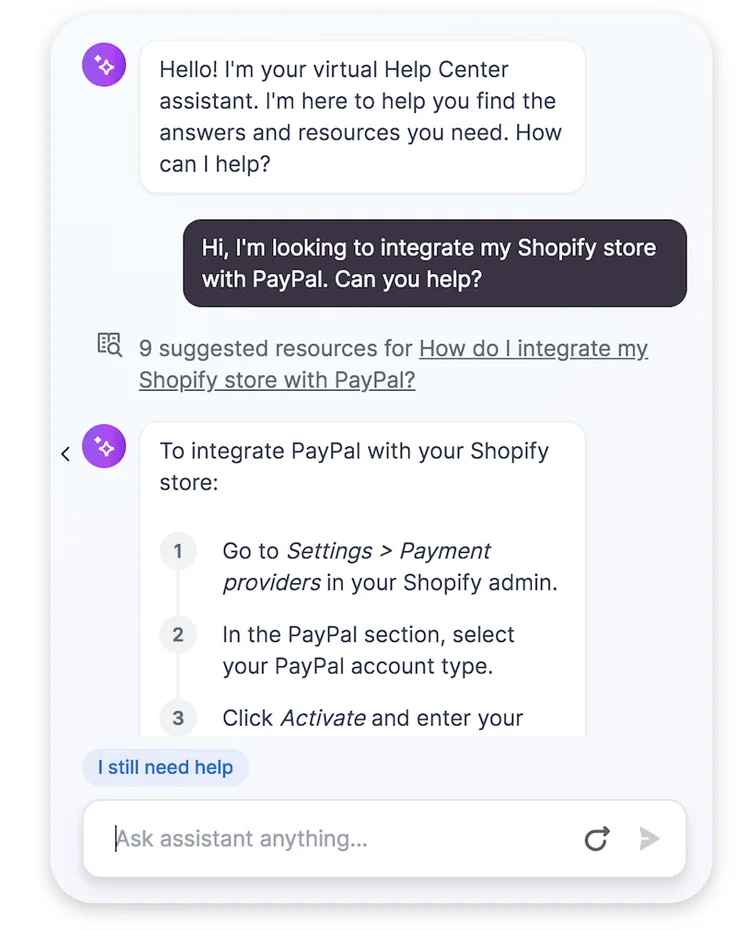
If you can’t find what you’re looking for here – or in Shopify’s community forum – it’s likely that self-service support isn’t going to cut the mustard. Time to bring in the big guns…
Live Chat Support
In our opinion the easiest, quickest, and most direct route to the best answer, Shopify’s live chat is available 24/7 and certainly worth checking out.
To chat with a Shopify customer service agent in real time, simply head to its live chat page – which is accessible via Shopify’s Help Center – and complete what looks like an online form to get started.
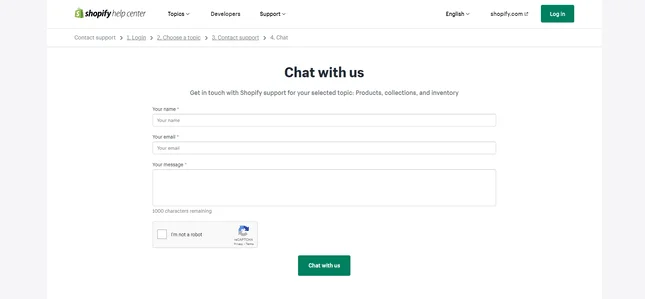
Fill it out, and a small in-page window will open up, where you’ll be able to begin speaking to one of Shopify’s advisors in real time. We found them to be highly informative – and super friendly, too!
When I used Shopify’s live chat, I joined a short queue and was connected to an advisor within a few minutes. My advisor was friendly and helpful, and my query was satisfactorily answered in around 10 minutes. You can see some excerpts of my chat below – for reference, I asked the initial question “Could you tell me how much I’d pay in transaction fees on the cheapest Shopify plan? And are these fees paid per sale, or per item? Thanks!”
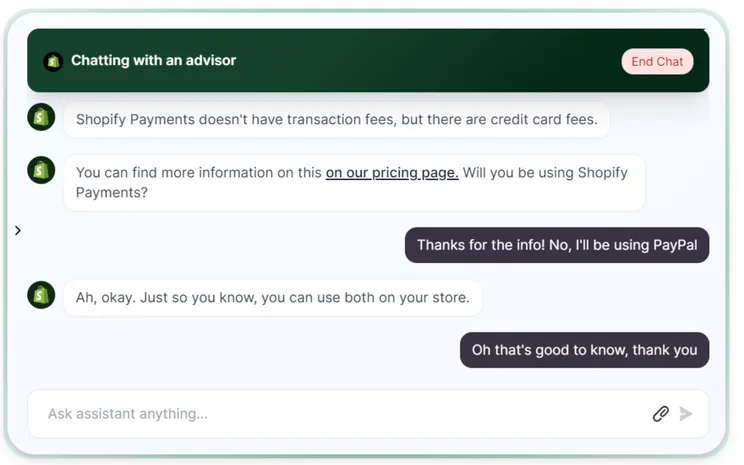
I was able to ask follow up questions, and didn’t feel like I was being rushed to end the chat, or pushed into signing up for anything. Some chat supports can be quite salesy, but this one just felt, well, supportive!
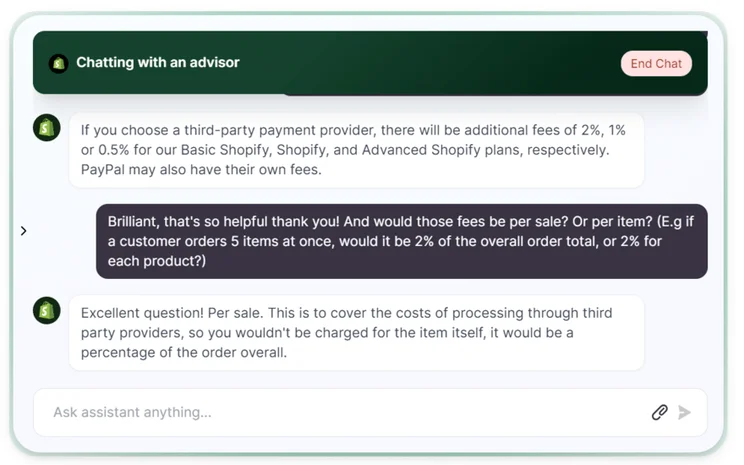
The chat ended with the advisor sharing a useful store setup YouTube tutorial, a store launch checklist, and a transcript of the whole chat being sent to my inbox.We’d most recommend live chat for, well… every type of inquiry! It’s fast, easy to use, and has the added bonus of providing a little dose of human contact to brighten up your day.
Of course, if your support request is more of a vague or generic one, there’s a chance you’ll get bounced to one of Shopify’s relevant articles on the subject. But that’s fine – it saves you having to hunt out that content yourself, and frees you up for what matters (growing your Shopify store!).
Average wait time for Shopify support on live chat: 5 to 10 minutes.
It’s not always the quickest route to receiving customer support. But for the sentimentalists, at least, there’s a lot to be said for good, old-fashioned email service. And it’s not to be taken for granted – not all companies (in the website building space, anyway!) actually offer an email address. Shift4Shop, for example, doesn’t – you have to be content with its live chat support and forum, instead.
To get in touch with Shopify via email, you can reach out to support@shopify.com…
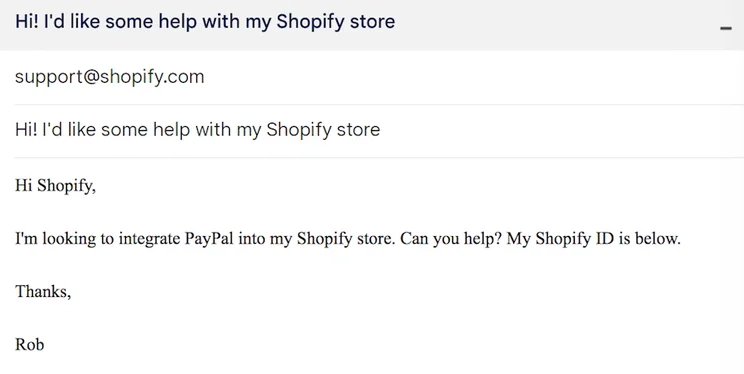
…or access the following webform through its Help Center.
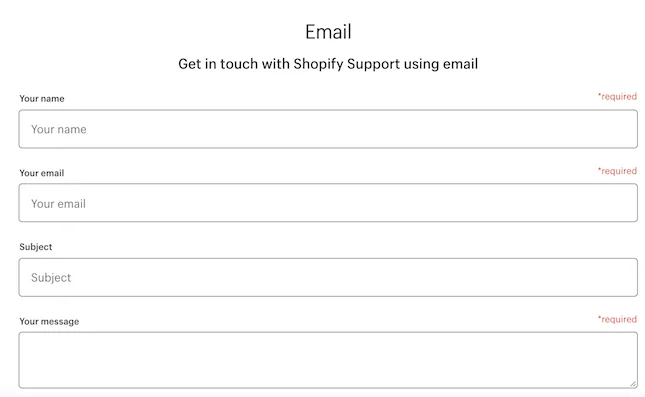
Filling this out will send your name and message straight through, and provide Shopify with your email address, so its support team can get back to you promptly. It also comes with an image field, into which you can drag and drop screenshots to explain the issue.
To be honest, we wouldn’t be overly quick to endorse this method of support over, say, the live chat feature. It’s slower, and less convenient in the sense that you won’t have an open window through which to speak to an agent in real time. However, Shopify’s email-based support may still appeal to the traditionalists – or those with an internet connection too patchy to sustain a live chat conversation!
Average wait time for Shopify email support: 2 to 4 days.
Phone Support
For support requests that require more in-depth attention than what a knowledge base or email chain can provide, Shopify’s agents are on the other end of the phone 24/7 to help out.
The toll-free number to contact in the US is 1-888-746-7439, while – if you live abroad – Shopify’s international customer support numbers are as follows:
United Kingdom: 0800-808-5233
Australia: 03-8400-4750
New Zealand: 07-788-6026
India: 000-800-100-5786
Malaysia: 1800-80-6678
Singapore: 800-181-1121
Indonesia: 007-803-651-0008
While it is nice to speak to an agent on the phone – even just for the reason that they’re a real person – we’d be hesitant to recommend phone-based support over its live chat or self-service counterparts. You may face longer wait times, and might also find that it takes longer to unravel issues without links or words on the screen to guide you.
With that in mind, we’d only recommend pursuing Shopify’s phone-based support if you’re facing a business-critical emergency – like if your store has suddenly shut down, and immediate intervention is required.
Average wait time for Shopify phone support: 1 to 2 hours.
X, Facebook and Instagram
Shopify has cultivated impressive presences across all the social media platforms. With nearly four million Facebook likes, 3,350+ Instagram posts, and more than 412,000 followers on X (formerly Twitter), Shopify is certainly popular. But how much value do these platforms offer when it comes to seeking customer support – and how long can you expect to wait to receive an answer?
Let’s start with Facebook, where – once you navigate to Shopify’s Facebook page – you can start up a live chat by hitting the “Message” button (to the bottom right hand corner of the screenshot below).

This method still isn’t as fast or effective as going directly through the live chat tool on Shopify’s website. However, it will certainly be useful if you’re a regular Facebook user – particularly because it will open up a window in your Facebook Messenger, so you can chat to a Shopify support agent without having to leave the social media site.
Average wait time for Shopify support on Facebook: 2 to 3 hours.
Shopify’s X account, meanwhile – though it offers plenty of hilariously goofy content – will be a little slower. Unlike with Facebook, you can’t chat in real time, but rather will have to include @shopify in your post. Of course, this has the benefit of making your customer support request public – meaning Shopify should care enough about its reputation to respond, if it hasn’t already – so X can be ideal if you haven’t heard back yet.
Average wait time for Shopify support on X: 1 to 2 days.

Of these three main social media platforms, Instagram is the least helpful when it comes to customer support. Currently, we’re unable to message Shopify directly through the platform, though – like Twitter – you can tag Shopify in posts (or stories), and summarize your issue or support request in the image’s caption.
Average wait time for Shopify support on Instagram, through a comment or post tags: 1 to 2 weeks.

Top Tips for Contacting Shopify Customer Support
Above, we’ve unpacked the best ways to reach Shopify customer support. But before you get stuck in, here are our top tips for contacting the ecommerce platform’s team with your query:
Tip #1: Clearly Communicate the Issue
When you first get through to one of Shopify’s customer support agents, ensure you have all the relevant documentation about your account and orders to hand. Be sure, too, that you’re able to describe the issue in as simple terms as possible, to avoid confusion – or worse, end up getting bounced around to various different teams or agents in pursuit of a resolution.
Tip #2: Don’t Forget About YouTube!
With such an emphasis on “the big three” social media platforms we just discussed, a whole other avenue of customer support gets overlooked – YouTube!
Packed to the brim with audiovisual guides covering everything from how to sign up for a free trial to choosing a payment provider, Shopify’s YouTube channel is worth more than a passing glance – those 333,000 subscribers attest to it!

Tip #3: Attend a Shopify Community Event
When it comes to comprehensive customer support, live chat and community forums are great… but there’s nothing quite like attending an event in-person to get the real scoop.
This, of course, is something the COVID-19 pandemic caused us all to forget for a while. So why not head to the Shopify Community Events page, and check out what’s happening in your area? Whether it’s a seminar to help you get online with Shopify in Miami, or a few festive ecommerce tips in Manila, there’s something for everyone – everywhere!

Tip #4: Tune Into a Webinar
Of course, if you’ve enjoyed the pretty much exclusively virtual nature of events over the last 18 months, a webinar might be more up your street. Shopify has a few relevant webinars that are free to sign up to, and take place every day. These are:
- How to migrate from Etsy to Shopify
- How to Install the Google Shopping App with Shopify
- Getting Started with Shopify
If you’re someone who’s not satisfied to rely on a faceless agent for support – or to request service from behind your keyboard – there’s few better ways to learn than this!
Choosing the Right Channel
When it comes to choosing the Shopify customer service channel that’s the best fit for the unique needs of your issue – and your business – not all are created equal.
Below, we’ve listed our top tips for which Shopify customer support to seek depending on the urgency and nature of your Shopify store’s problem.
Phone Support:
- Best for urgent issues: ideal for when you need immediate assistance, like a site outage or payment processing problems.
- Direct human interaction: this makes phone support better if you’re someone who prefers real-time conversations and a personal touch.
Email Support:
- Moderate urgency: email support is suitable for non-urgent issues that can wait a bit.
- Detailed descriptions: email is an excellent format for explaining complex problems or providing documentation.
Live Chat:
- Quick responses: live chat is perfect for getting rapid answers to simple questions or minor issues.
- Multi-tasking: useful if you want to continue working while waiting for a response.
Social Media:
- Public visibility: social media is effective for issues that require public attention or when you want to reach out in an open forum.
- Community involvement: social media platforms as well-suited to you if you’re looking to engage with Shopify’s community and get input from other users.
Shopify Help Center and Forums:
- General inquiries: Shopify’s Help Center is ideal if you’re seeking information, self-help resources, or community insights.
- Non-urgent issues: when your problem isn’t time-sensitive and can be researched independently.
When choosing a communication channel, consider the:
- Urgency of the issue: think about how quickly you need assistance. Urgent matters may require phone or live chat support, while non-urgent issues can use email or forums.
- Preferred mode of communication: consider your personal communication style. Do you prefer real-time conversations (phone/live chat), asynchronous communication (email), or public interactions (social media)?
- Complexity of the problem: complicated technical issues may require specialized support, while general inquiries can often be addressed through email or forums.
- Privacy concerns: make sure you’re comfortable sharing the nature of your issue on public platforms such as social media if you opt for that channel.
Best Ways to Reach Shopify Customer Service: Summary
Still with us? Let’s recap the best ways to contact Shopify customer support:
- Shopify Community: used by over 900,000 Shopify store owners, this forum is a great first port of call for self-service inquiries.
- Help Center: this part of Shopify’s site serves as a knowledge base fit to burst with informative guides and articles, and also acts as a springboard to direct you to other forms of support, such as live chat and email.
- Live Chat: Available 24/7 it’s the quickest, easiest form of contacting Shopify customer service, though it won’t necessarily be right for all kinds of requests.
- Email: Go through Shopify’s Help Center – or ping a message to support@shopify.com – for email-based help.
- Phone: Shopify offers a callback service for phone-based support in the US and around the world.
- Social media: You can chat to Shopify in real-time via Facebook, although its Instagram and X accounts are a little more limited here.
As we mentioned at the start of this article, Shopify scored highly in our ecommerce website builder research for both its ease of use (4 out of 5) and help and support (3.9 out of 5) ratings. That help and support score saw Shopify lay claim to second place in our rankings, beaten out only by Wix’s 4.1 out of 5 rating.
That means that if – or when – you encounter an issue with Shopify, you can be safe in the knowledge that there’s a world-leading customer support team there to back you up.
So what’s next? Well, if you liked this article, be sure to check out our Shopify review, as well as our deep dive into how Shopify works. Alternatively, you can let us know what you thought of this article – or provide first-hand insights into your own experiences with Shopify’s customer support infrastructure – in the comments section below.
*Source – Shopify News**Source – More Shopify Statistics


1 reply
1 reply
1 reply
1 reply
1 reply
1 reply
1 reply
1 reply
1 reply
1 reply
1 reply
1 reply
1 reply
1 reply
1 reply
1 reply
1 reply
1 reply
1 reply