
When it comes to website builders, they say there’s beauty in simplicity – but how simple is too simple? That’s what we wanted to find out when we tried and tested One.com, the website builder formerly known as SimpleSite.
One.com does exactly what it says on the tin. It’s a simple, basic website builder that offers an easy way for non-coders to get online.
We’ve got to be honest, though – One.com isn’t right for everybody. It’s best for total beginners who want a very basic site without much worry over the quality of their designs. If you need a sleek or powerful website, One.com won’t tick your boxes.
That said, One.com still offers plenty of benefits for the right business – and, if you want to figure out if that’s you, you’re in the right place.
So sit back and strap in as we take you through One.com’s pros, cons, features, ease of use, pricing, customization options, customer support – and more!
What is One.com?
One.com began life in 2003 as SimpleSite. The website builder, founded by brothers Jacob and Morton Elk, enables anyone – even those without coding skills – to create and design an online presence for their personal or professional brand.
As of 2022, SimpleSite had around 50,000 customers. Then, in that same year, it was acquired by Group.ONE, the parent company of One.com. SimpleSite – as it was then called – began migrating customers to One.com’s platform in late September 2022, and SimpleSite customers are now One.com customers.
What are One.com's Pros and Cons?
Pros
✔️ Ease of use: One.com is very simple to set up and use, and is one of the most beginner-friendly website builders we’ve tested.
✔️ Brilliant for mobile optimization: All One.com’s websites come with the ready-made capacity to render beautifully on smartphones and tablets.
✔️ Excellent feature set: All One.com websites come with a free SSL certificate, three months free hosting, and one month of Google Ads credit.
✔️ All plans provide unlimited mail accounts: This makes One.com ideal for growing business and teams.
Cons
❌ Dated designs and restricted customization: One.com’s templates aren’t the best looking, and in fact limit a lot of your creative freedom.
❌ Minimal customer support: While One.com does offer 24/7 live chat support and email service, its lack of phone support is a glaring omission.
❌ Poor SEO features: One.com imposes a lot of restrictions on your ability to optimize your online presence for search engines.
❌ No app market: With One.com, you’ll be totally reliant on its built-in features because there’s no app market to extend your website’s functionality.
How Easy is One.com to Use?
Ease of use is one of the main things to think about when you’re choosing a website builder. It’s important that your builder matches your own technical skills – that way, you can actually enjoy building your website!
Unsurprisingly, this is where One.com really shines. It lives up to its name, giving its users a straightforward and easy way to build basic websites. One.com values pleasure over perfection, which shows in its simple editor.
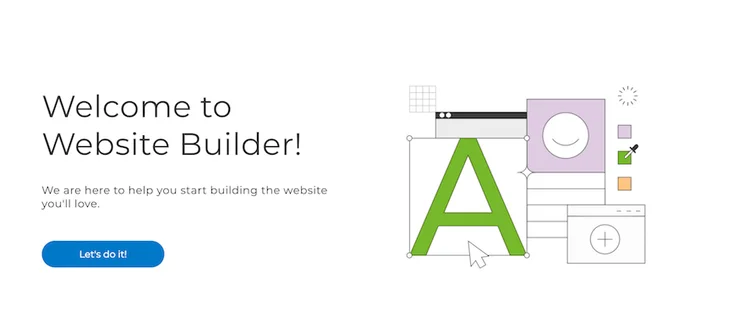
Just a heads up, though – if you want lots of creative freedom, then you’ll find One.com frustrating rather than easy. It’s not terribly intuitive, either, meaning straying from the set path can cause headaches.
If you want more freedom, builders like Wix or Squarespace are much better suited for your needs. However, for the technically challenged, One.com’s clear, unfussy editor is a godsend.
When you start out, One.com will ask you a few basic questions about your business – such as its name, and the industry you operate in – as well as request that you upload some of your brand assets, like logos or other relevant images. If you don’t feel like doing this right away, you can skip this part, and return to it later.
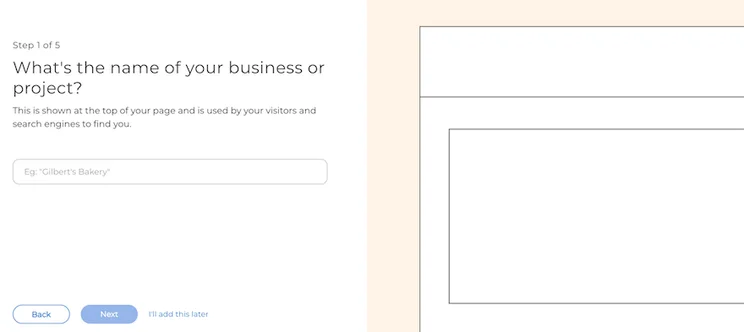
One.com then guides you through the building process – you simply choose your color scheme, add images, a title, and domain name, then create a login. This final step automatically publishes your site, which you can then go back and finish editing.
It’s super simple, and totally beginner friendly. That said, it wasn’t always the most intuitive – at times, its simplicity became extremely restrictive, and made it difficult to work out how to do pretty basic things. In one round of testing, it took us a long time just to work out how to edit text before publishing our site, which should be easy!
One.com claims you can build a site within a matter of minutes. In our testing, we found that in reality, this is likely to turn into two hours (assuming you want a well-rounded website).More Information
- We recommend Wix for beginners because it combines ease of use with total customization – find out what else it’s good at in our in-depth Wix Review
- For beginner-friendly builders, take a look at our review of the Best Website Builders
One.com Theme Design and Customization
One.com might be simple to build, but how will your website look? The truth is, design is the price you pay for the straightforward editor. One.com’s designs are pretty dated, and offer very limited customization.
That said, some of its templates – while not wholly inspiring, perhaps – are extremely functional, and there are different options to pick from depending on which industry you’re in.
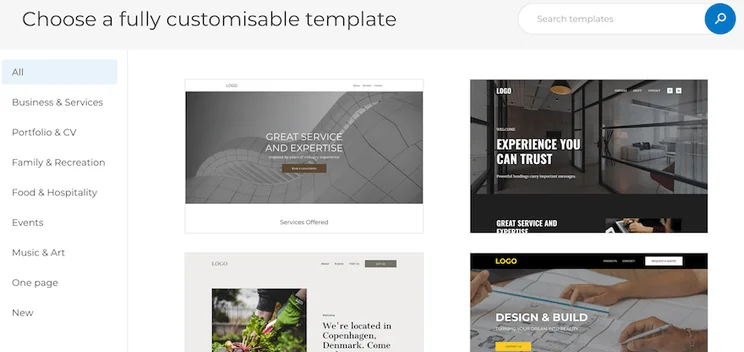
Once you’ve selected a template, you’ll be able to customize it further with colors and images relevant to your brand.

Then, it’s time to get stuck in and start editing your One.com website’s text.
The bad news? Customization is about as basic as it comes. The good news, though, is that One.com makes it very easy to add elements, such as text and images.
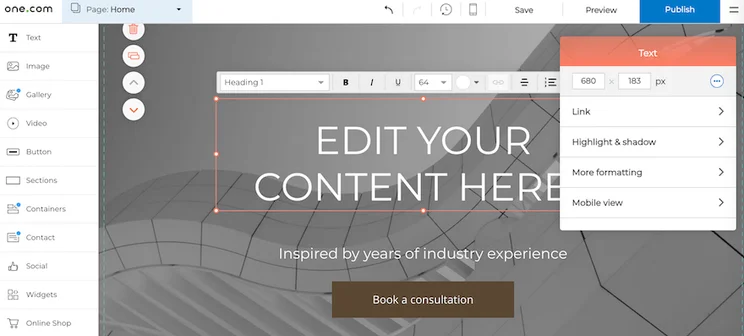
However, editing or readjusting them once they’re on your page is a more challenging – and often impossible – task.
It’s easy to switch your site’s layout after publishing, but you can’t go back and choose a totally new theme – you can just change the layout of the theme you picked originally.
Think of One.com like Playmobil – you can easily build a good-looking site, but it’s within the restrictions laid out for you. Wix and Squarespace, for example, are more like Lego – still easy for beginners, but with the potential for more freedom, imagination, and impressive results.More Information
- Squarespace can’t be beaten when it comes to design and you can find out more about this stunning website builder in our full Squarespace Review
What are One.com's Features Like?
While design is the first thing your visitors will notice, it’s the features that can make a long-term difference to your site, affecting how likely it is to succeed and grow. So how does One.com stack up?
Well, good news on this front. When we reviewed SimpleSite – before it was acquired by One.com – we bemoaned the former’s sadly limited range of features, which combined to make it less than ideal for ambitious websites.
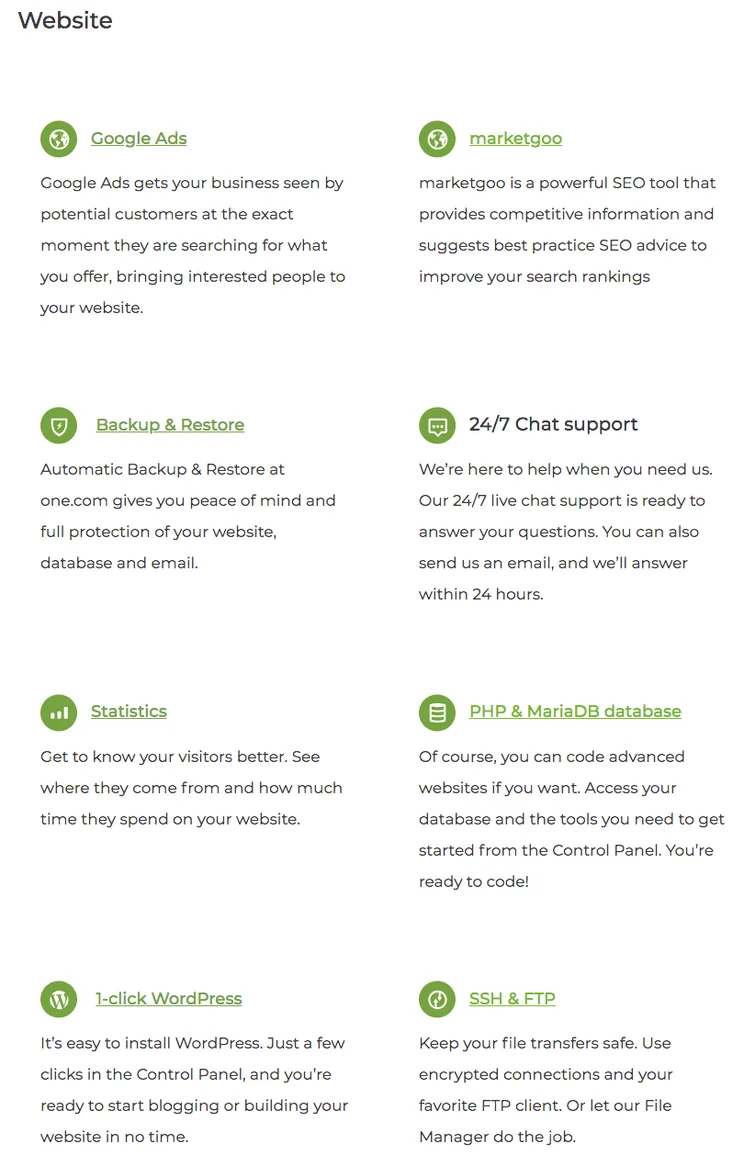
With One.com, however, you’re treated to a generous wealth of features and integrations, including Google Ads, one-click WordPress installation, automatic backups, and excellent website reporting and analytics tools.
Generous Ecommerce
One.com’s main triumph when it comes to features is the fact it lets you sell up to five products on its free plan. That’s really worth shouting about. Ecommerce capability is usually reserved for paying customers, so offering it free of charge really makes One.com stand out from its competitors.
This is perfect if you want to sell a few items, but we don’t recommend One.com if you’re actually going to start an ecommerce store. It’s not very scalable, and won’t give you the tools you need to manage your store properly.
To unlock unlimited products for your online store, you have to upgrade to the most expensive E-Commerce plan for $30.49 per month. At this price, you might as well use a better ecommerce platform, such as Shopify or BigCommerce – both of which cost under $30 per month, and have incredibly powerful ecommerce features.
Overall, One.com is very generous with its five product ecommerce feature on its free plan, which makes it a great choice for making money from your hobby. It’s a rare offer, and is definitely worth making the most of!
On-the-Go Mobile Optimization
Most website builders offer mobile-optimized templates, so that your site will automatically look great on any screen. One.com is no different, but where it really sets itself apart is with its on-the-go mobile website editor.
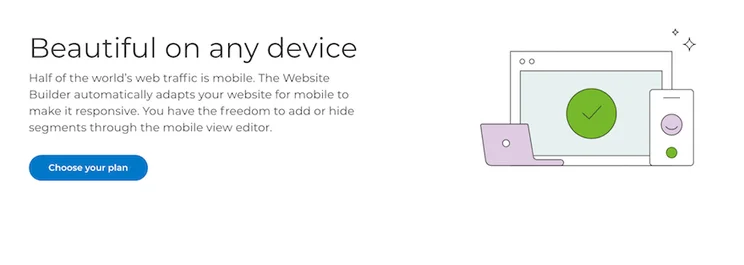
You can edit and manage your site straight from your mobile, without downloading an app or fiddling around with plugins – just a few taps on your phone or tablet, and you’re good to go!
Professional Email Addresses
When you buy a domain through One.com, you also get five personal email addresses included. So rather than using your generic email, such as joebloggs@gmail.com, instead you can have joebloggs@ceramicsworld.com. This is a great feature, as it gives you and your site a more professional image. These are the three main perks that come with using One.com. However, there are some key features that One.com does not include, which you would expect to see from a typical website builder.
Poor SEO
Search Engine Optimization (SEO) is essential for getting your website found – without it, your website doesn’t stand a chance of ranking highly in Google’s search results. The best SEO website builders include tons of SEO tools automatically, and make it as easy as possible for you to optimize your site even further.
One.com just doesn’t step up enough when it comes to SEO.
Yes, it gives you mobile-optimized pages, which Google loves, and has guides showing you how to use keywords in your headings. But you’re very limited in what you can do to optimize your site. For starters, you can’t install any apps, insert Google Analytics, or access the code of your pages.
When you compare One.com’s SEO offerings to that of Squarespace or Wix, you realize how basic it is. If you’re aiming for the first spot, or even first page of Google’s search results, One.com is simply not for you.
Non-Existent App Market
One.com doesn’t have an app market, meaning you’re totally reliant on its built-in features. It’s not the only website builder to do this – Squarespace, for example, doesn’t have an app market, but then again it also has some of the best quality features around. One.com can’t boast the same!
Outdated Social Media Integration
While you can embed social buttons so that visitors can share your site across platforms like Facebook or Twitter/X, you can’t insert live social feeds onto your site. This is a real shame – social media is a huge part of modern marketing, and your website is the perfect place to give visitors a chance to keep up to date with your online profiles.All in all, One.com has a lot less to offer than its competitors when it comes to features. Sure, you’ll get the basics, with a few nice perks thrown in – but overall, the glaring gaps in its features list are hard to ignore, or to justify.
The truth is, if you want to scale up your website, you’ll find yourself struggling.More Information
- Are you serious about selling online? Check out our Best Online Store Comparison Chart to learn more about the best ecommerce builders on the market
- We don’t recommend One.com for building a successful online store, but we do recommend Shopify! Find out why in our Shopify Review
Is One.com's Help and Support Up to Scratch?
Help and support is easy to overlook when you’re choosing a website builder, but it’s worth checking out before committing. Nobody wants to spend hours going round in circles with an unhelpful chat bot – so what does One.com have to offer in your hour of need?
The answer is – not much. One.com only offers one type of support: online.
You can either start a live chat with a One.com customer service representative – fortunately, 24/7 – or wait a little longer for email support.
This isn’t ideal (the lack of phone support is particularly galling) but it does represent an improvement on SimpleSite’s customer support, which only offered email support before being acquired by One.com.
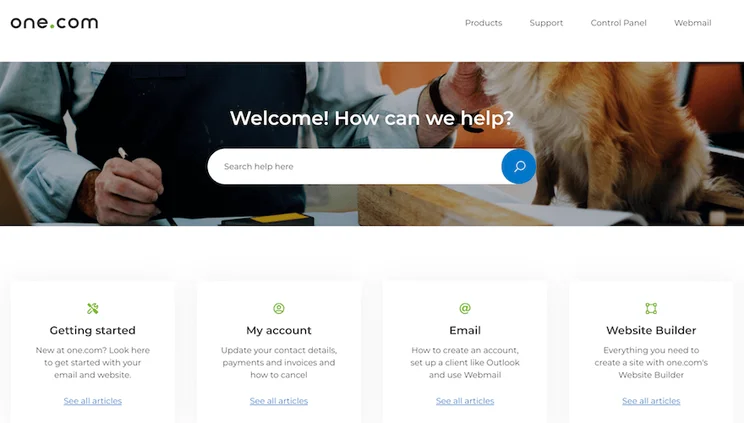
With live chat and email available, this at least means your issue is being dealt with by a human being. But the downside is, they can only work at a human pace.
The average response time for One.com’s email support is two working days, which is less than ideal if you have an urgent issue.
There’s no phone number listed on One.com’s customer support page – only the email, postal address, and list of FAQs. You can head to the blog for more general information, but for specific or technical problems, you’ll need to contact the support team directly.
How Much Does One.com Cost?
One.com has four plans to choose from: the Beginner, Explorer, and Enthusiast, and Guru plans. The Beginner plan is $6.99/month; Explorer costs $12.99/month, while Enthusiast comes in at $17.99/month. One.com’s most expensive plan, Guru, costs $26.99/month. These prices are all when you sign up for annual, rather than monthly, billing.
All come with a three-month free period to get you started when you first sign up to build your website with One.com.
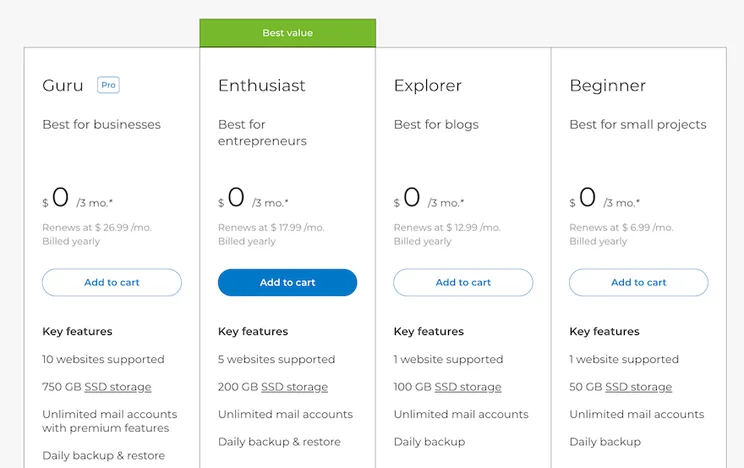
The Beginner plan supports one website, includes 50GB of SSD storage, provides unlimited mail accounts, and offers email backup. Because of its obvious limitations, this plan it’s ideal for hobby websites or personal projects.
The Explorer plan also supports just one website, but offers 100GB of SSD storage, retains all the features of the Beginner plan, and adds that all-important one-click WordPress install feature (ideal if your website is going to be content-heavy!). It’s designed for professional websites, whether personal or business, and for people with a bit more money to spend.
The Enthusiast plan comes with everything from the Explorer plan, but lets you build up to five websites – and enjoy up to 200GB of SSD storage. Unsurprisingly, this plan is best for online stores.
Remember, all paid plans come with a three-month free trial, so you can try them out without any risk!
The Guru plan supports up to ten websites, provides 750GB of SSD storage, and throws unlimited mail accounts – with premium features – into the bargain. Also included is free site protection, One.com’s free SEO tool, and advanced WordPress tools – all completely gratis.
All One.com plans come with three months free hosting, a free month of Google Ads credit, a free SSL certificate, web analytics, and 24/7 live chat support. Not bad!
Unlike with SimpleSite – now dearly departed – One.com doesn’t offer a free forever plan. However, that three months free you can enjoy (on any plan!) more than makes up for this omission.
| Website Builder / Cheapest Paid Plan (/month)* | |
|---|---|
| Jimdo | $9 |
| GoDaddy | $9.99 |
| Site123 | $12.80 |
| Wix | $16 |
| One.com | $6.99 |
| Squarespace | $16 |
*Prices shown in this table reflect the monthly cost of annual plans, rather than month-to-month subscriptions.
As you can see, One.com’s most affordable plan is among the cheapest website builder packages on the market, coming in at less than half its Wix and Squarespace counterparts. However, it’s worth bearing in mind that you get what you pay for – and, dollar for dollar, those website builders offer more than what you’ll get with One.com’s $6.99/month plan.More Information
- Free website builders don’t have to be basic – read our review of the Top Free Website Builders to find your perfect budget-friendly builder!
- Are you after a cheap but quality website builder? Read our review of the Cheapest Website Builders for an in-depth look
- Wix offers fantastic value for money – find out more in our Wix Pricing page
One.com Review: Our Final Verdict
One.com proves once and for all that you don’t need tech skills to build a website. That said, it takes the idea of simplicity a little too far, resulting in very basic features and often frustratingly limited editing tools.
We’ve explored One.com’s features, ease of use, design, help and support, and pricing, and it’s certainly kept us on our toes. Easy to use, but not intuitive; lacking in basic features, but making up for it with free ecommerce and rare mobile editing; One.com is a bag of contradictions.
One.com’s hidden gems make it a good choice for beginners looking to start a hobby or personal website, and even sell a few items on the side. And its feature set is impressive, as is the three free months it offers across all its paid offerings – not just its most affordable ones.
However, if you want more stylish designs or scalable features, you’d be better off with a different website builder.
Wix is the best overall website builder, and is really beginner-friendly to boot. GoDaddy is the fastest if you just want something online quickly, Squarespace has the best designs, while Shopify is best for growing online stores.
One.com can’t compete with these more up to date builders, but it’s not trying to. As it says on its website, “using our product should feel enjoyable – like playing a game” – and that’s exactly what it achieves. It’s not a serious builder – it’s playful, so enjoy using it. Just don’t expect your Playmobil passion to roll in the big bucks anytime soon.
Website Builder Expert aims to provide you with honest data. That’s why we conduct our own research and obtain direct, personal insight. Click here for further information.


1 reply
1 reply
1 reply
1 reply
1 reply
1 reply
1 reply
1 reply
1 reply